
Purpose
Remove a user from a Security Group to revoke the permissions they inherit from that group.
Before you begin
-
You have access to the Cantara Administration Console.
-
You have permission to manage Security Groups.
Procedure
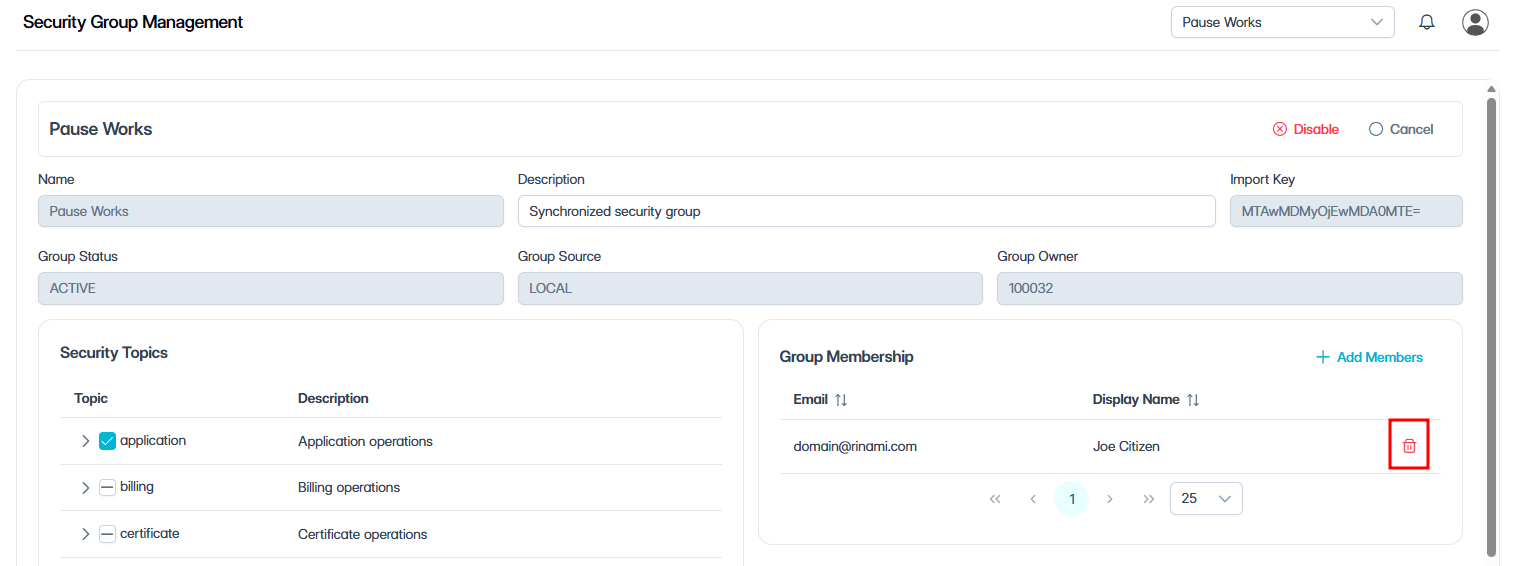
To remove a member from a Security Group:
-
Navigate to Security Groups.
-
Select the Security Group you want to update.
-
In the Group Membership section, select the remove (bin) icon next to the user.
-
Select Remove Selected to confirm.
The user immediately loses all permissions inherited from this Security Group. If the user belongs to other Security Groups, those permissions are not affected.
Related tasks