
Purpose
View all Security Groups in the Cantara Administration Console.
Before you begin
-
You have access to the Cantara Administration Console.
-
You have permission to view Security Groups.
Procedure
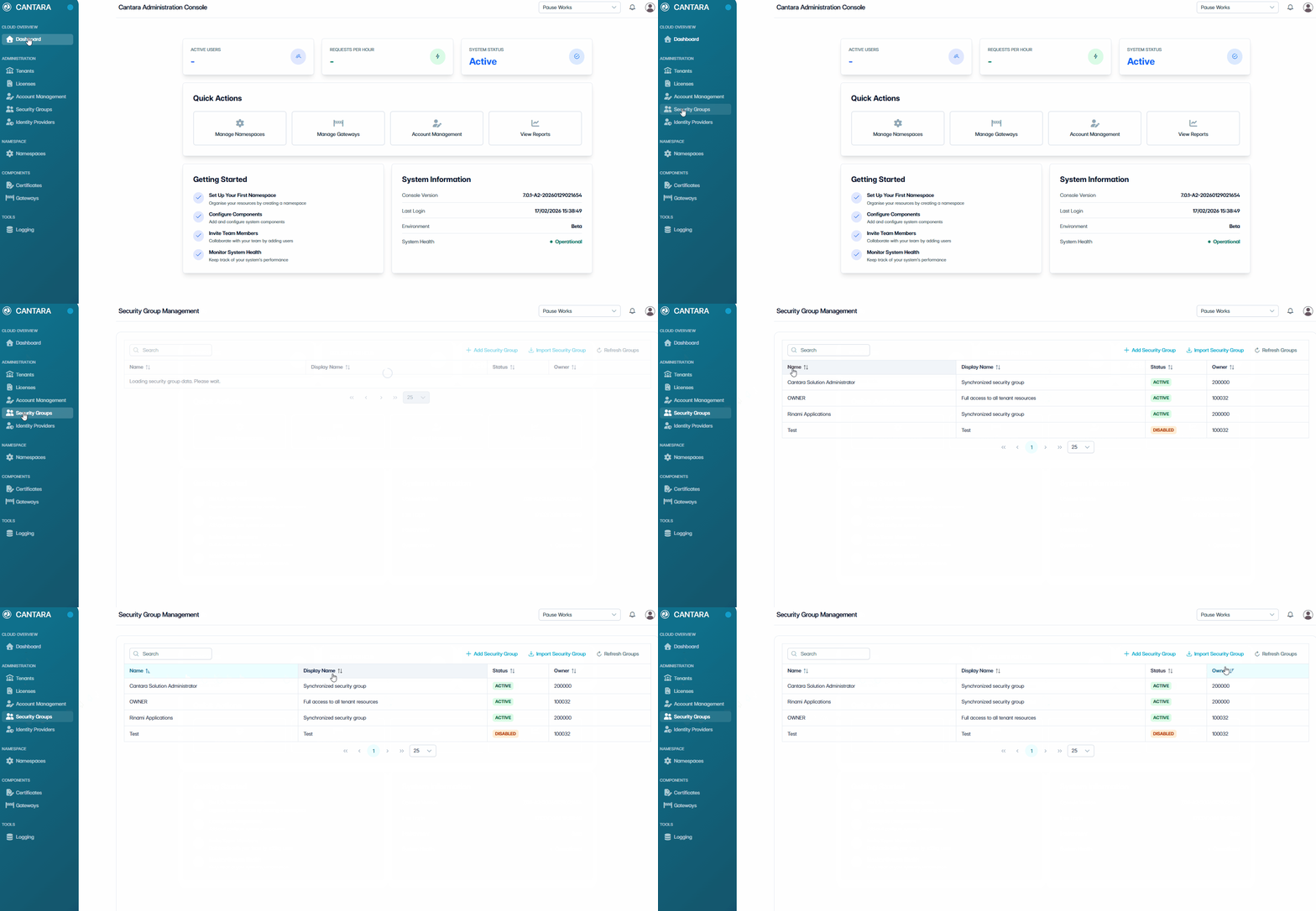
-
Navigate to Security Groups.
The Security Groups screen opens and displays the Security Groups available to your account. Each row represents one Security Group. The following columns are displayed:
|
Column |
Description |
|---|---|
|
Name |
System-generated short name for the Security Group. |
|
Display Name |
The Security Group name shown in the console. |
|
Status |
Whether the Security Group is enabled or disabled. |
|
Owner |
The user assigned as owner of the Security Group. |
-
Use the controls at the top of the list to locate a Security Group:
-
Search — Enter a keyword to filter Security Groups by name.
-
Sort — Select a column header to sort the list.
-
Refresh Groups — Reload the Security Group data.