
Purpose
Import a Security Group from another tenant using an import key.
About importing Security Groups
The Import Security Group function allows a tenant to grant access to a Security Group from another tenant using an import key.
Each Security Group includes an import key, which is visible in the Security Group view and is used to ensure the correct group is identified during the import process.
How it works:
-
The source tenant provides an import key for the relevant Cantara Security Group (for example, "Cantara Solution Administrator").
-
The receiving tenant imports the group using the import key and assigns permissions.

Note: This section applies when Security Groups are created and managed in Cantara. If SCIM provisioning is enabled, Security Groups are managed in the IdP.
Before you begin
-
You have access to the Cantara Administration Console.
-
You have permission to manage Security Groups.
-
A tenant already exists.
-
You have obtained the import key for the required Security Group from the source tenant.
Procedure
-
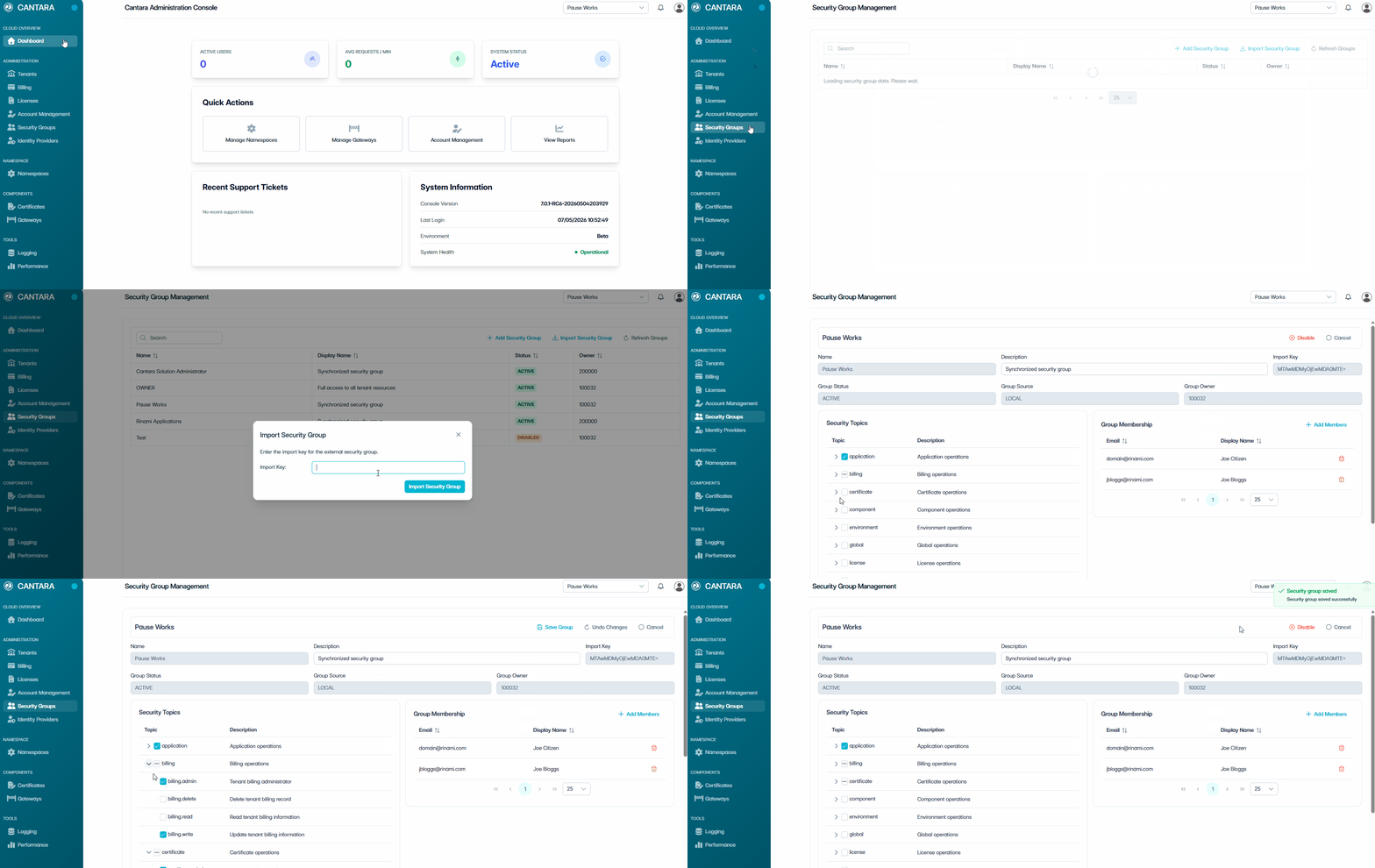
Navigate to Security Groups.
-
Select Import Security Group.
-
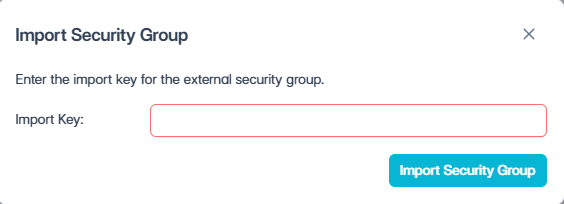
Enter the import key in the dialogue box.
-
Select Import Security Group to confirm.
-
In the Security Topics section, assign permissions:
-
Select a Security Topic to grant full access to that functional area.
-
Expand a Security Topic (›) to view individual Permissions.
-
Select individual Permissions to grant granular access.
-
-
Select Save Group.
The header fields (Name, Description) are read-only for imported groups. These details are managed by the source tenant.
Outcome
-
The imported Security Group appears in your tenant's Security Group list with a Group Source of IMPORTED.
-
Members of the imported group in the source tenant can access your tenancy according to the permissions you assigned via Security Topics.
-
Members authenticate in their own (source) tenant using their existing credentials — no local accounts are created in your tenant.
-
Only the imported Security Group is shared. No other groups, users, or configuration from the source tenant are exposed to your tenancy.
-
You can modify the assigned Security Topics and Permissions at any time without affecting the source tenant's group configuration.
-
To revoke access, remove the Security Topics or disable the imported Security Group.