
Purpose
Add a Security Group to the Cantara Administration Console.
Before you begin
-
You have access to the Cantara Administration Console.
-
You have permission to manage Security Groups.
Procedure
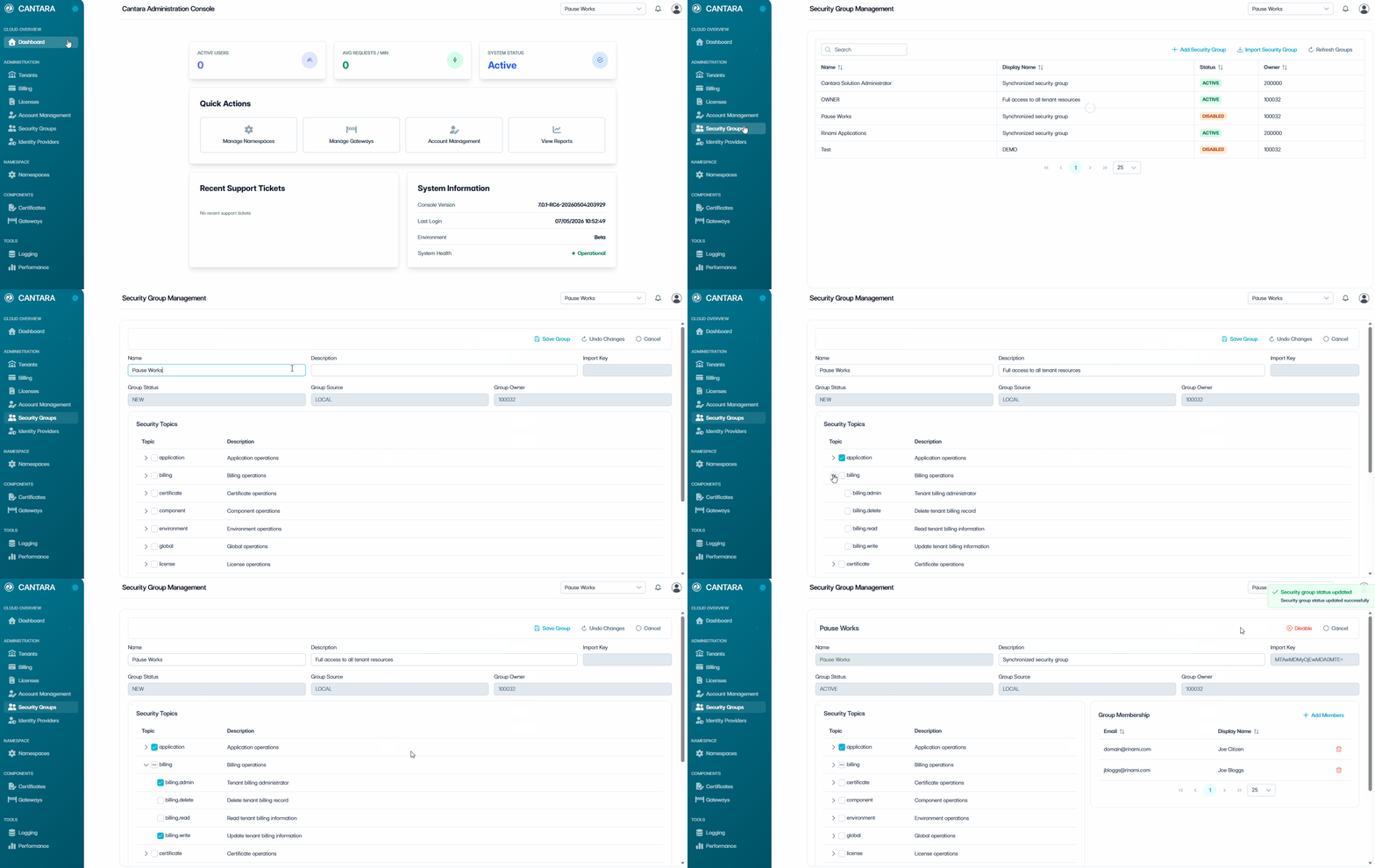
To add a Security Group:
-
Navigate to Security Groups.
-
Select + Add Security Group.
-
Enter the following details:
|
Field |
Description |
|---|---|
|
Name |
A unique name for the Security Group. |
|
Description |
A brief summary of the purpose or scope of the Security Group. |
|
Import Key |
A unique identifier used internally to reference the Security Group. (read only) |
|
Group Status |
The current status of the account: New, Active or Disabled. (read only) |
|
Group Source |
Defaults to LOCAL. (read only) |
|
Group Owner |
The user responsible for managing the Security Group. (read only) |
-
In the Security Topics section, assign permissions:
-
Select a Security Topic to grant full access to that functional area.
-
Expand a Security Topic to view individual Permissions.
-
Select individual Permissions to grant granular access.
-
Repeat for additional topics as required.
-
-
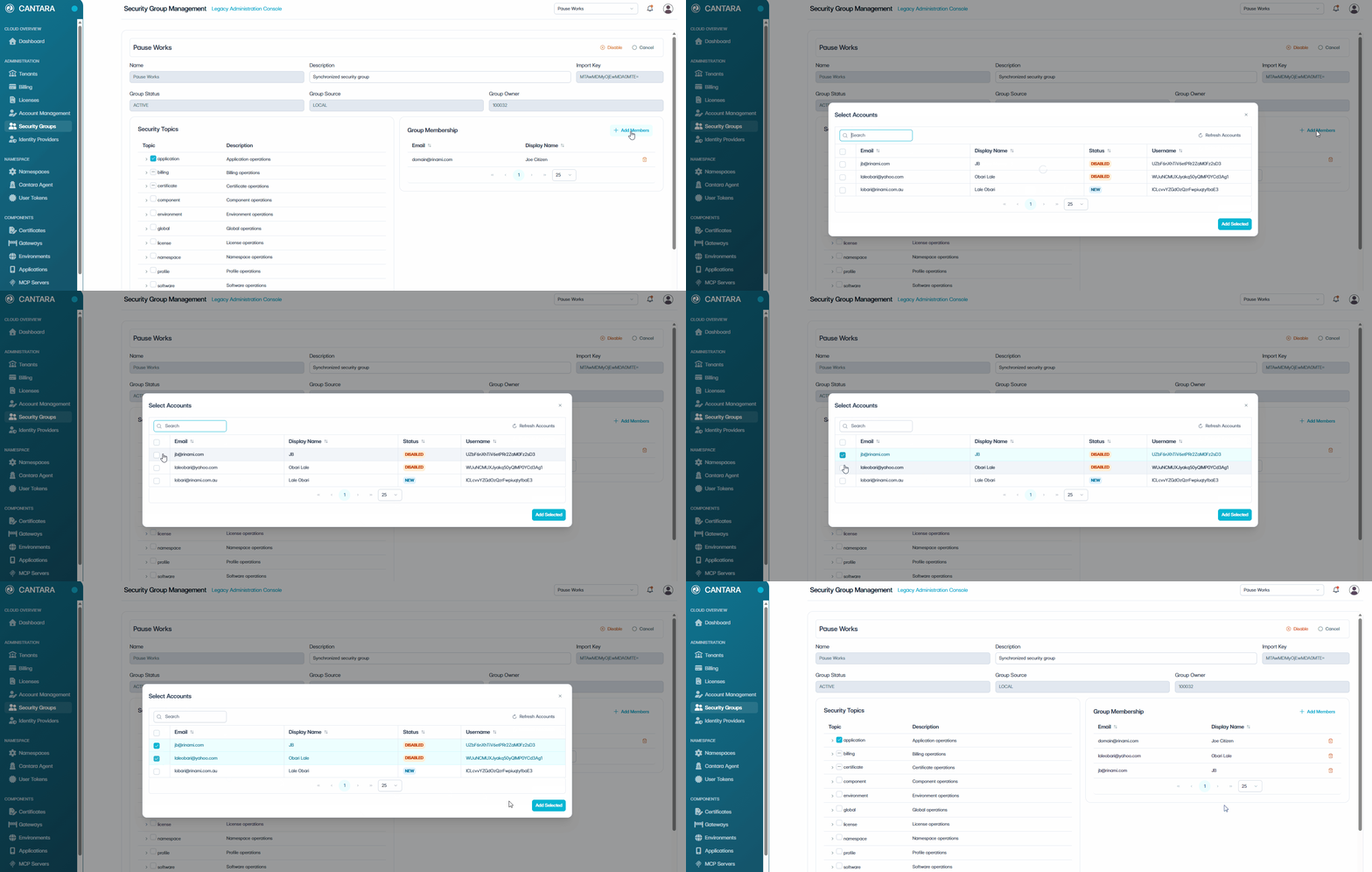
In the Group Membership section, add members:
-
Select + Add Members.
-
Select the users to include in the group.
-
Select Add Selected.
-
-
Select one of the following:
-
Save Group — Save the Security Group.
-
Undo Changes — Revert any unsaved changes.
-
Cancel — Exit without saving.
-