
Purpose
Enable or disable a Security Group to control whether its members have access to assigned permissions.
Before you begin
-
You have access to the Cantara Administration Console.
-
You have permission to manage Security Groups.
Procedure
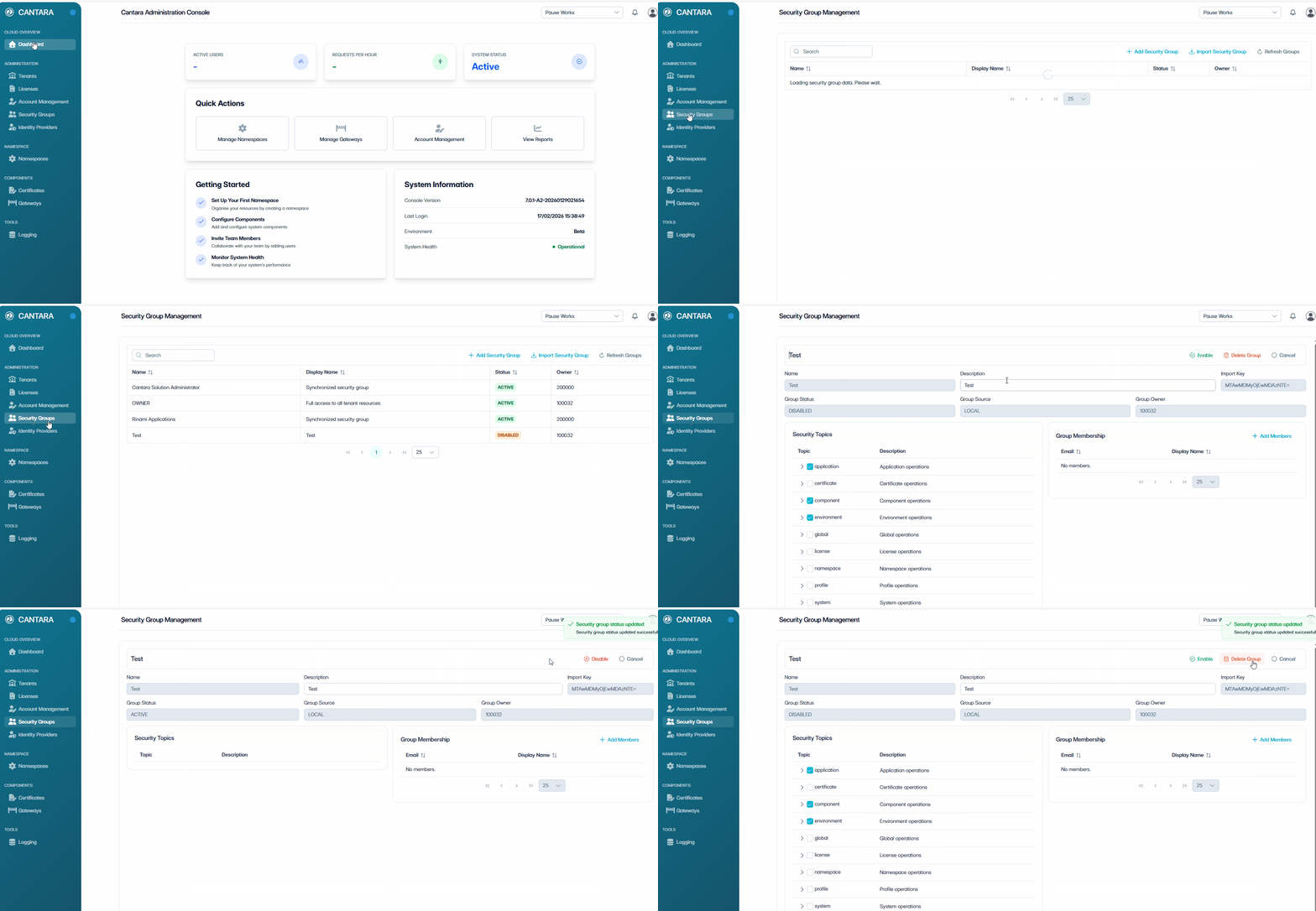
To enable or disable a Security Group:
-
Navigate to Security Groups.
-
Select the Security Group you want to update.
-
Select Enable or Disable.
A confirmation dialog is displayed.
The Security Group status is updated:
-
Enabled — All members inherit the group's assigned permissions.
-
Disabled — All members temporarily lose access granted through the group.
Disabling a Security Group does not delete the group or its members. You can re-enable it at any time.