
Purpose
Add one or more users to a Security Group so they inherit the group’s assigned permissions.
Before you begin
-
You have access to the Cantara Administration Console.
-
You have permission to manage Security Groups.
-
The user accounts you want to add already exist in the tenant.
Procedure
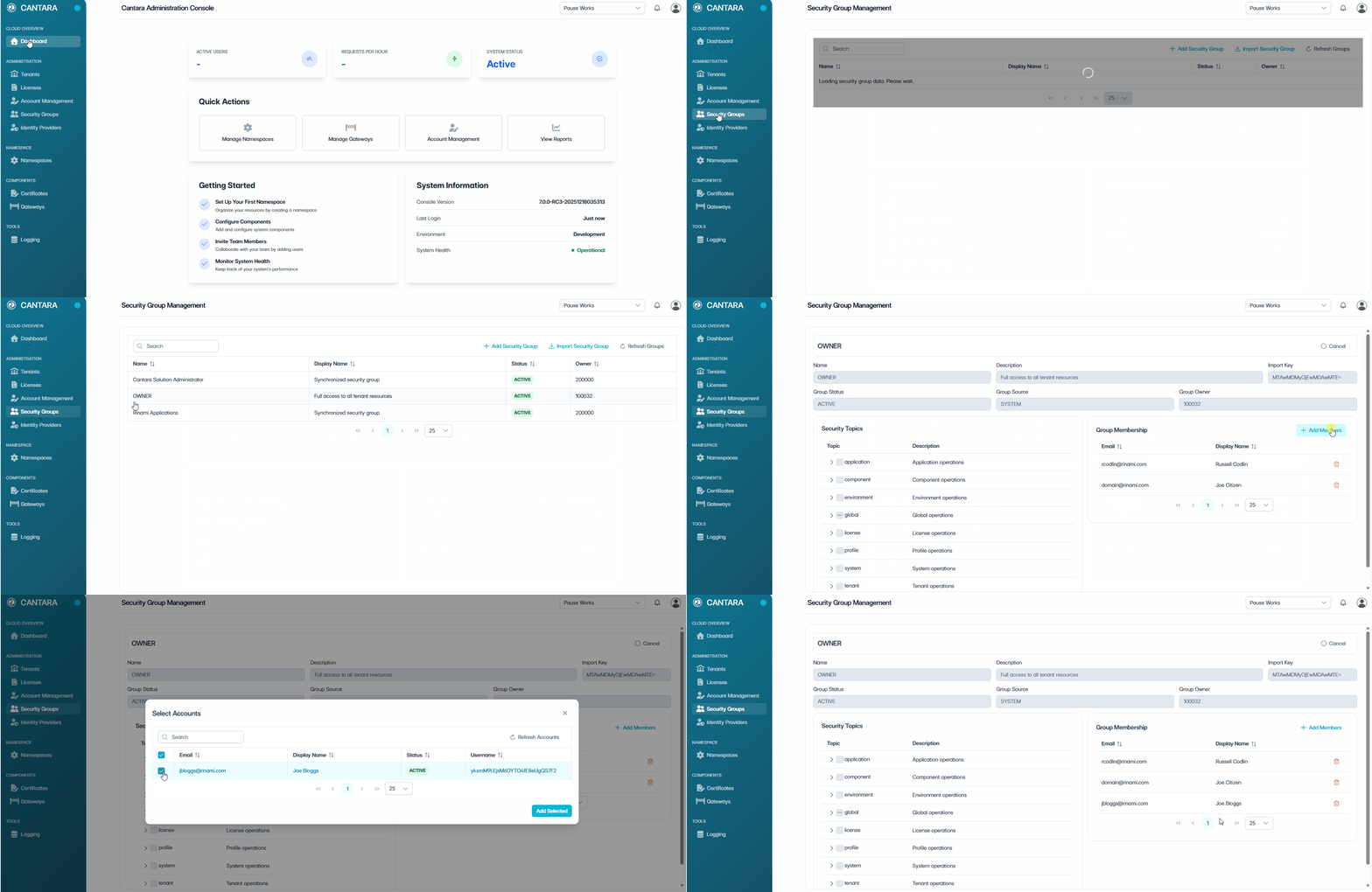
To add a member to a Security Group:
-
Navigate to Security Groups.
-
Select the Security Group you want to update.
-
In the Group Membership section, select Add Member.
-
Select the user accounts you want to add.
-
Select Add Selected.
The selected users now appear in the Group Membership list. They inherit the permissions associated with the Security Topics assigned to this group.
Related tasks