
Purpose
Add a user account to the Cantara Administration Console.
If SCIM provisioning is not configured for your identity provider, you must add accounts manually.
Before you begin
-
You have access to the Cantara Administration Console.
-
You have permission to manage accounts.
Procedure
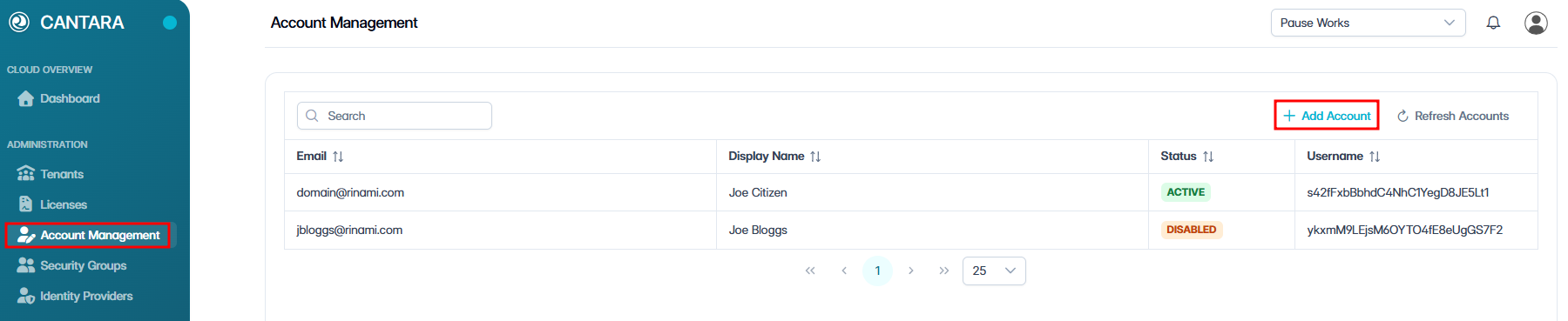
To add an account:
-
Navigate to Account Management.
-
Click + Add Account.
-
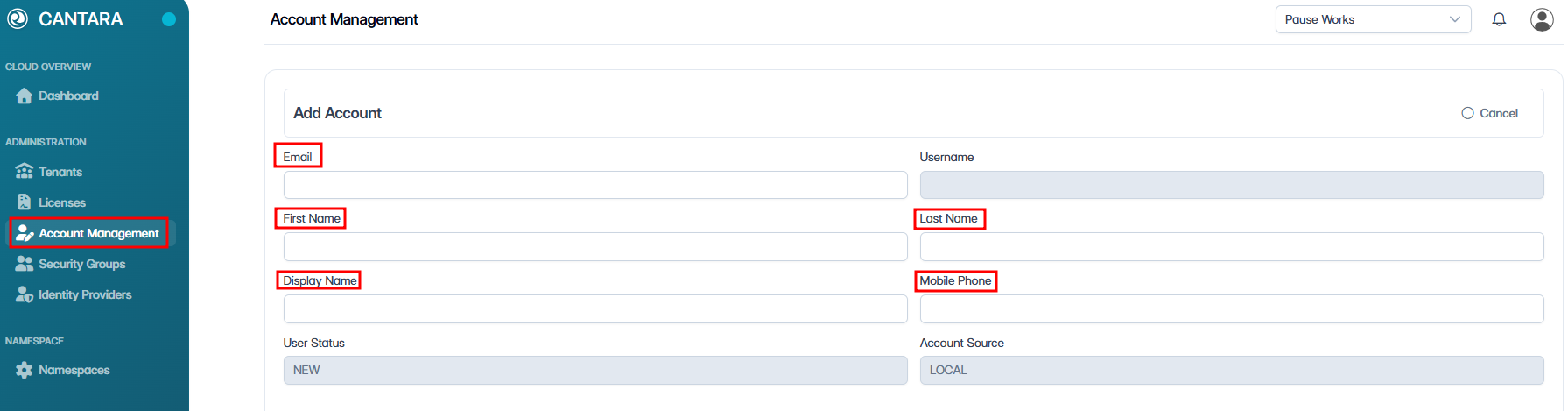
Enter the following details:
|
Field |
Description |
|---|---|
|
|
User's primary work email. Must be a valid email address. |
|
Username |
Unique identifier for the user. (Read only) |
|
First Name |
User's first name. |
|
Last Name |
User's last name. |
|
Display Name |
Full name as displayed in the console. |
|
Mobile Phone |
User's mobile phone number. |
|
User Status |
The current status of the account. Defaults to New. (Read only) |
|
Account Source |
Defaults to LOCAL. (Read only) |
-
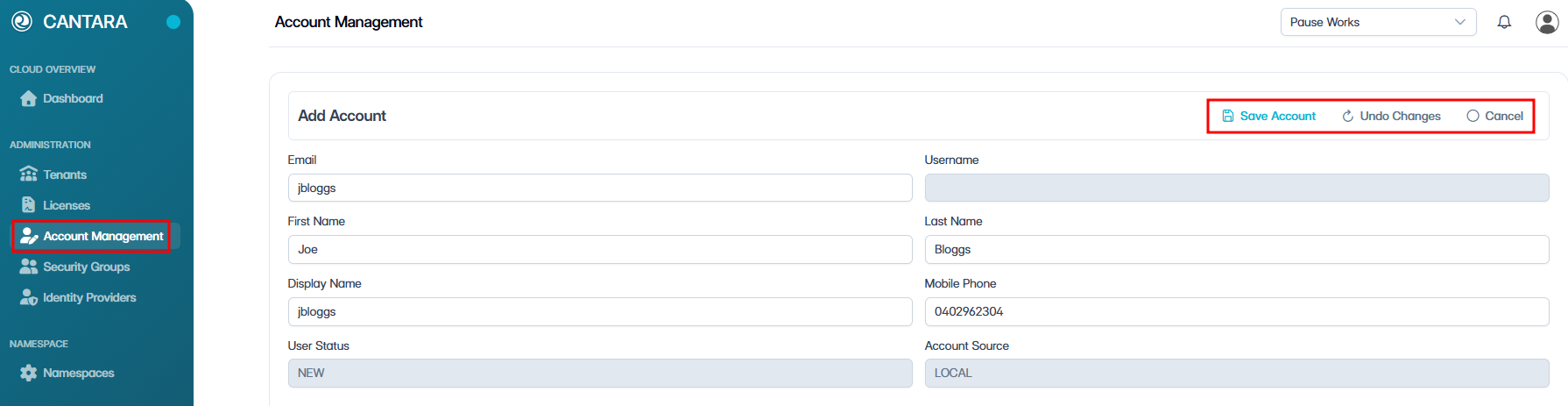
Click Save Account.
Email verification — New accounts are assigned a status of New until the user completes email verification. The user receives an activation link to create their password. After verification, an administrator must enable the account manually.