
Purpose
Enable or disable a user account in the Cantara Administration Console.
If SCIM provisioning is configured, account status is managed externally. Changes made in the console may be overwritten on the next sync.
Before you begin
-
You have access to the Cantara Administration Console.
-
You have permission to manage accounts.
Procedure
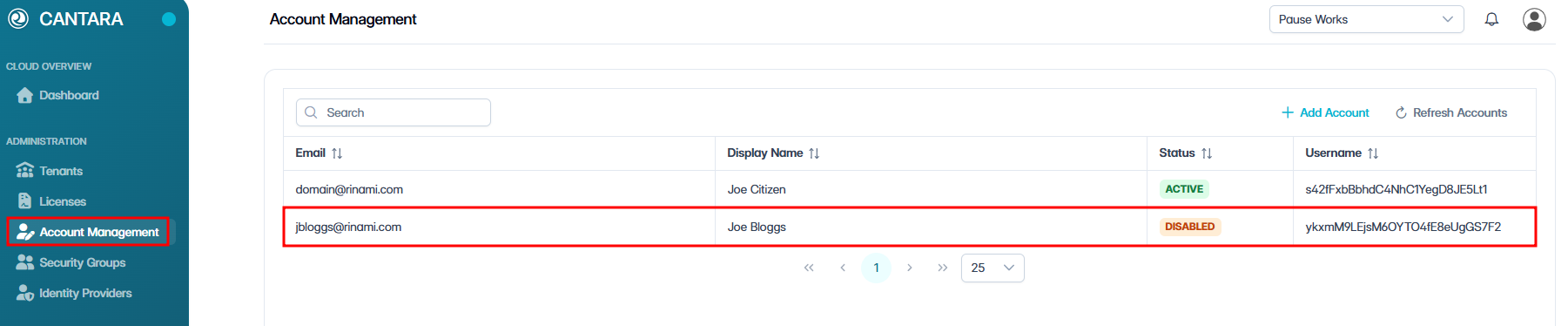
To enable or disable a user account:
-
Navigate to Account Management.
The Account Management screen opens and displays the user accounts available to your account. Each row represents one user account. The following columns are displayed:
|
Column |
Description |
|---|---|
|
|
Email address for the account. |
|
Display Name |
The account name shown in the console. |
|
Status |
The current status of the account: New, Active or Disabled. |
|
Username |
Unique identifier for the user. (Read only) |
-
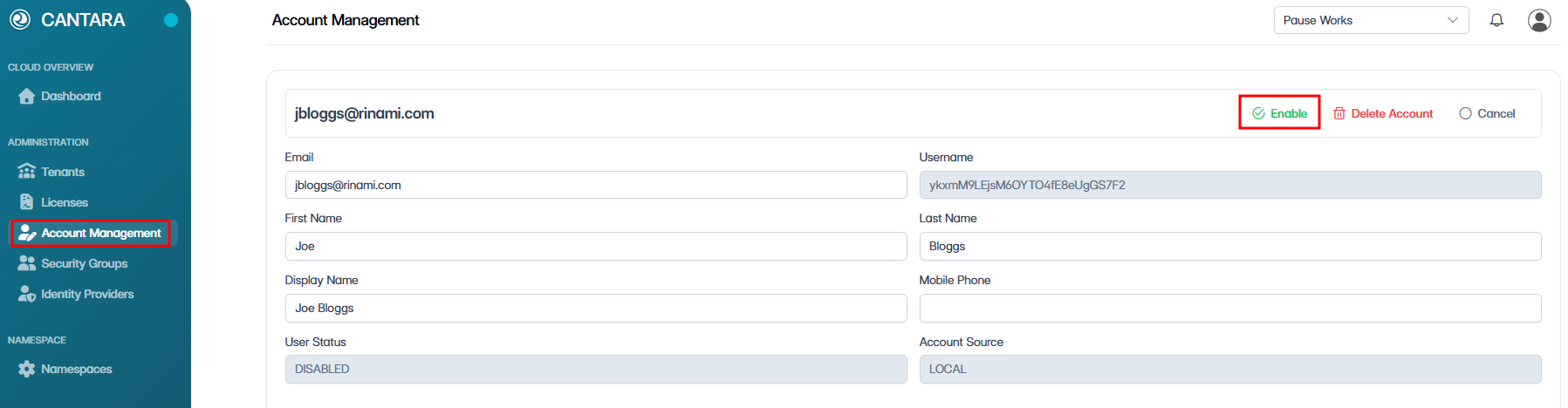
Select the account you want to enable or disable.
-
Select Enable or Disable.
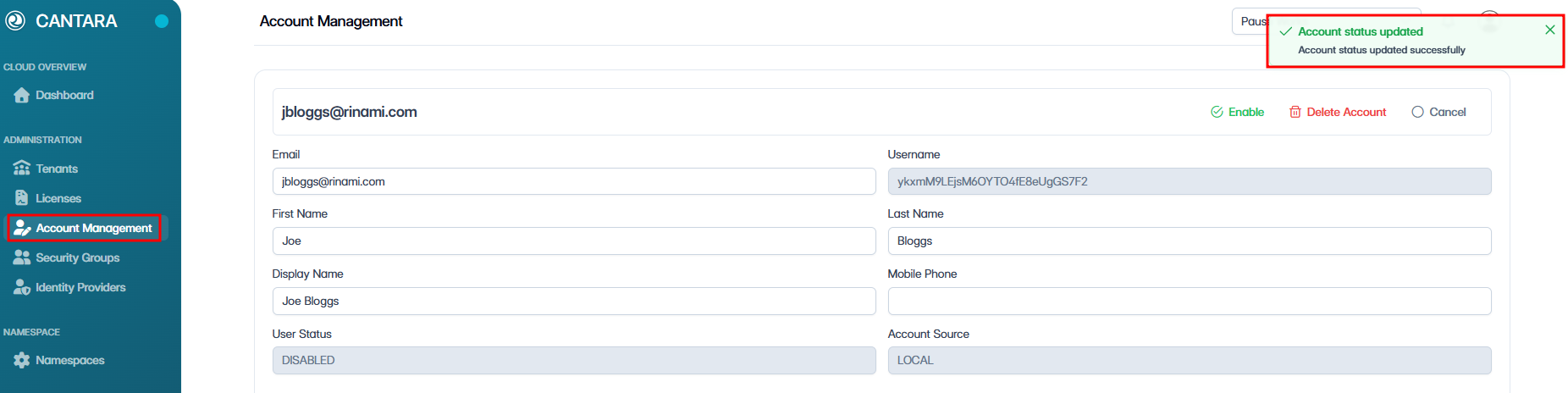
A confirmation box appears in the top left.
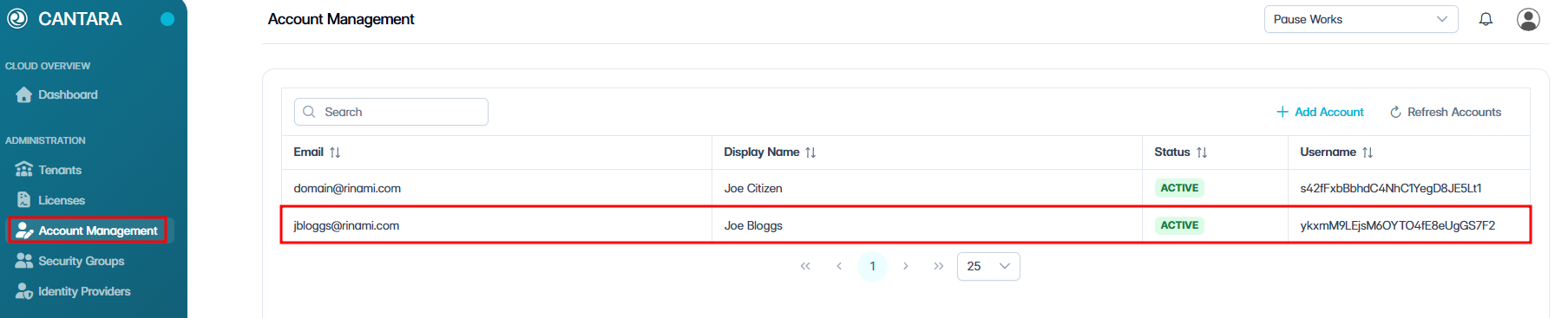
The account status changes to Active or Disabled in the account list.