
Purpose
View or edit a user account in the Cantara Administration Console.
If SCIM provisioning is configured, user accounts are managed externally and changes sync to the Cantara Administration Console automatically.
Before you begin
-
You have access to the Cantara Administration Console.
-
You have permission to manage accounts.
Procedure
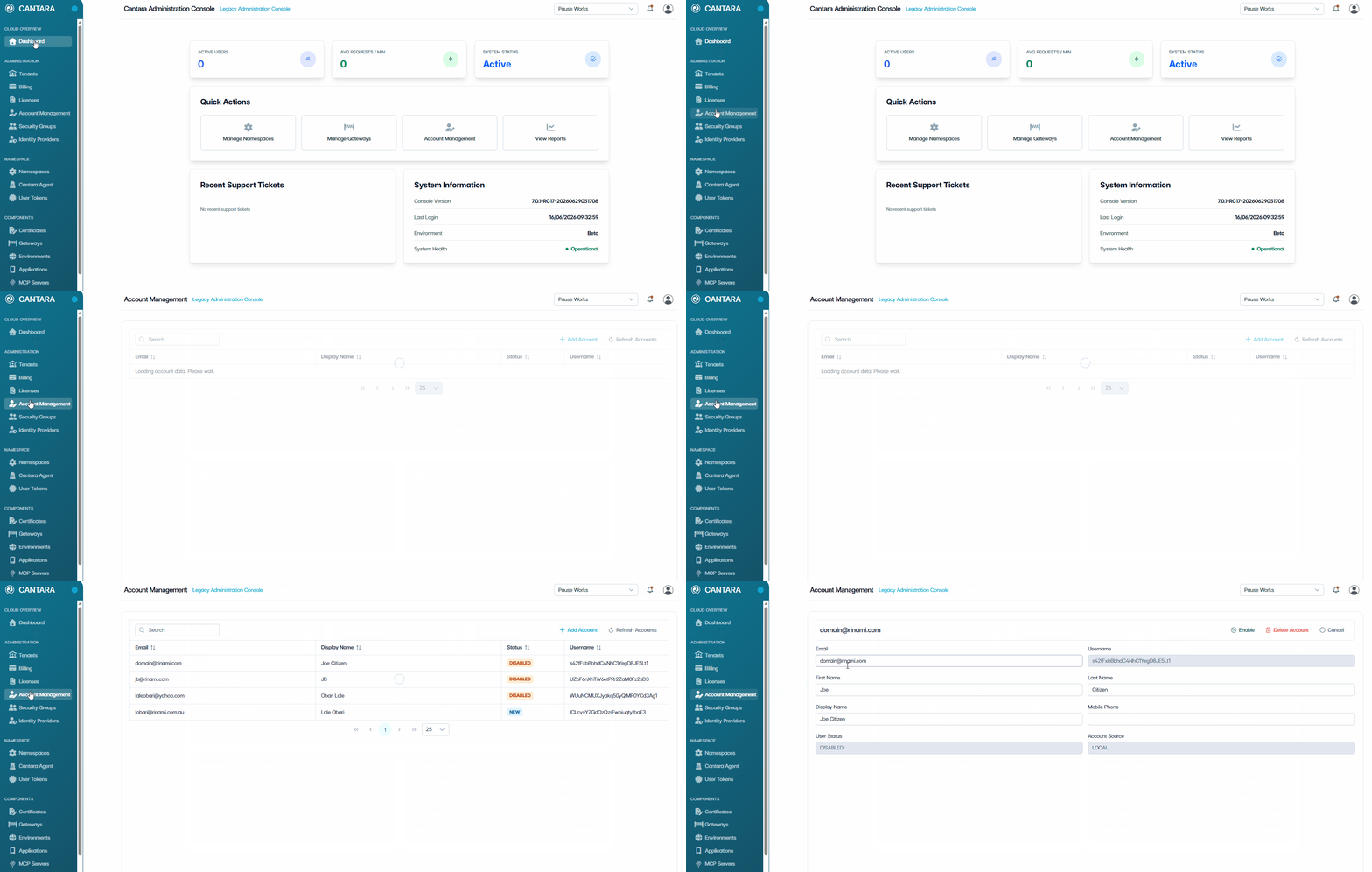
To view or edit a user account:
-
Navigate to Account Management.
The Account Management screen opens and displays the user accounts available to your account. Each row represents one user account. The following columns are displayed:
|
Column |
Description |
|---|---|
|
|
Email address for the account. |
|
Display Name |
The account name shown in the console. |
|
Status |
The current status of the account: New, Active or Disabled. |
|
Username |
Username for the account. |
-
Select the account you want to view or edit.
The User Profile screen displays the following fields:
|
Field |
Description |
|---|---|
|
|
User's email address. |
|
Username |
Unique identifier for the user. (Read only) |
|
First Name |
User's first name. |
|
Last Name |
User's last name. |
|
Display Name |
Name shown in the console. |
|
Mobile Phone |
User's mobile phone number. |
|
User Status |
The current status of the account: New, Active or Disabled. (Read only) |
|
Account Source |
How the account is managed — Local or SCIM. (Read only) |
Note — If the Account Source is SCIM, the account is managed externally and fields cannot be edited.
-
(Optional) Edit fields as required.
-
Select one of the following actions:
-
Save Account — Apply and save any updates made.
-
Undo Changes — Revert any unsaved changes back to the last saved state.
-
Cancel — Exit without saving.
-