
Overview
The Tenant Performance screen provides a tenant-level view of subscription activity and usage over time. Use it to review which subscriptions or licenses were active for a selected tenant during a specific month, and to monitor usage against each one.
Before you begin
-
At least one tenant with an active subscription must be available.
Procedure
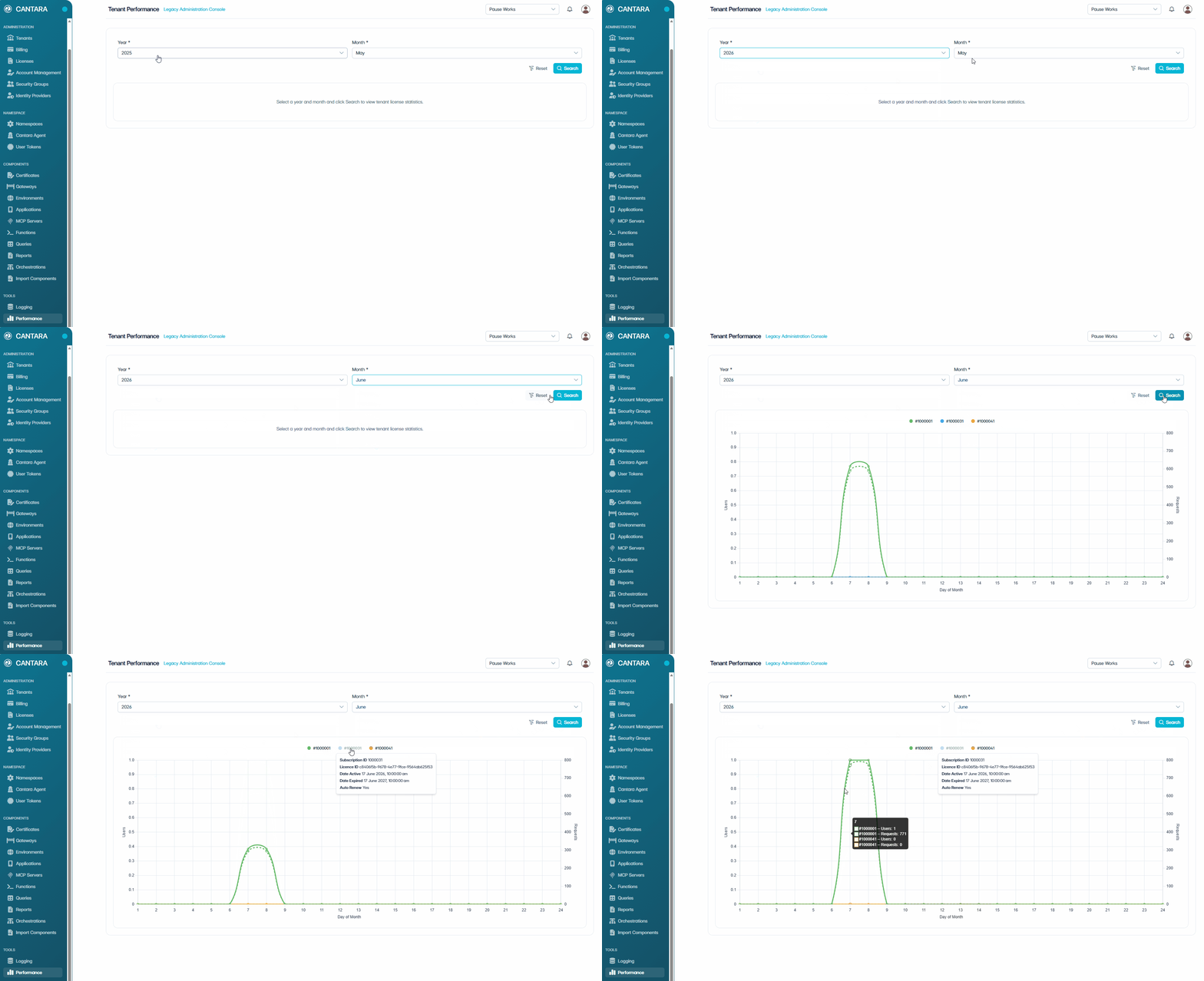
To view tenant performance:
-
Navigate to Performance.
The Tenant Performance screen appears.
-
Select the Year and the Month you want to review from the dropdown menus, then click Search.
A usage chart is displayed.
-
Review the usage information displayed:
-
Subscription ID — Appears above the usage chart. A green dot means the subscription is active. If the tenant has multiple subscriptions, each Subscription ID is listed separately. Hover over a Subscription ID to view its License ID, Date Active, Date Expired, and Auto Renew status.
-
Usage chart — Appears below the Subscription ID and shows cumulative usage for the selected month. Click any point on the line to view the total Users and Requests up to that date.
-
Note: If you have access to more than one tenant, use the tenant selector at the top right of the Tenant Performance screen to choose the tenant you want to review.