
Purpose
Use User Session Transactions to search for and review specific transaction executions when you do not know which session they ran in.
Procedure
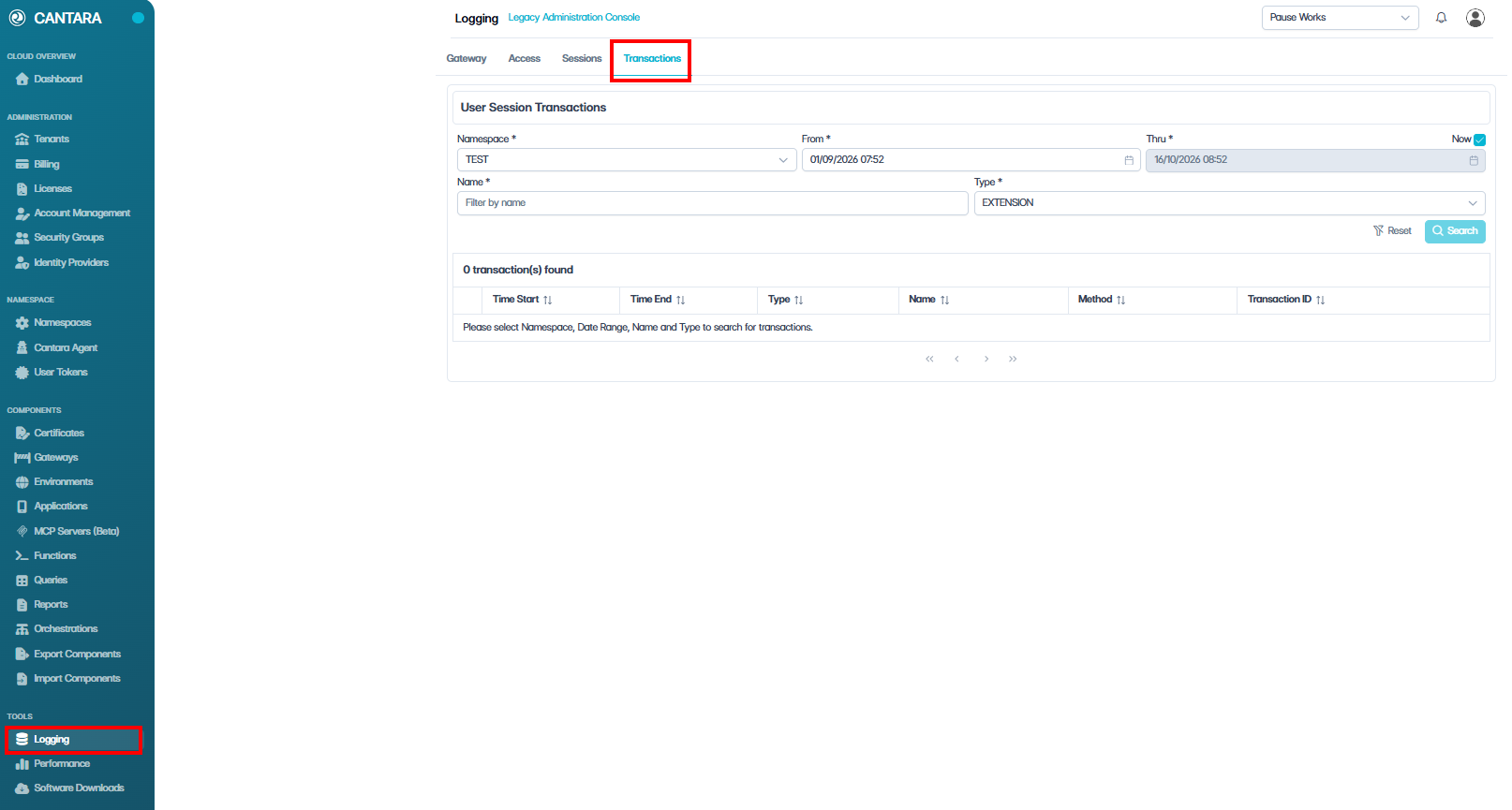
To view user session transactions:
-
Navigate to Logging.
-
Click the Transactions tab.
-
Select the Namespace that you want to review.
-
Specify the From and Thru date/time range.
-
To search up to the current date and time, select Now.
-
-
(Optional) Apply filters to narrow the results:
-
Name
-
Type
-
-
Click Search.
Results are returned in reverse chronological order, with the most recent records shown first.
-
Click Load Next Page to load additional historical records.
-
Use the expand arrow (>) on the right of an entry to view additional details for that record.
-
Sort the currently loaded records by clicking the column heading:
-
Time Start
-
Time End
-
Type
-
Name
-
Method
-
Transaction ID
-
-
Click Reset to clear the current filters and start a new search.