Add an Identity Provider

Purpose

Add a new identity provider to the Cantara Administration Console.

Before you begin

  • You have access to the Cantara Administration Console.

  • You have permission to manage identity providers.

Procedure
To add a new identity provider:

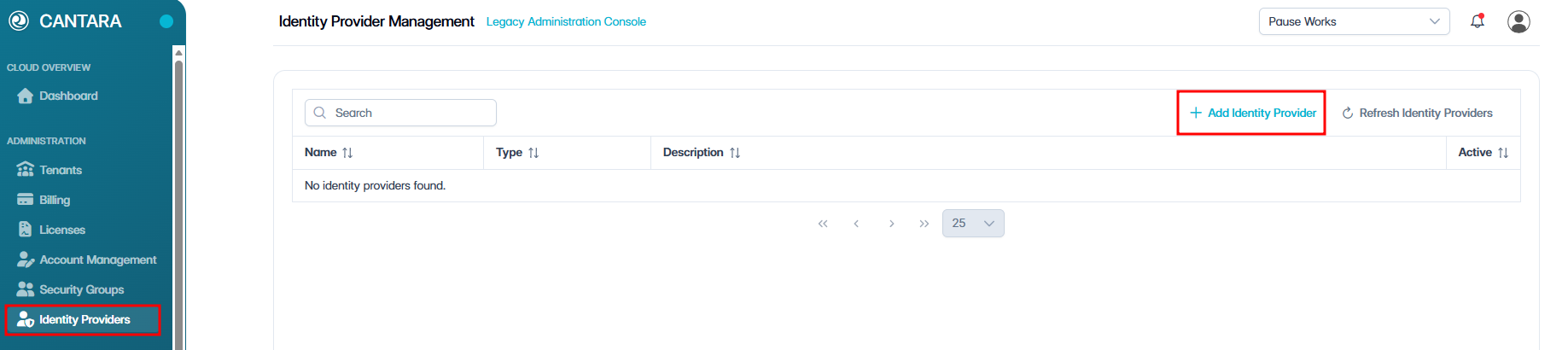
  1. Select Identity Providers.

  2. Click + Add Identity Provide.

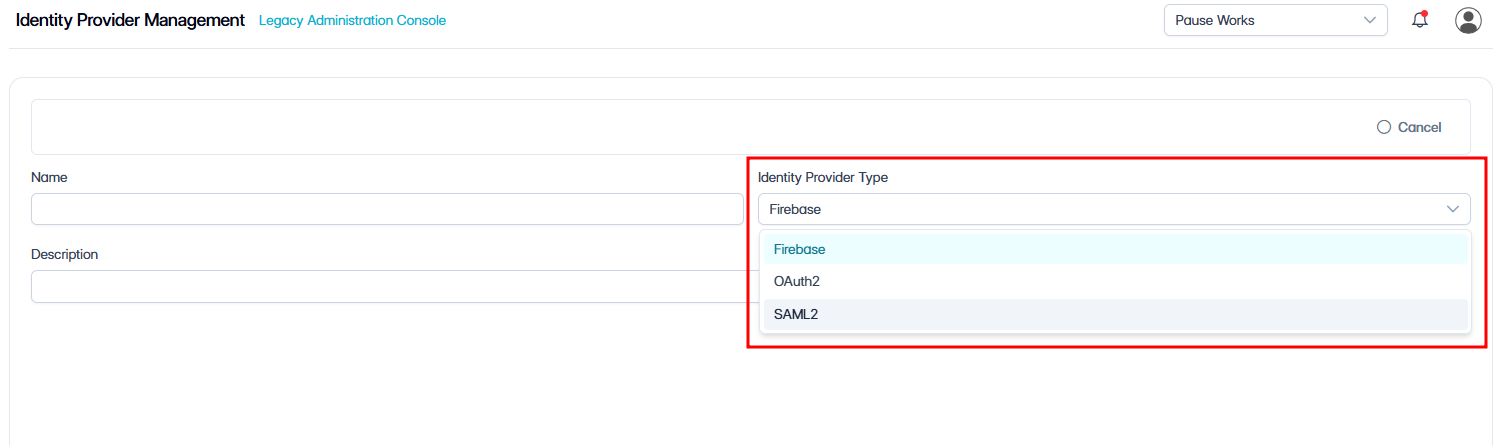
  3. From the drop-down menu, select the identity provider type: Firebase, OAuth2, or SAML.

    Next steps depend on your selection.

If you selected Firebase

Enter the following configuration details:

Field

Description

Identity Provider Name

The name assigned to the identity provider.

Description

A brief description of the identity provider and its purpose.

  1. Click Save Identity Provider to create and apply the new configuration.

  2. Click Activate to activate the newly added identity provider.

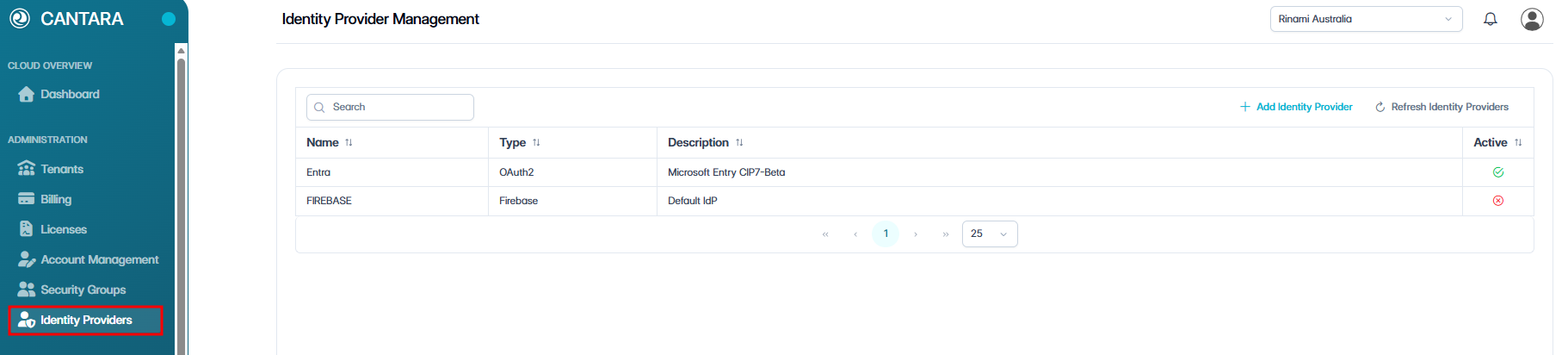
The new identity provider appears in the Identity Providers list.

If you selected OAuth2

For detailed instructions, see Configure OAuth 2.0 Authentication for Cantara.

If you selected SAML

For detailed instructions, see Configure SAML Authentication for Cantara.