
Purpose
View all identity providers in the Cantara Administration Console.
Before you begin
-
You have access to the Cantara Administration Console.
-
You have permission to view identity providers.
Procedure
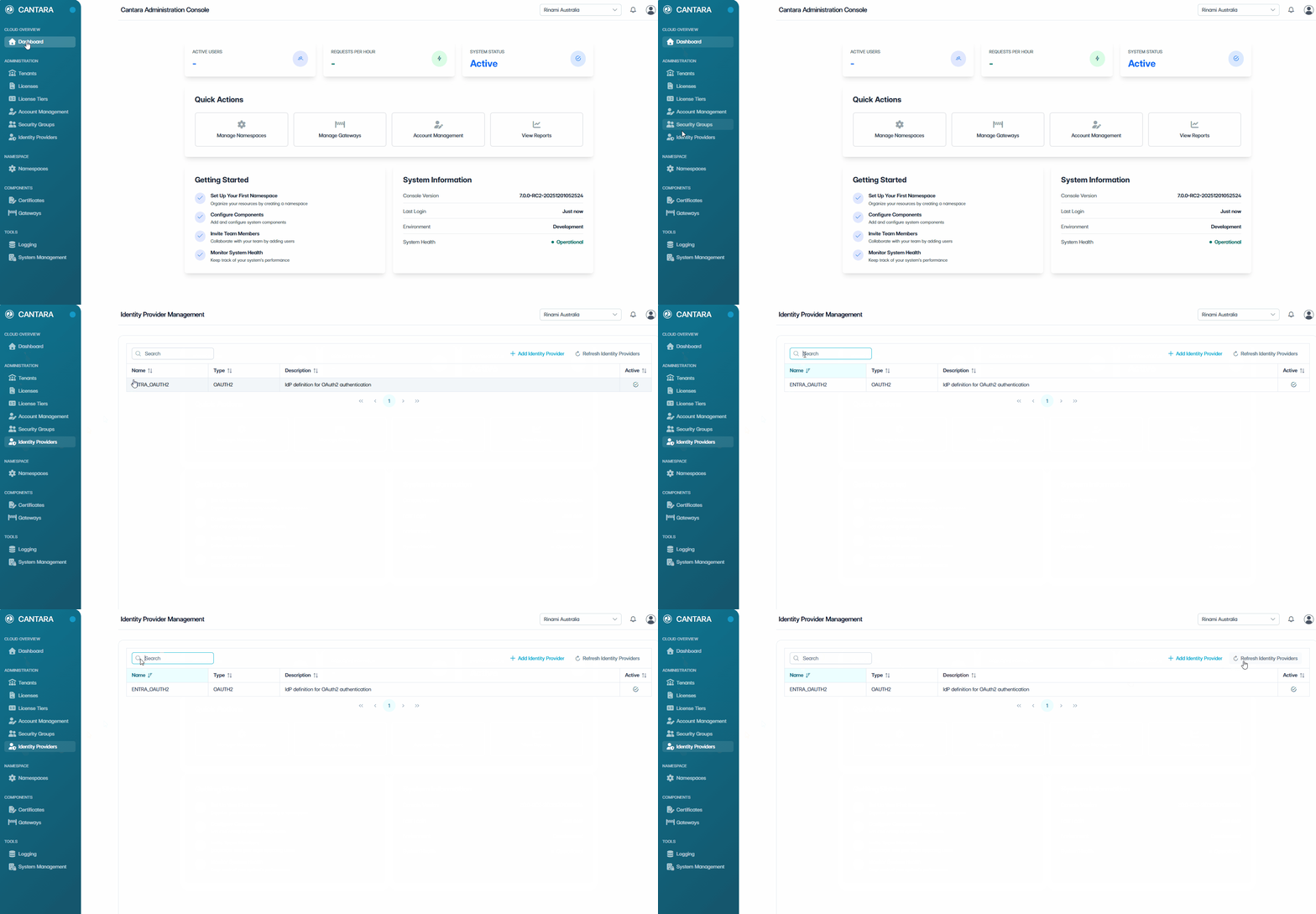
To view identity providers:
-
Navigate to Identity Providers.
The Identity Providers screen opens and displays the identity providers available to your account. Each row represents one identity provider. The following columns are displayed:
|
Column |
Description |
|---|---|
|
Name |
The name of the identity provider. |
|
Type |
The type of identity provider, such as Entra ID or Okta. |
|
Description |
A description of the identity provider. |
|
Active |
The current status of the identity provider: Active or Inactive. |
-
Use the controls at the top of the list to locate an identity provider:
-
Search — Enter a keyword to filter identity providers by name.
-
Sort — Select a column header to sort the list.
-
Refresh — Reload the identity provider data.