
Purpose
Activate or deactivate an identity provider to control whether it is available for user authentication.
Before you begin
-
You have access to the Cantara Administration Console.
-
You have permission to manage Identity Providers.
Procedure
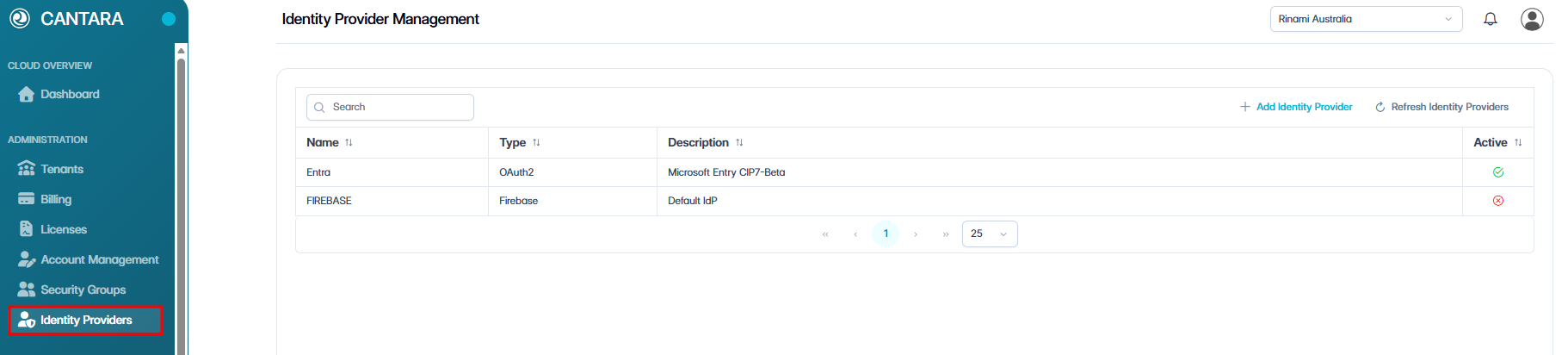
To activate or deactivate an identity provider:
-
Navigate to Identity Providers.
-
Select the identity provider you want to update.

-
Click Activate or Deactivate.
A confirmation dialog is displayed.
The identity provider status is updated:
-
Active — Available for user authentication.
-
Inactive — Unavailable for user authentication.
Deactivating an identity provider does not delete it. You can reactivate it at any time.