Overview
Use this section to understand how security roles and permissions control access to MEP menus, configuration screens, and planning actions.
-
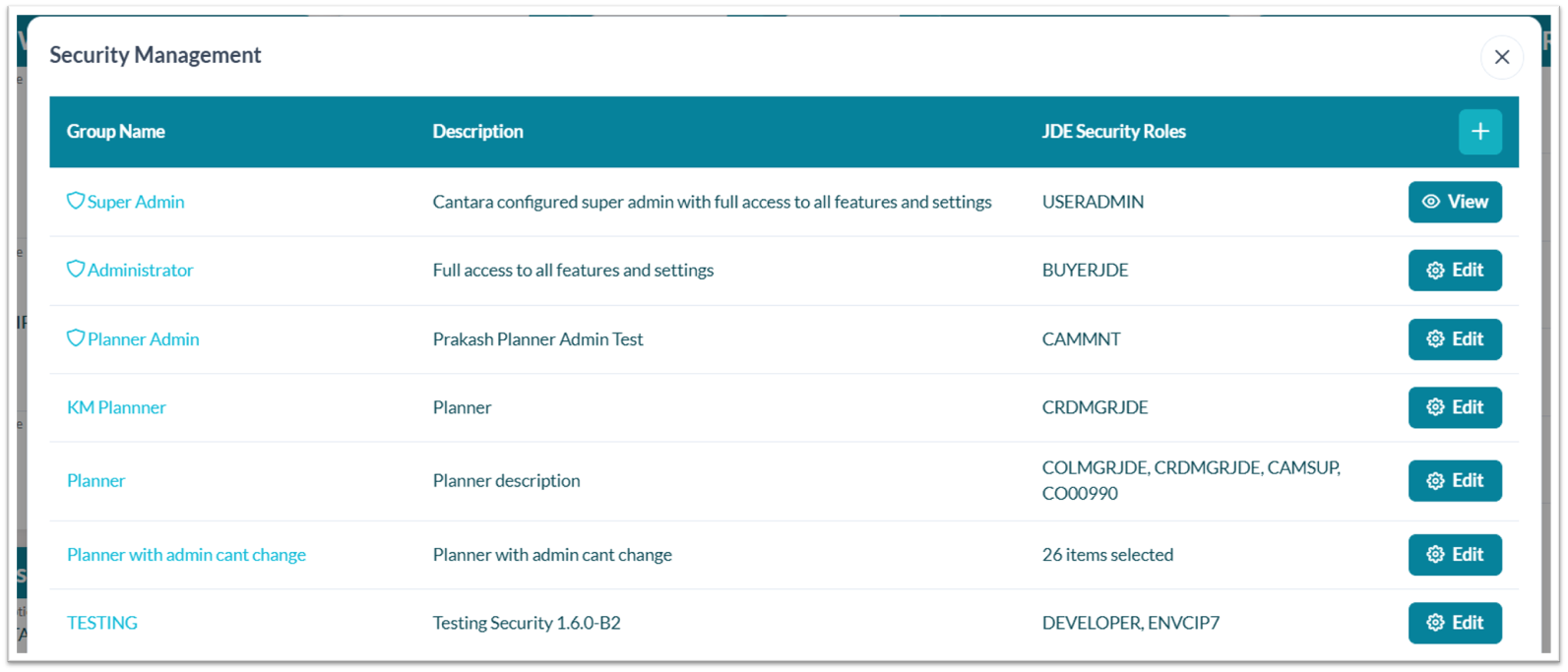
Role types: Common roles include Super Admin, Administrator, and User.
-
Super Admin role: The Super Admin role is view-only, non-editable, and visible only to Super Admin users. This role is configured in the Cantara Administration Console. Super Admin and Administrator roles are indicated by a shield icon next to the role name.

-
Feature access: Permissions control access to menus, screens, branch configuration, scheduling capabilities, and planning actions.
-
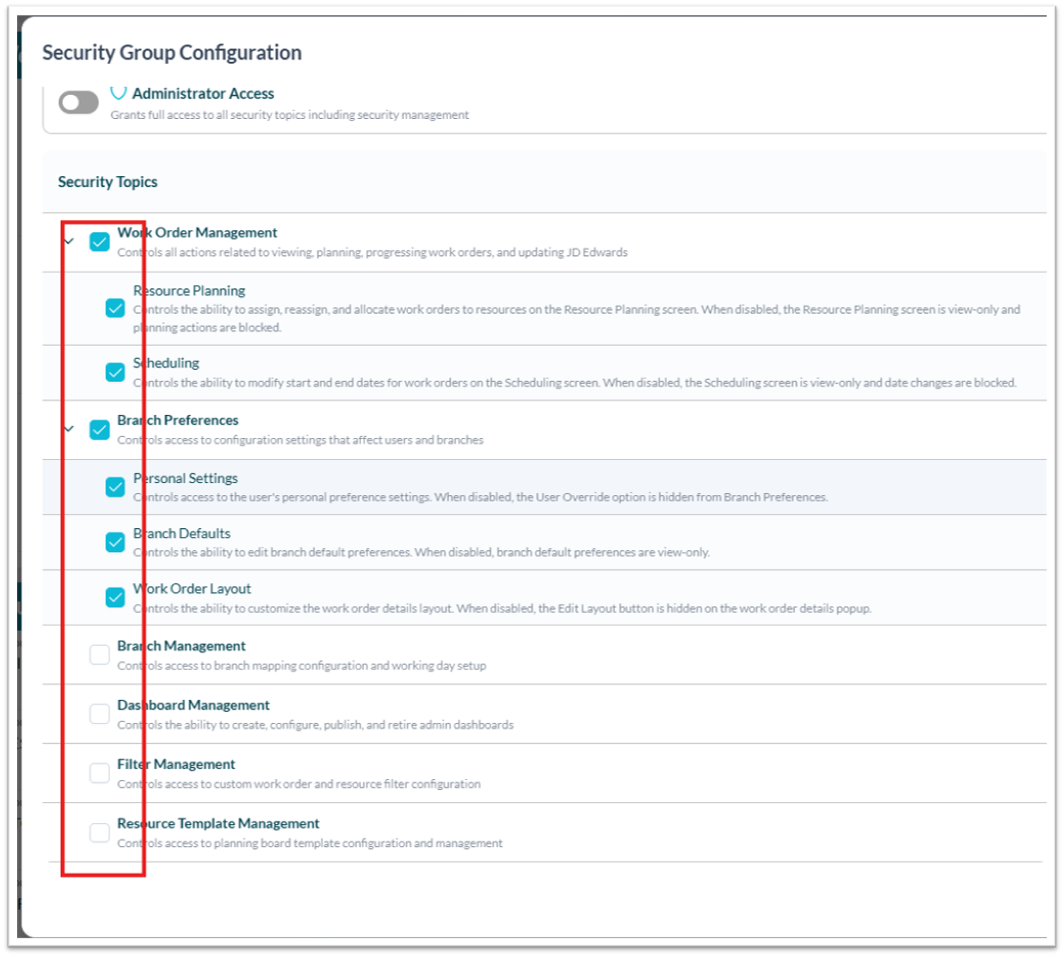
Work Order Management: Controls all actions related to viewing, planning, progressing work orders, and updating JD Edwards.
-
Resource Planning Controls the ability to assign, reassign, and allocate work orders to resources on the Resource Planning screen. When disabled, the Resource Planning screen is view-only and planning actions are blocked.
-
Scheduling Controls the ability to modify start and end dates for work orders on the Scheduling screen. When disabled, the Scheduling screen is view-only and date changes are blocked.
-
-
Branch Preferences: Controls access to configuration settings that affect users and branches.
-
Personal Settings Controls access to the user's personal preference settings. When disabled, the User Override option is hidden from Branch Preferences.
-
Branch Defaults Controls the ability to edit branch default preferences. When disabled, branch default preferences are view-only.
-
Work Order Layout Controls the ability to customize the work order details layout. When disabled, the Edit Layout button is hidden on the work order details popup.
-
-
Branch Management: Controls access to branch mapping configuration and working day setup.
-
Dashboard Management: Controls the ability to create, configure, publish, and retire admin dashboards.
-
Filter Management: Controls access to custom work order and resource filter configuration.
-
Resource Template Management: Controls access to planning board template configuration and management.
-
-
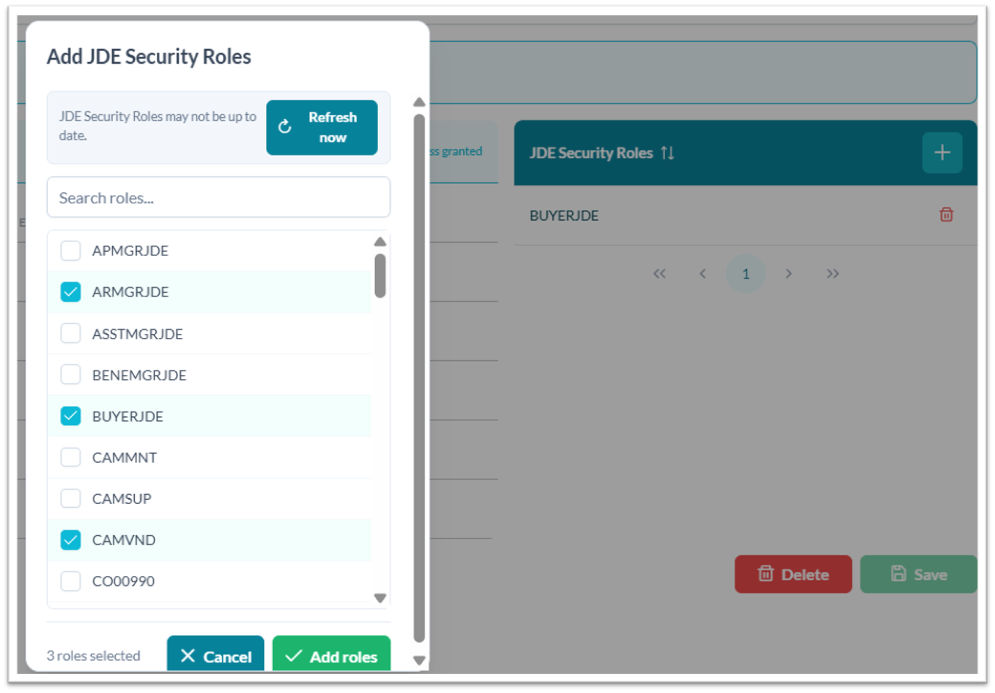
JD Edwards roles: Users can refresh, search, and assign JD Edwards security roles to security groups.
-
Menu visibility: Checked options are visible to users; unchecked options are hidden.