
Purpose
Open a tenant to review details and update editable properties.
Before you begin
-
You have access to the Cantara Administration Console.
-
You have permission to manage tenants.
Procedure
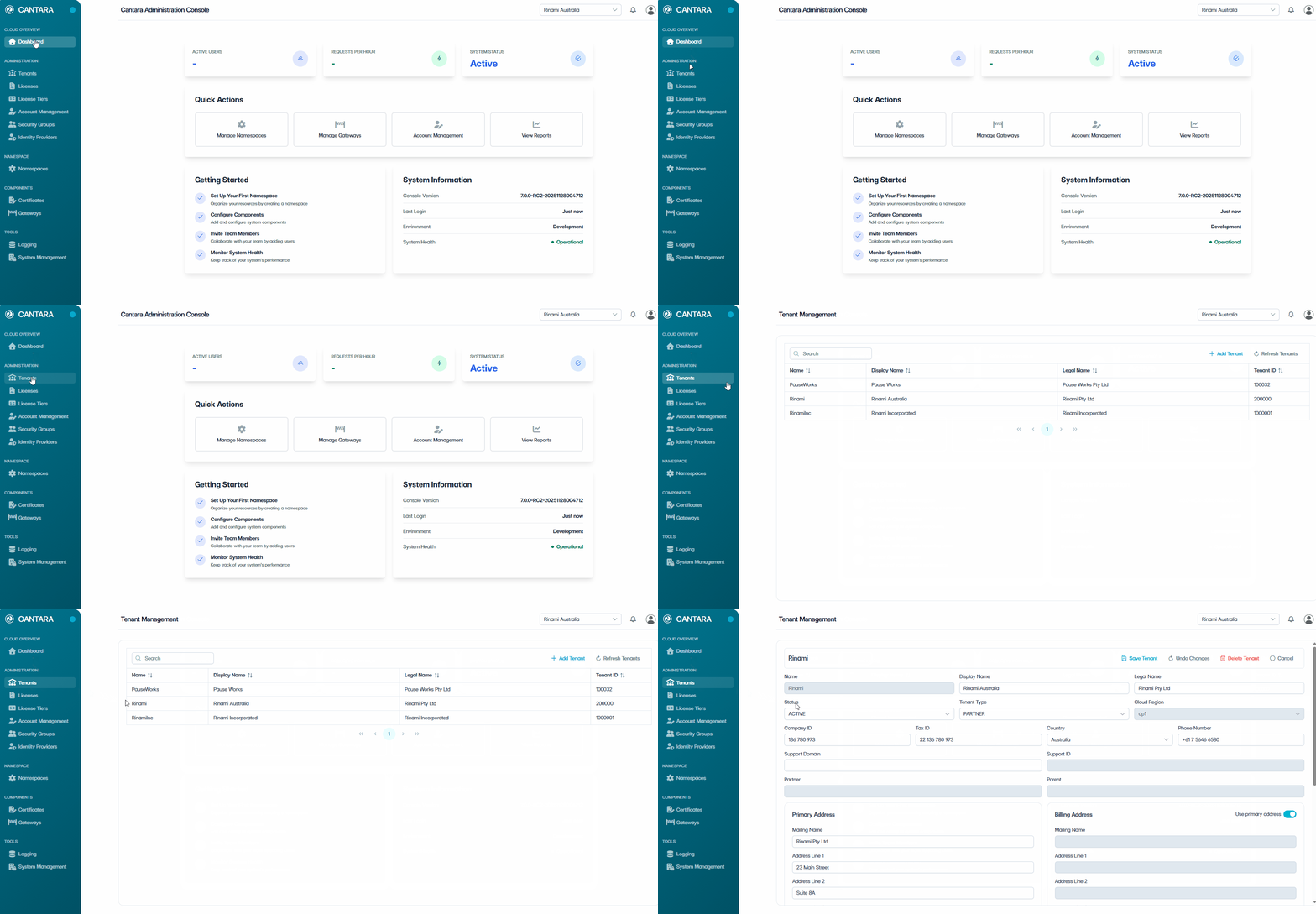
To view or edit a tenant:
-
Navigate to Tenants.
-
The Tenant Management screen opens, showing a list of all existing tenants along with their details, such as Name, Display Name, Legal Name, and Tenant ID.
-
Select the tenant you want to view or edit.
The selected tenant details are displayed. Fields marked (Read only) cannot be edited; all other fields can be updated as required.
Tenant
|
Field |
Description |
|---|---|
|
Name |
System-generated short name for internal keys. (Read only) |
|
Display Name |
The name shown in the top-right corner of the console. |
|
Legal Name |
Official business name on the customer contract. (Read only) |
|
Status |
Current operational state of the tenant, e.g., Active, Disabled. (Read only) |
|
Tenant Type |
Classification of the tenant, such as Customer or Partner. (Read only) |
|
Cloud Region |
The geographic region where the tenant’s data is hosted. (Read only) |
|
Company ID |
Localized business identifiers (e.g., ACN in Australia). |
|
Tax ID |
Country-specific tax number (e.g., ABN in Australia). |
|
Country |
Tenant’s operating country. |
|
Phone Number |
Main contact number of the tenant. |
|
Support Domain |
Email domain used to authenticate support requests. |
|
Support ID |
Internal reference used by the support team for the tenant. (Read only) |
|
Partner Tenant |
Partner organization responsible for managing this tenant (if applicable). (Read only) |
|
Parent Tenant |
Parent organization for linked tenants (if applicable). (Read only) |
Primary Address
|
Field |
Description |
|---|---|
|
Mailing Name |
Name associated with the primary address (usually legal or business name). |
|
Address Line 1 |
Street number and name. |
|
Address Line 2 |
Suite, unit, or secondary address information. |
|
Address Line 3 |
Additional address information if needed. |
|
City |
City or locality. |
|
County |
County or district. |
|
State |
State, province, or region. |
|
Postal Code |
ZIP or postal code. |
Billing Address
|
Field |
Description |
|---|---|
|
Use Primary Address |
Indicates whether the billing address is the same as the primary address. |
|
Mailing Name |
Name associated with the billing address (usually legal or business name). |
|
Address Line 1 |
Street number and name. |
|
Address Line 2 |
Suite, unit, or secondary address information. |
|
Address Line 3 |
Additional address information if needed. |
|
City |
City or locality. |
|
County |
County or district. |
|
State |
State, province, or region. |
|
Postal Code |
ZIP or postal code. |
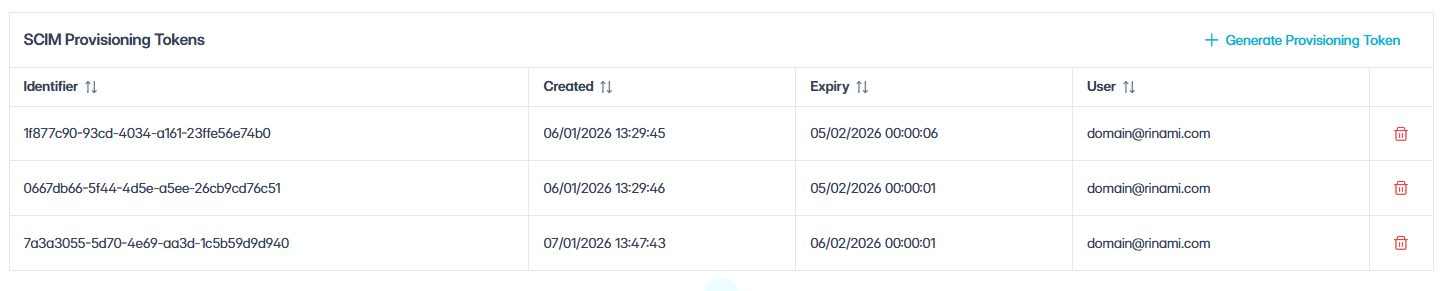
SCIM provisioning tokens:
At the bottom of the screen, a list of SCIM provisioning tokens is displayed. These tokens cannot be edited directly, but you can generate new ones if needed. For details, see SCIM Provisioning Tokens.
-
Select one of the following actions:
-
Save Tenant – Apply and save any updates made.
-
Undo Changes – Revert any unsaved changes back to the last saved state.
-
Cancel – Exit without saving.
Related tasks