
Purpose
View all SCIM provisioning tokens for a tenant in the Cantara Administration Console.
Before you begin
-
You have access to the Cantara Administration Console.
-
You have permission to view tenants and provisioning tokens.
Procedure
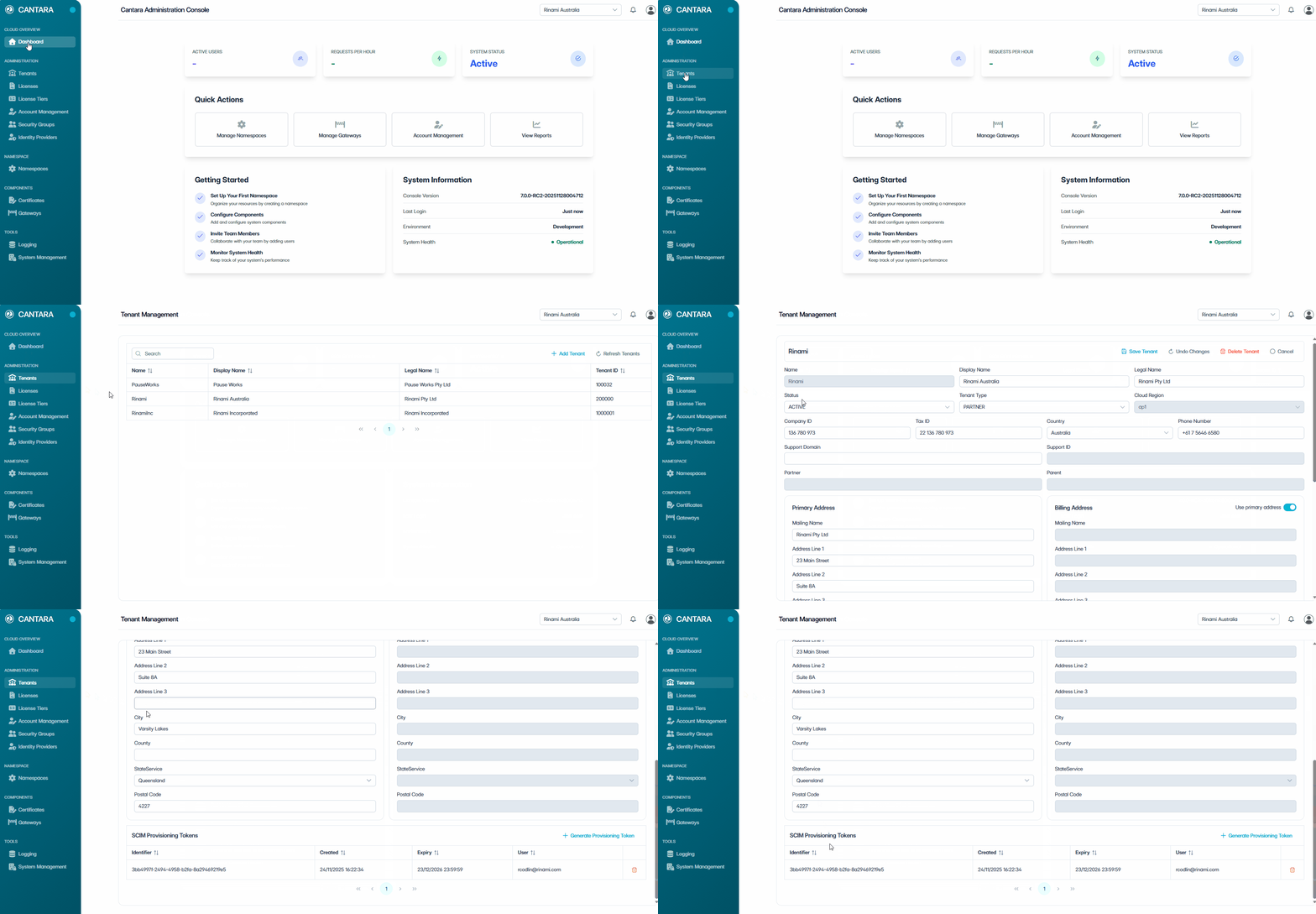
To view provisioning tokens:
-
Navigate to Tenants.
-
Select the tenant you want to view.
-
Scroll to the Provisioning Tokens section. The provisioning tokens for the tenant are displayed with the following columns:
|
Column |
Description |
|---|---|
|
Identifier |
The unique identifier for the token. |
|
Created |
The date the token was created. |
|
Expiry |
The expiration date of the token. |
|
User |
The user who created the token. |