
Purpose
Generate a new SCIM provisioning token for a tenant in the Cantara Administration Console.
Before you begin
-
You have access to the Cantara Administration Console.
-
You have permission to manage tenants and provisioning tokens.
Procedure
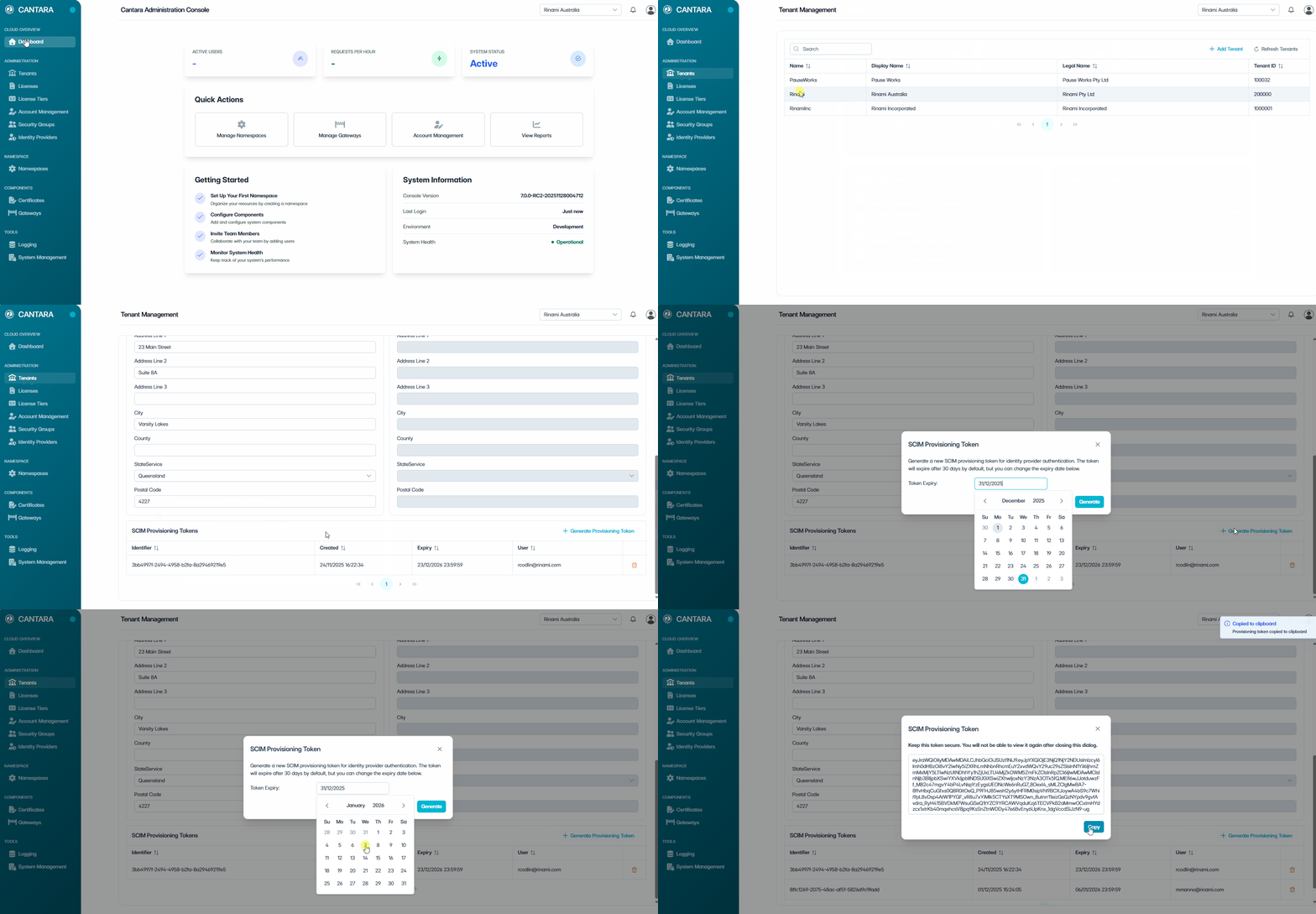
To generate a provisioning token:
-
Navigate to Tenants.
-
Select the tenant you want to configure.
-
Scroll to the Provisioning Tokens section.
-
Click + Generate Provisioning Token.
-
Select an expiry date from the calendar. The default expiry is 30 days.
Tokens expire after the configured period. Once expired or deleted, a new token must be generated.
-
Click Generate.
-
Click Copy and store the token securely.
Securely store the token immediately — it cannot be retrieved after this screen is closed.
The provisioning token is generated and added to the list.