
Purpose
Resources provide static or semi-static information that an AI agent may need when working with the MCP Server. They make reference information, documentation, templates, schemas, version information, or metadata available to the agent without executing a JDE transaction.
Resources are useful for providing information such as:
-
Static reference data, including version numbers or code lists
-
Documentation and instructions
-
Templates or structured schemas
-
Metadata describing fields, constraints, or business rules
Before you begin
-
An MCP Server has been created.
-
The required reference information, documentation, templates, schemas, version information, or metadata is ready to add as a resource.
Procedure
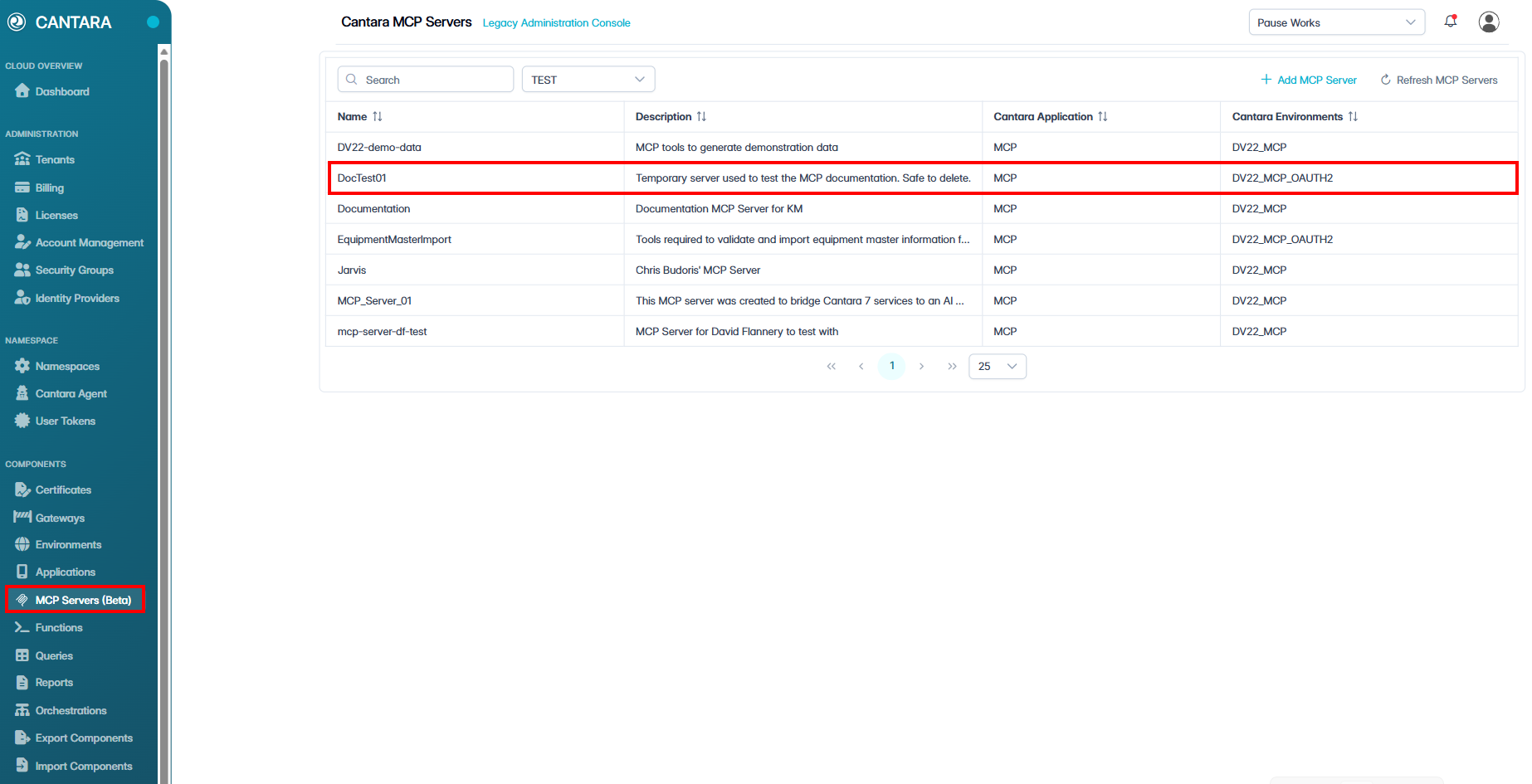
To add a Resource to the MCP Servers:
-
Navigate to MCP Servers.
A list of configured MCP Servers is displayed.
-
Open the appropriate MCP Server.
-
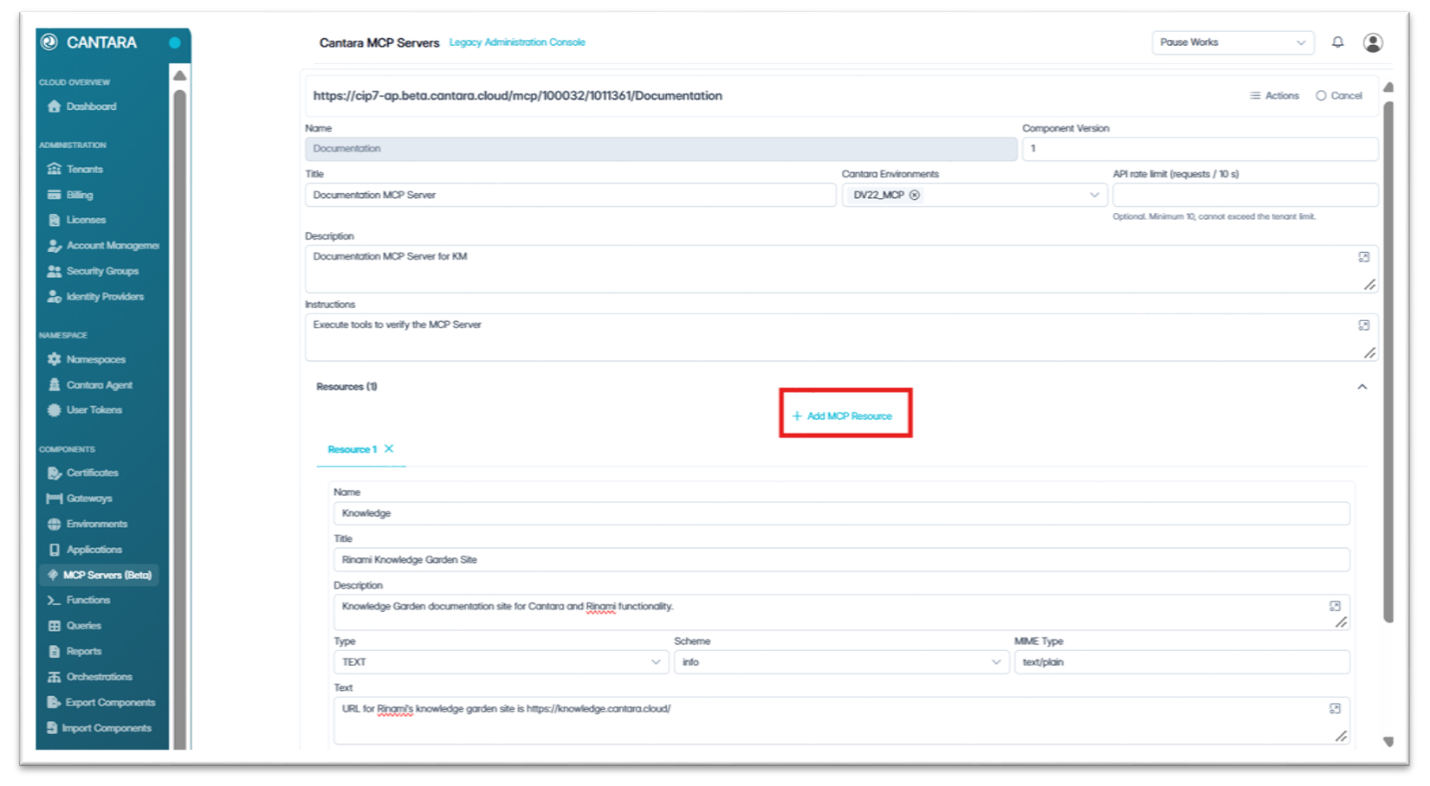
Expand the Resources section.
-
Select + Add MCP Resource. A new Resource tab is added.
-
Complete the following resource MCP Resource Fields:
|
Field |
Required |
Description |
|---|---|---|
|
Name |
Yes |
A unique name that identifies the resource, for example VersionInfo. Use letters, numbers, and hyphens only. Do not use underscores. |
|
Title |
Yes |
A user-friendly title that describes the resource. |
|
Description |
No |
The information the resource provides and when it is useful. This helps an AI agent decide when to use the resource. |
|
Type |
Yes |
TEXT returns a single block of text. LIST returns a list of entries. |
|
Scheme |
No |
The scheme used in the resource address. The default is info. |
|
MIME Type |
No |
The format of the content, such as text/plain or application/json. |
|
Text or List Elements |
Yes |
The content returned by the resource. A LIST resource needs at least one entry. |
-
From the Actions menu, select Save MCP Server.
Outcome
The resource is now available to AI agents and other MCP clients connected to the MCP Server.
Important: The console accepts underscores in a resource name, but an AI agent cannot read a resource whose name contains one. Use letters, numbers, and hyphens only.
Resource Address
MCP clients identify a resource by an address made up of its Scheme and Name:
<scheme>://<name>, for example info://VersionInfo
Some AI agents, including Microsoft Copilot Studio, list and use Tools only. To make a resource's content available to those agents, add a Tool with the RESOURCE type that returns the resource. See Creating MCP Tools.