
Purpose
After the appropriate Cantara Environment has been configured, the next step is to create the MCP Server. The MCP Server defines the capabilities and information that can be made available to an AI agent through Cantara.
Give the MCP Server a meaningful name that identifies the business process or purpose it supports, such as AssetPrep or PMCreation. The name forms part of the MCP Server address and cannot be changed after saving.
Before you begin
-
A Cantara Application has been created for the MCP Server.
-
At least one Cantara Environment has been configured to connect Cantara to the required JDE environment.
-
Any Cantara Functions, Queries, Reports, or Orchestrations that the MCP Server will expose as Tools have been created.
Procedure
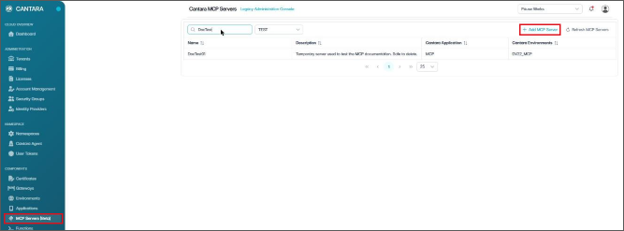
To create an MCP Server:
-
Navigate to MCP Servers.
-
Click + Add MCP Server.
-
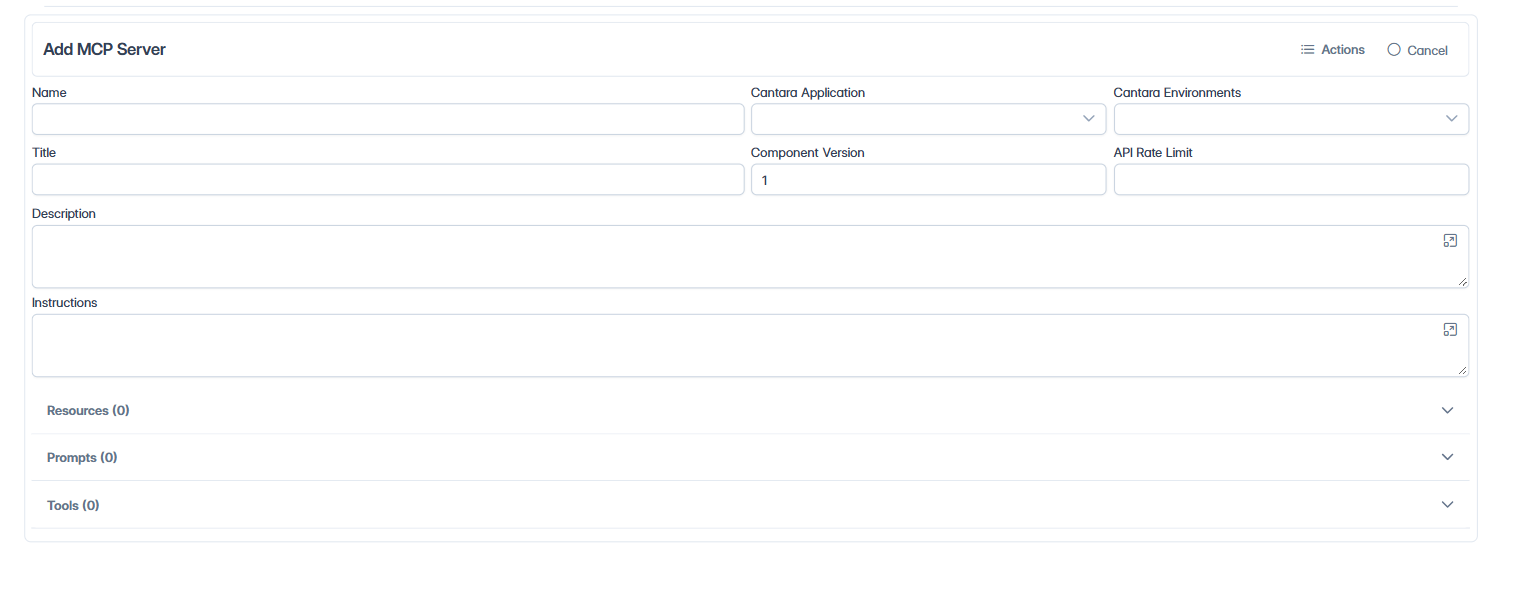
Configure the following MCP Server fields:
|
Field |
Required |
Description |
|---|---|---|
|
Name |
Yes |
A unique name for the MCP Server: 2 to 64 letters, numbers, underscores (_), or hyphens (-), with no spaces. Cantara reserved words cannot be used. The name cannot be changed after saving. |
|
Cantara Application |
Yes |
The Cantara Application that the MCP Server belongs to. |
|
Title |
Yes |
A user-friendly title that identifies the MCP Server. |
|
Cantara Environments |
Yes |
The Cantara Environments that the MCP Server uses to communicate with JDE. More than one environment can be selected. |
|
API Rate Limit |
No |
The maximum number of requests allowed every 10 seconds. |
|
Description |
No |
A brief description of the MCP Server and the business process it supports. |
|
Instructions |
Yes |
Guidance provided to the AI agent about the purpose of the MCP Server and how its capabilities should be used. |
-
Review the MCP Server details to verify that the correct Cantara Application and Cantara Environments have been selected.
-
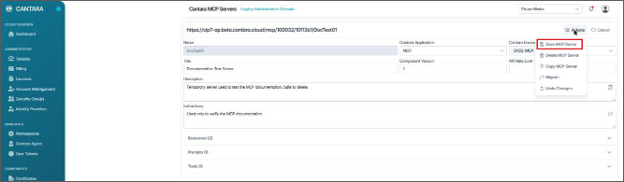
From the Actions menu, select Save MCP Server.
Tip: Write the Instructions for the AI agent, not for administrators. Describe when the server should be used, the order in which tools should be used, and any rules the agent must follow.
Outcome
The console returns to the MCP Servers list. Open the MCP Server again to add Resources, Prompts, and Tools. The MCP Server address is displayed at the top of the page.
Other actions
The Actions menu also provides Copy MCP Server, Migrate (to another Cantara namespace), and Delete MCP Server.