
Purpose
Use this procedure to add billing information for a tenant for the first time, or update existing billing information in the Cantara Administration Console. Billing information includes the account type, billing currency, and billing contact details.
Before you begin
-
You have access to the Cantara Administration Console.
-
You have permission to manage billing and subscription information.
Procedure
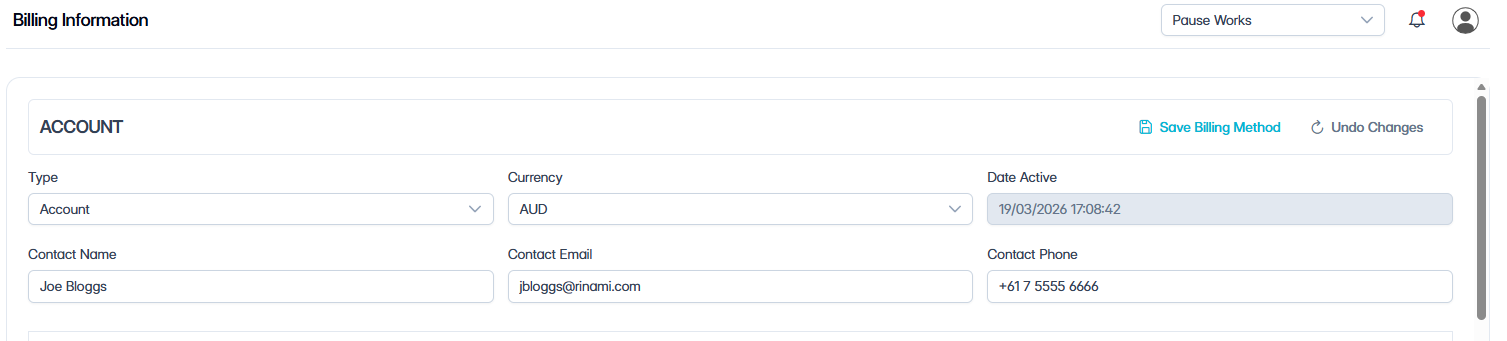
To add or update billing information:
-
Navigate to Billing.
-
Complete or edit the following fields:
|
Field |
Description |
|---|---|
|
Account Type |
Select Account for annual billing, or Credit Card for monthly credit card payments. |
|
Currency |
Select the billing currency. |
|
Date Active |
Displays the date the billing method becomes active. This field is read-only and is populated automatically. |
|
Contact |
Enter the billing contact name. |
|
Contact Email |
Enter the billing contact email address. |
|
Contact Phone |
Enter the billing contact phone number. |
-
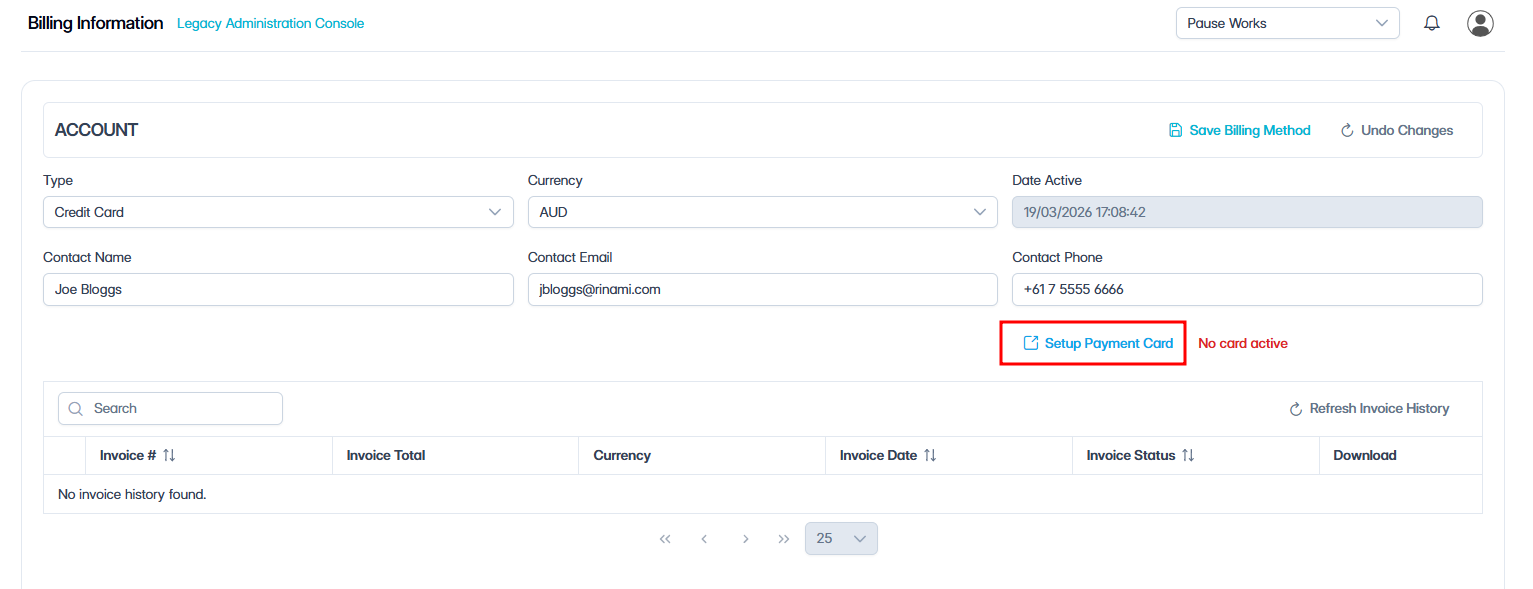
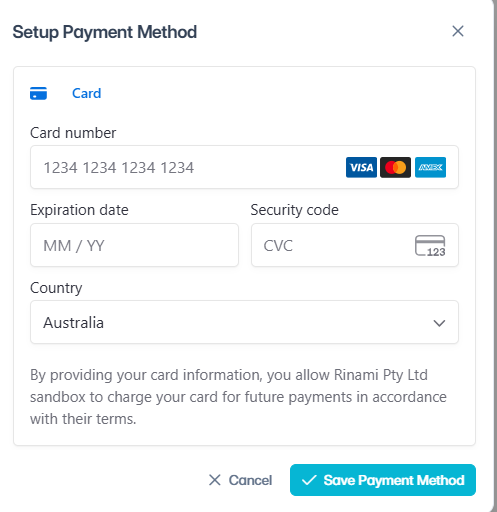
(Optional) If you selected Credit Card and no payment card is configured, click Setup Payment Card, enter the credit card details, and click Save Payment Method.
-
Click Save Billing Method.
Related tasks