
Purpose
Add a license for a tenant in the Cantara Administration Console. Licenses define the subscription details for a tenant, including the renewal frequency and entitlements needed to activate and use the platform.
Before you begin
-
You have access to the Cantara Administration Console.
-
Billing has been set up for the tenant.
Procedure
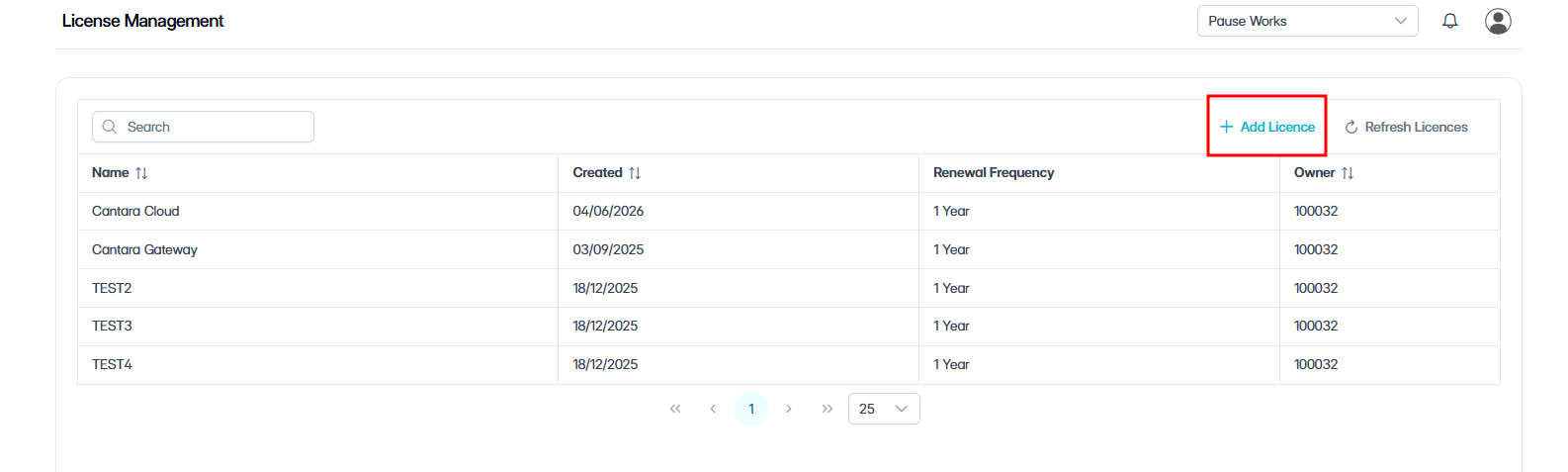
To configure a License:
-
Navigate to Licenses.
The License Management page appears, listing all licenses, including Name, Created, Renewal Frequency, and Owner.
-
Click + Add License.
-
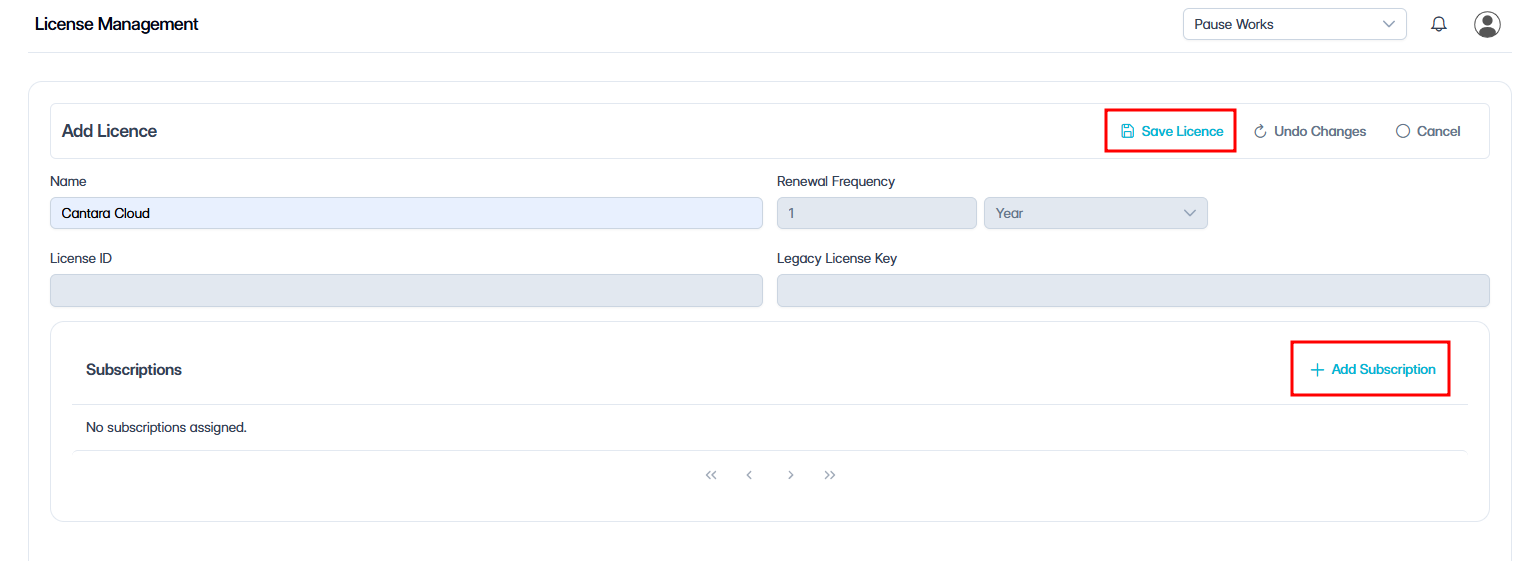
In the Name field, enter a name for the license. The remaining fields are read-only and populated automatically:
|
Field |
Description |
|---|---|
|
Renewal frequency |
The renewal frequency for the license. |
|
License ID |
The system-generated license identifier. |
|
Legacy license key |
The legacy license key, if one exists. |
-
Click Save License.
The license is created.
-
Click + Add Subscription.
-
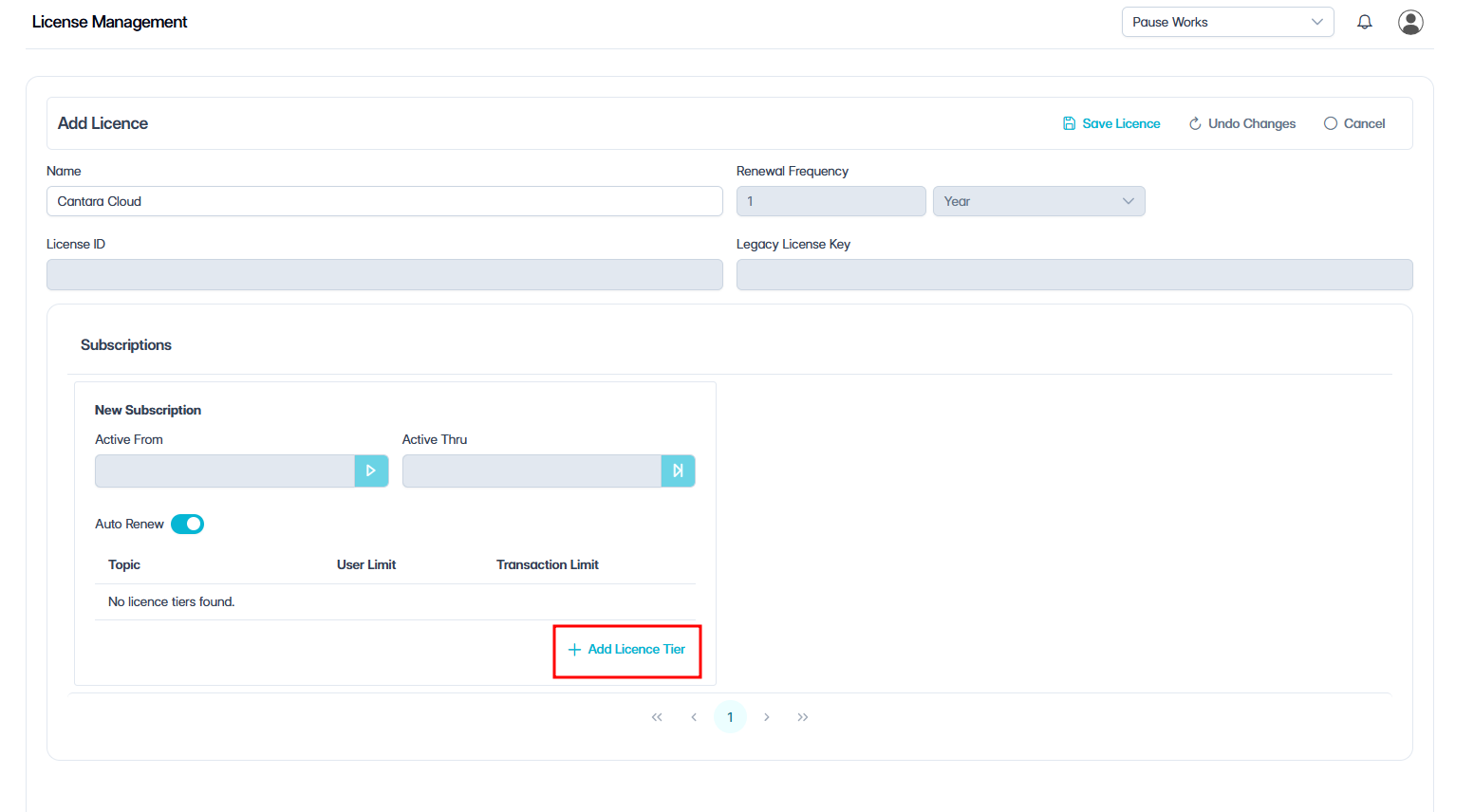
Click + Add License Tiers.
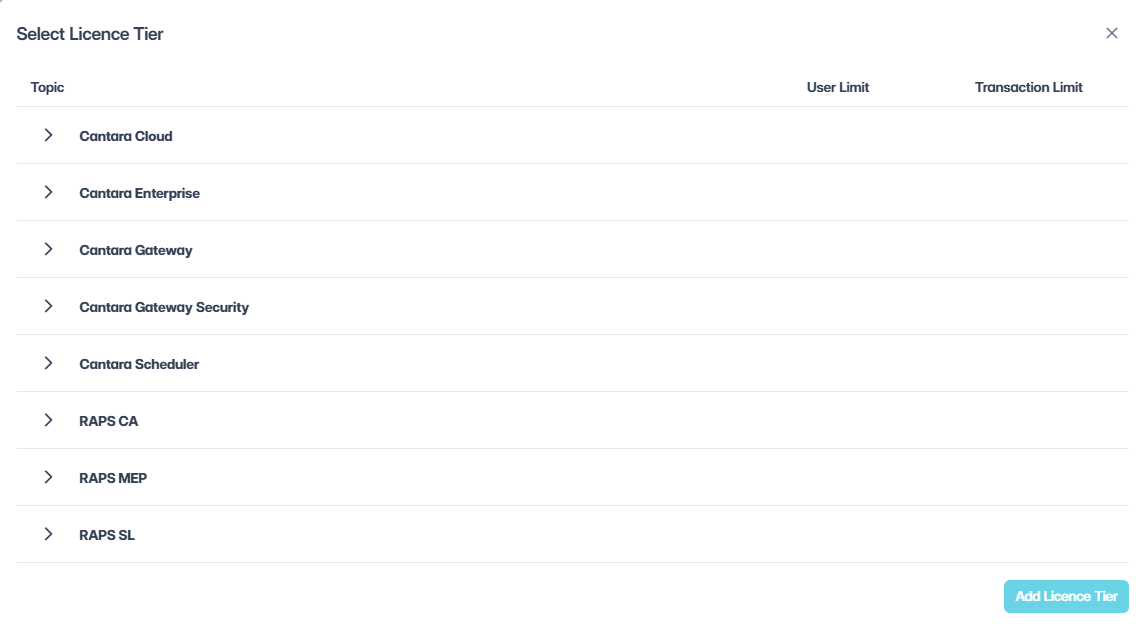
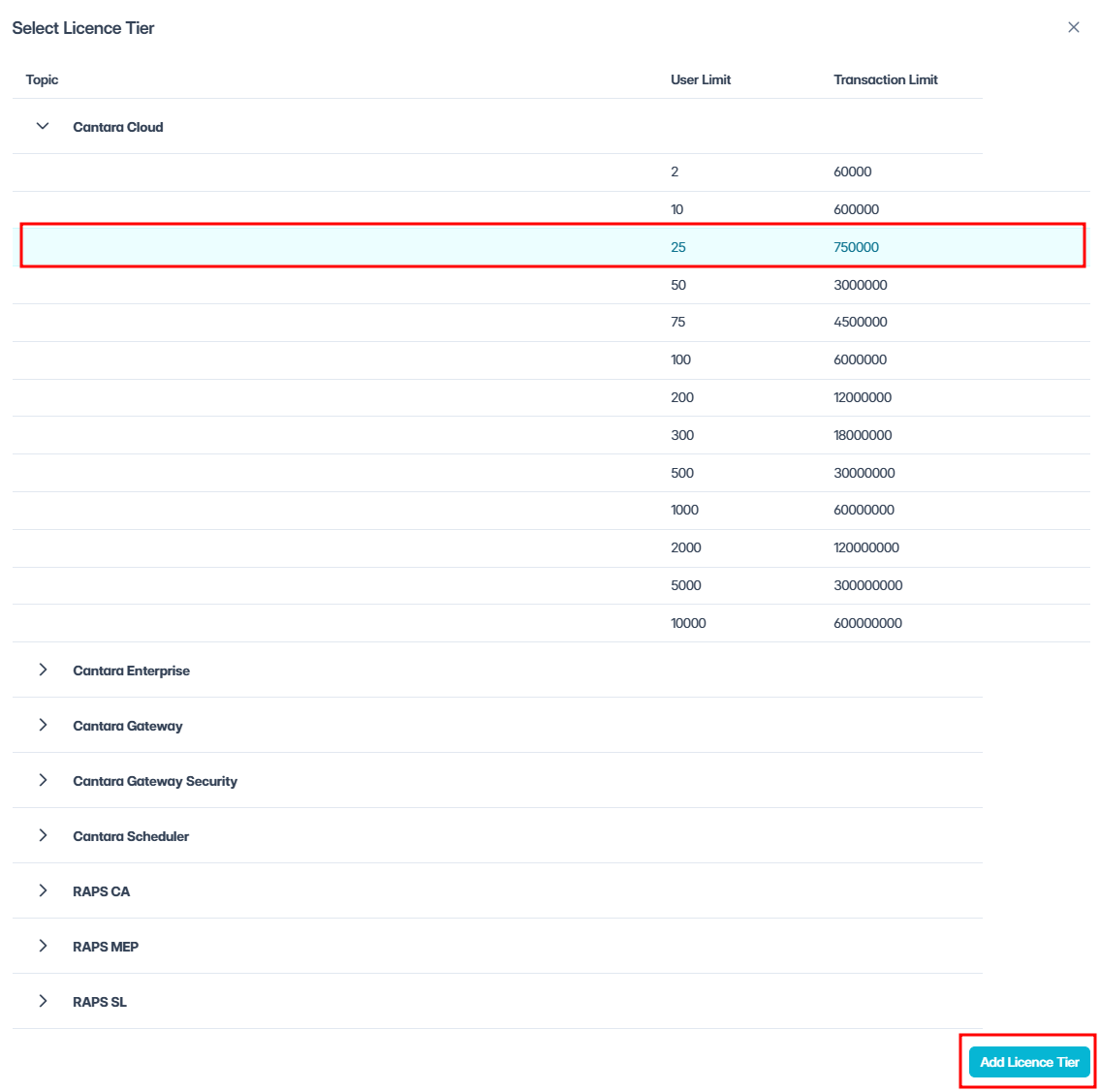
A popup appears with the heading Topic and displays a list of available products.
-
Expand the product you want to license.
For example, expand Cantara Cloud. A list of available tiers displays, showing user limits and transaction limits.
-
Select the required user tier.
-
Click Add License Tier.
You can add multiple products to the same subscription, if required.
-
Click Save License.
NOTE: If your tenant uses account billing, your subscription will need to be set up before it becomes active. You’ll receive an email once your subscription is ready.
What’s next?
Now that billing and licenses are set up, the next step is to manage user access and permissions. See User Access and Permissions.