
Purpose
Set up a billing method for a tenant in the Cantara Administration Console. Billing can be configured as an annual account billing method or a monthly credit card payment.
Before you begin
-
You have access to the Cantara Administration Console.
-
You have permission to manage billing and subscription information.
Procedure
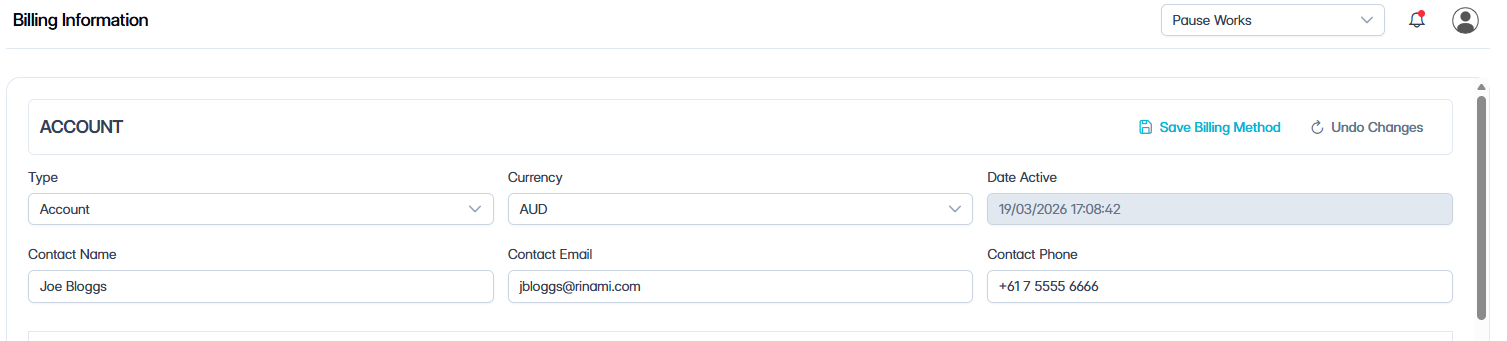
To set up billing:
-
Navigate to Billing.
-
Complete the following fields:
|
Field |
Description |
|---|---|
|
Account Type |
Select Account for annual billing, or Credit Card for monthly credit card payments. |
|
Currency |
Select the billing currency. |
|
Date Active |
Displays the date the billing method becomes active. This field is read-only and is populated automatically. |
|
Contact |
Enter the billing contact name. |
|
Contact Email |
Enter the billing contact email address. |
|
Contact Phone |
Enter the billing contact phone number. |
-
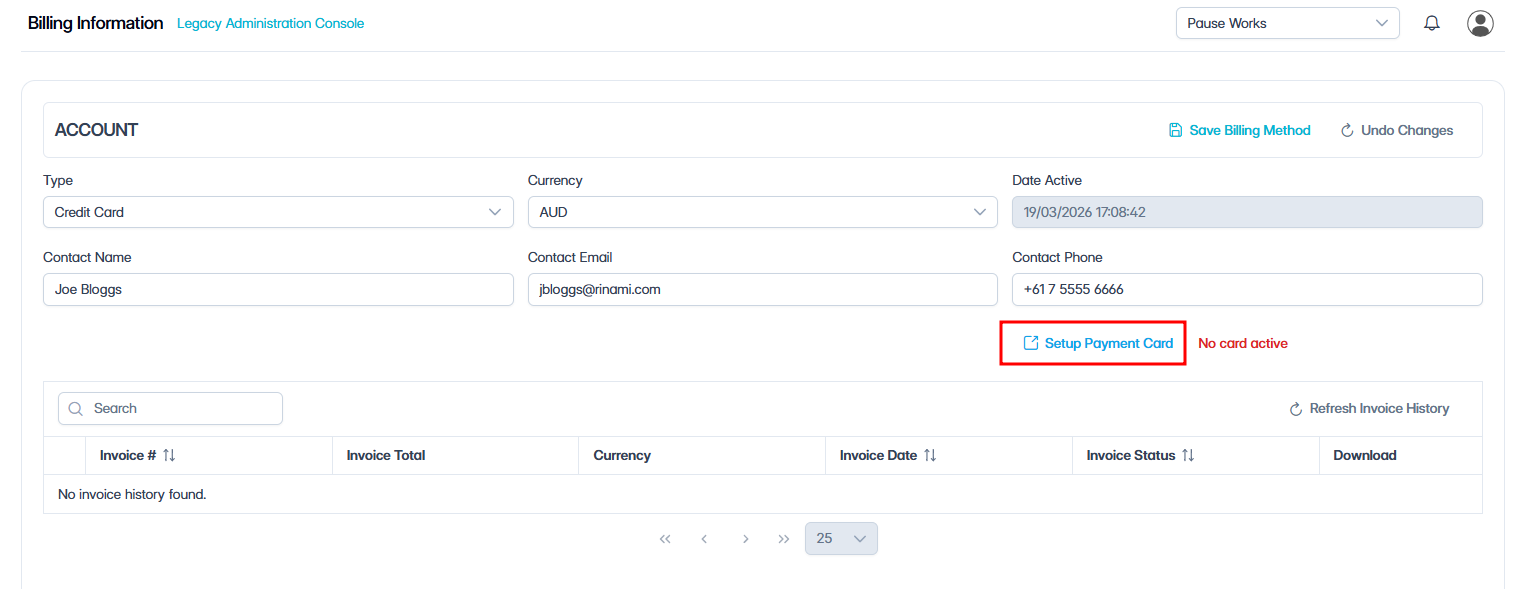
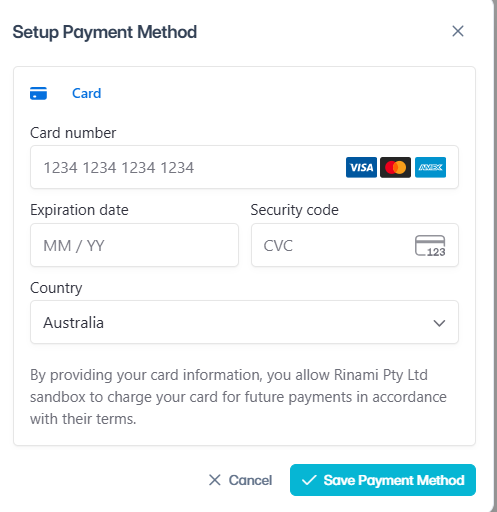
(Optional) If you selected Credit Card, click Setup Payment Card and enter the credit card details and click Save Payment Method.
-
Click Save Billing Method.
Outcome
Once the billing method is saved, the tenant has billing details available for processing.
What’s next
After you set up billing, configure licenses and subscriptions for the tenant, see Configure Licenses and Subscriptions