
Purpose
Add a new license and subscription to a tenant in the Cantara Administration Console.
Before you begin
-
You have access to the Cantara Administration Console.
-
You have permission to manage licenses.
-
A tenant must already exist.
Procedure
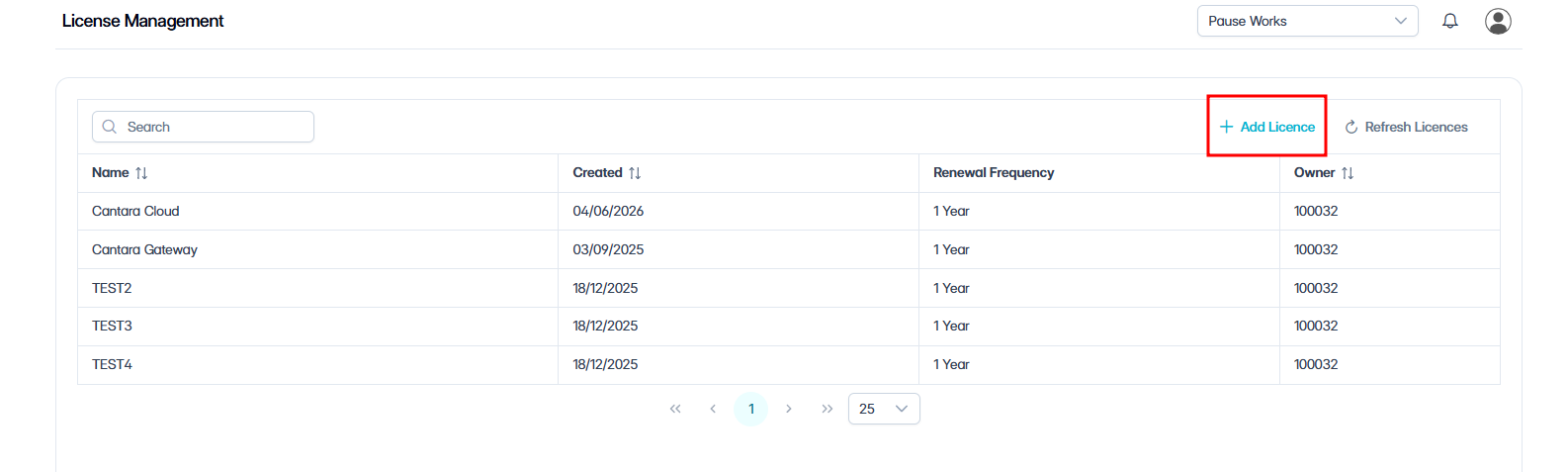
To add a license and subscription:
-
Navigate to Licenses.
The License Management screen opens, showing a list of all existing licenses.
-
Click + Add License.
-
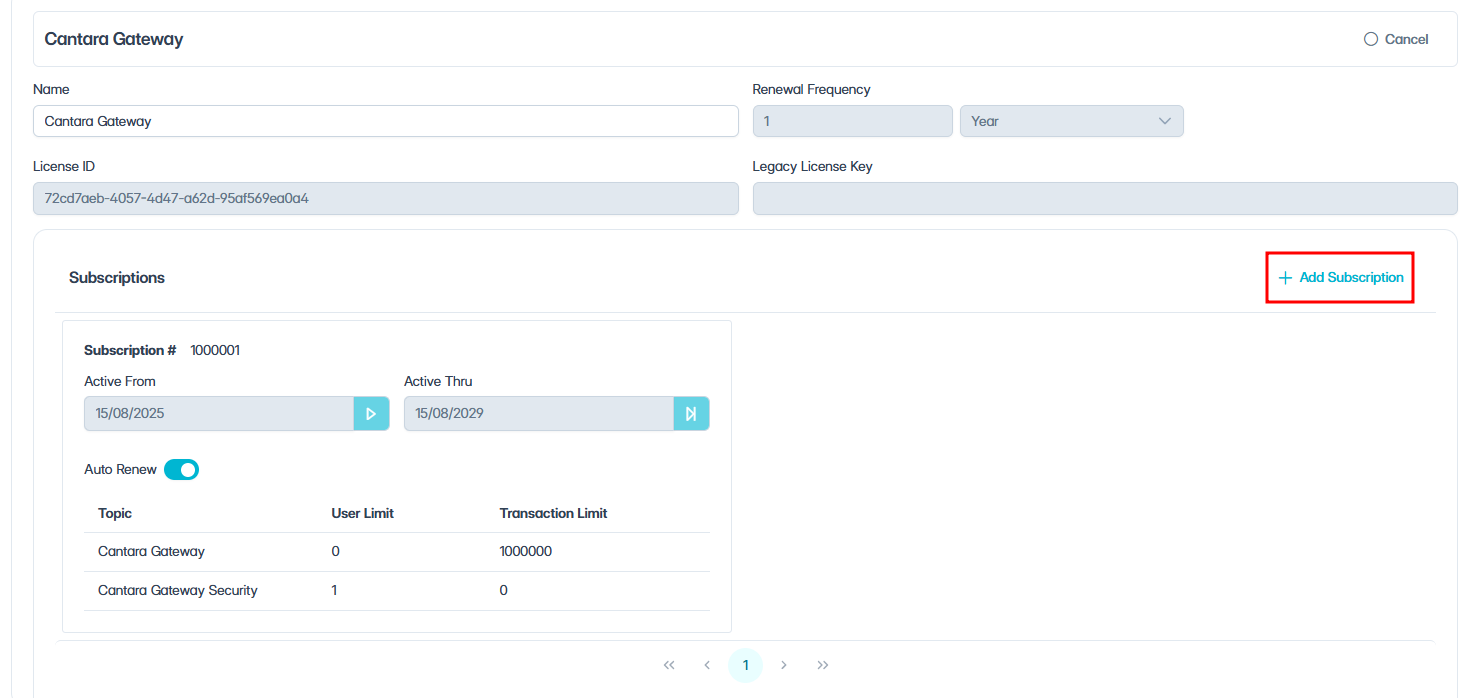
Enter a Name for the license.
-
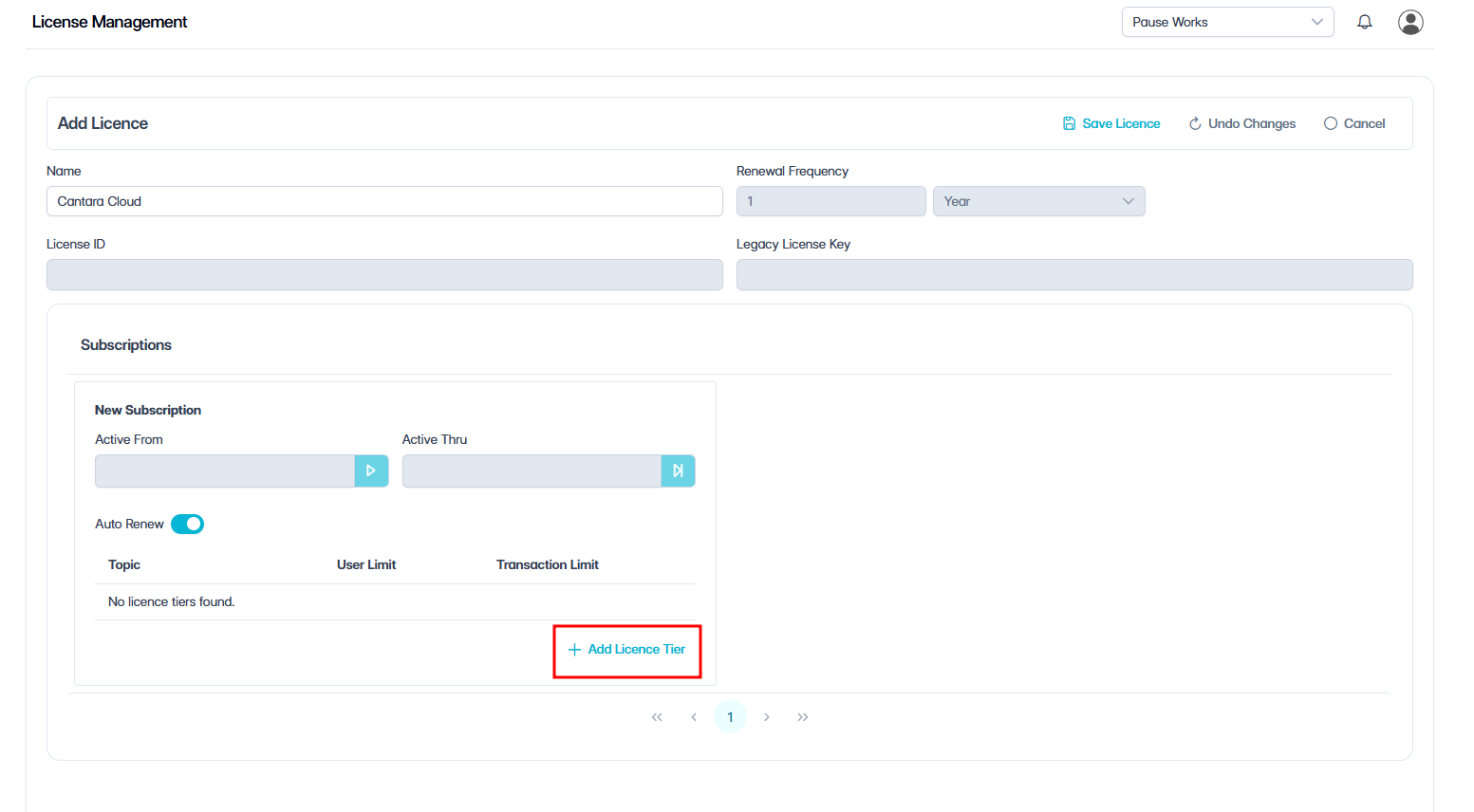
Click + Add Subscription.
-
Click + Add License Tiers.
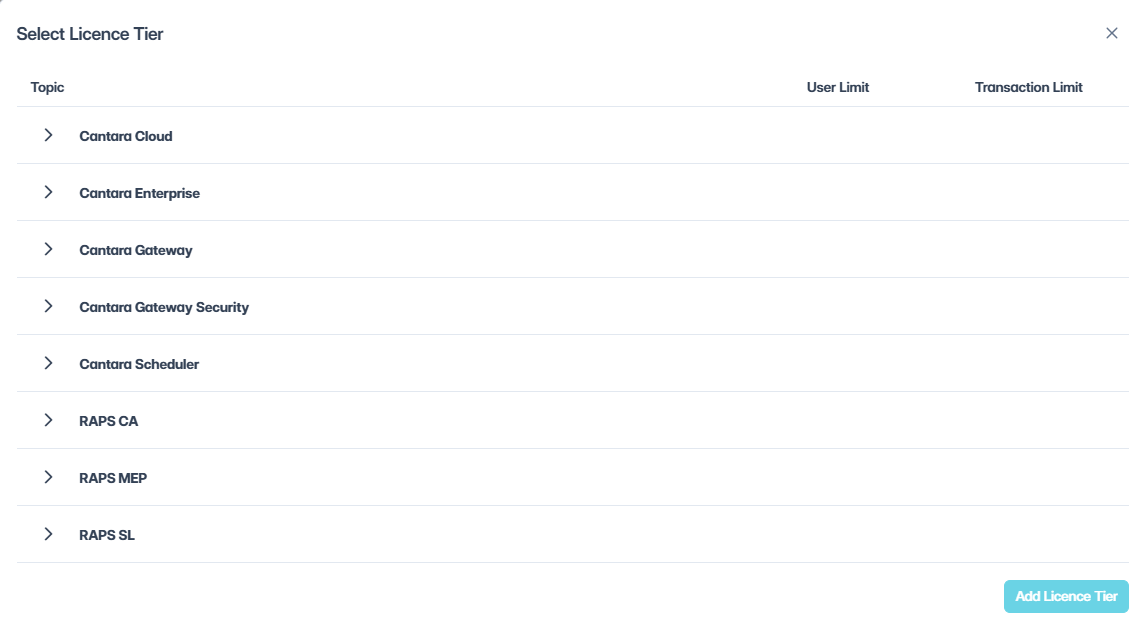
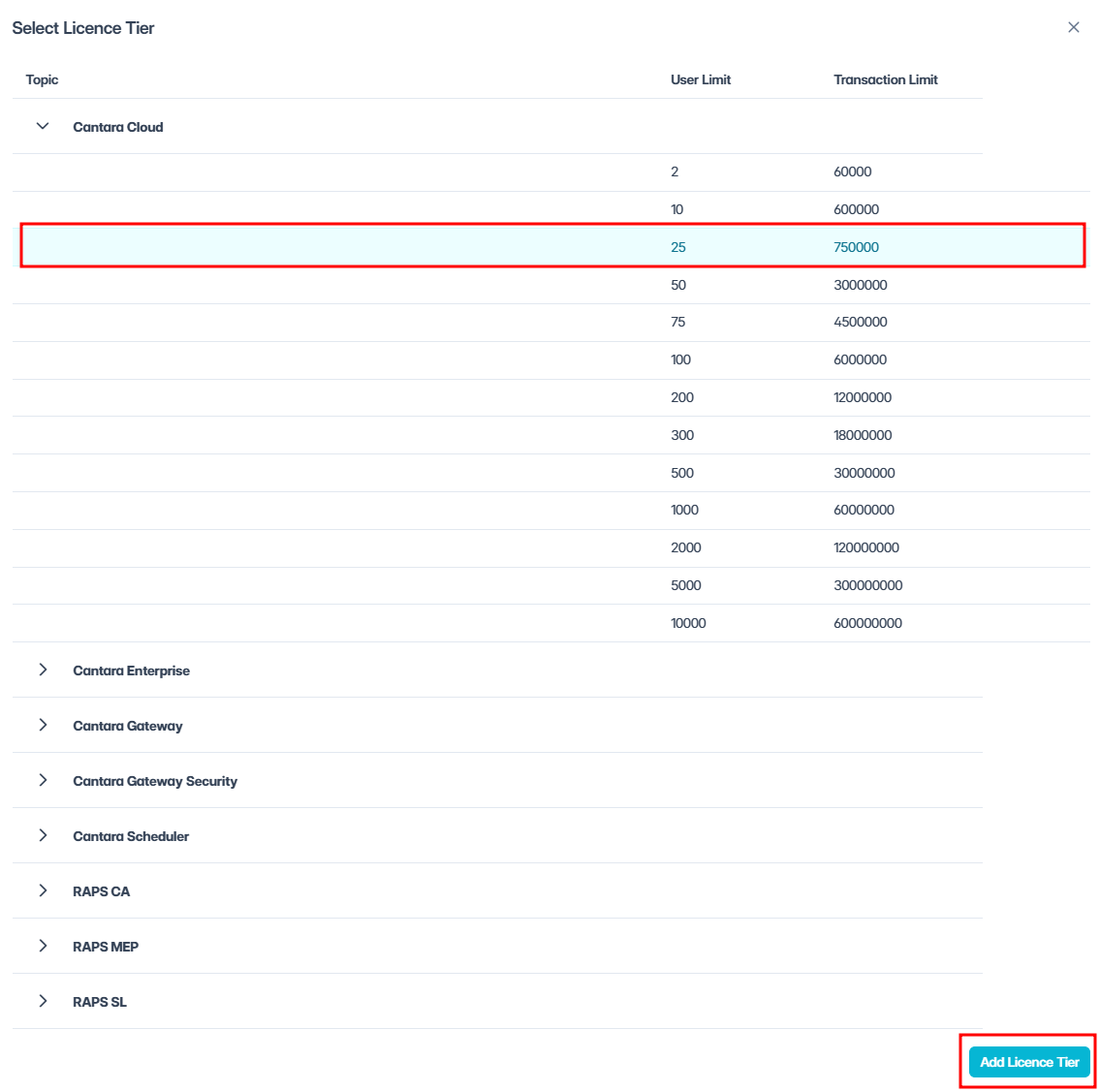
A popup appears with the heading Topic and displays a list of available products.
-
Expand the product you want to license.
For example, expand Cantara Cloud. A list of available tiers is displayed, showing user limits and transaction limits.
-
Select the required tier.
-
Click Add License Tier.
-
Click Save License.
You can add multiple products and tiers to the same subscription by repeating the license tier steps.