
Purpose
Preload JDE roles from an environment into the namespace. Instead of querying JDE dynamically and requiring credentials each time you manage role security, Cantara stores the roles in the namespace so they are immediately available when configuring allowed roles.
Before you begin
-
You have access to the Cantara Administration Console.
-
You have a valid username, password, and role to authenticate with the target JDE environment.
Procedure
To load JDE roles into a namespace:
-
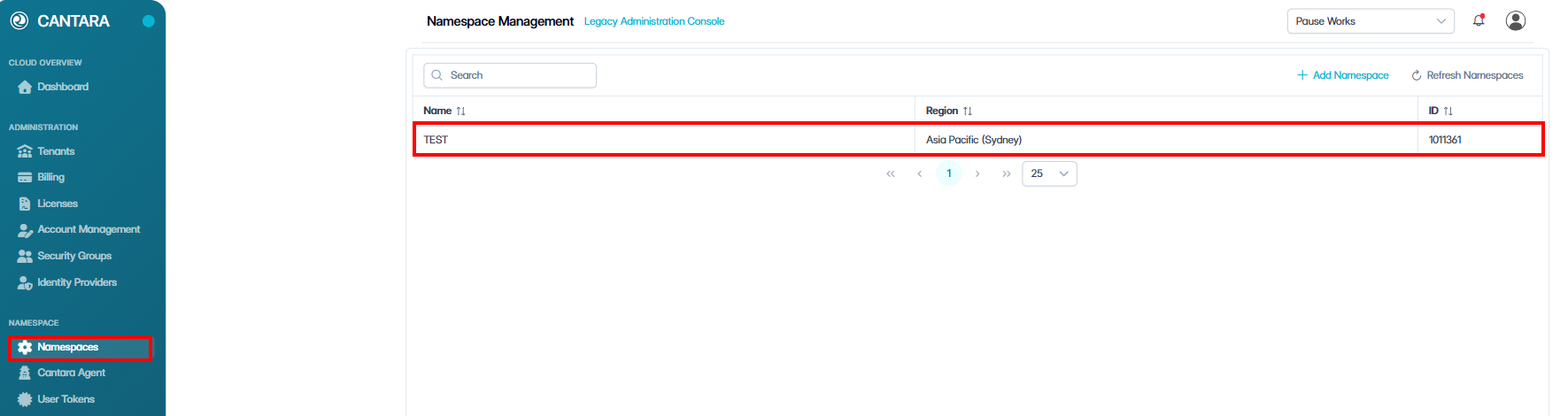
Navigate to Namespaces.
The Namespace Management screen opens with a list of existing namespaces.
-
Select the namespace.

-
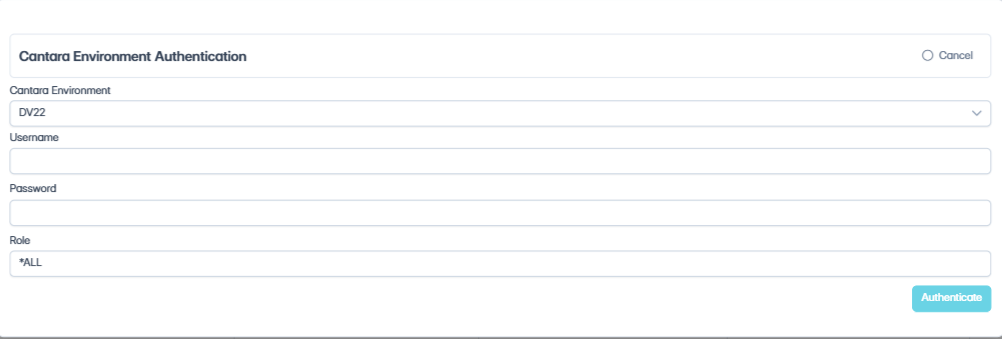
Click Actions and select Load JDE Roles. The Cantara Environment Authentication dialog opens.
-
Select the Environment.
-
Enter the Username and Password, and a Role.
-
Click Authenticate.
Outcome: The roles are loaded into the namespace.