
Purpose
Delete a namespace from the Cantara Administration Console.
Before you begin
-
You have access to the Cantara Administration Console.
-
You have permission to manage namespaces.
Warning: Deleting a namespace permanently removes the namespace and its configuration, including gateways, configurations, and definitions. This action cannot be undone.
Procedure
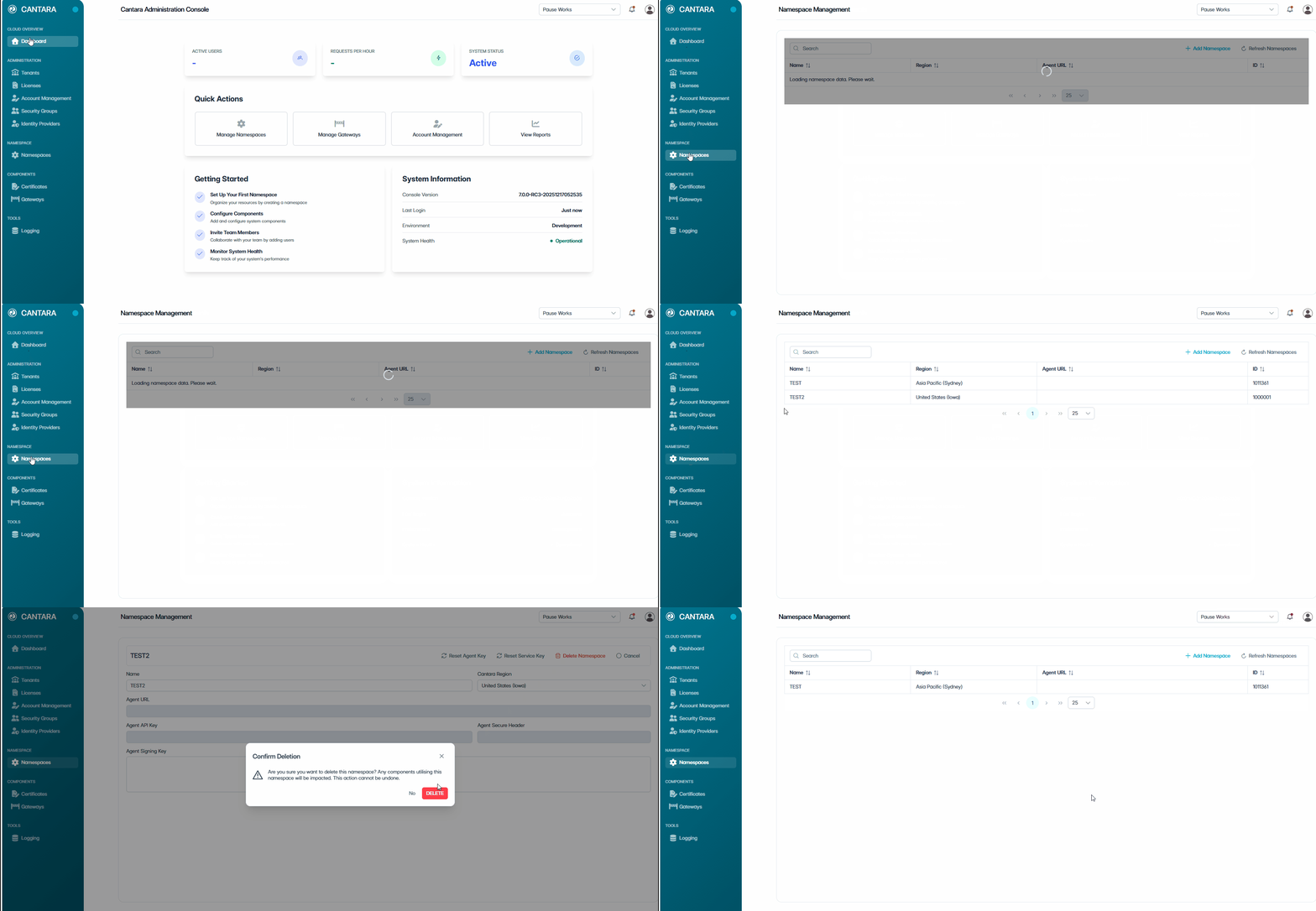
To delete a namespace:
-
Navigate to Namespaces.
-
Select the namespace you want to delete.
-
Click Delete Namespace.
-
In the confirmation dialog, click Delete to confirm the deletion.
The namespace and all associated configurations are permanently removed.
Related tasks