
Purpose
Open a namespace to review details and update editable properties.
Before you begin
-
You have access to the Cantara Administration Console.
-
You have permission to manage namespaces.
-
A tenant and at least one namespace must already exist.
Procedure
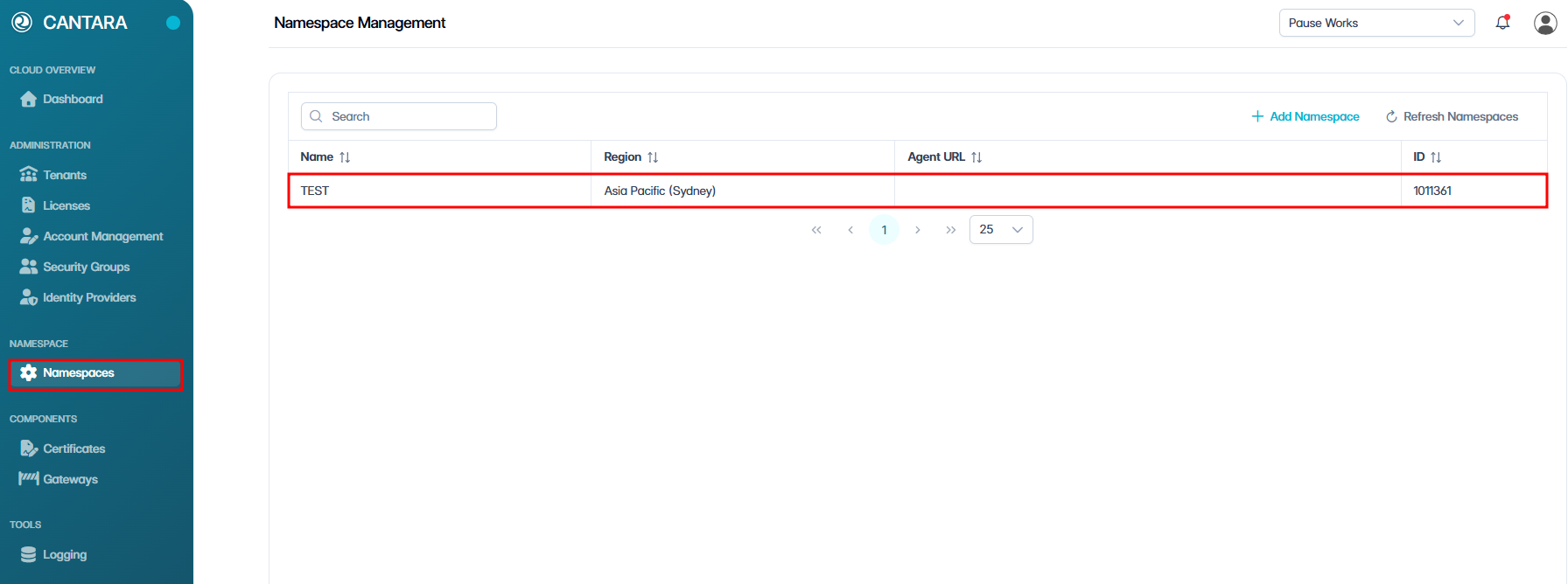
To view or edit a namespace:
-
Navigate to Namespaces.
-
The namespace list screen opens.
-
Select the namespace you want to view or edit.
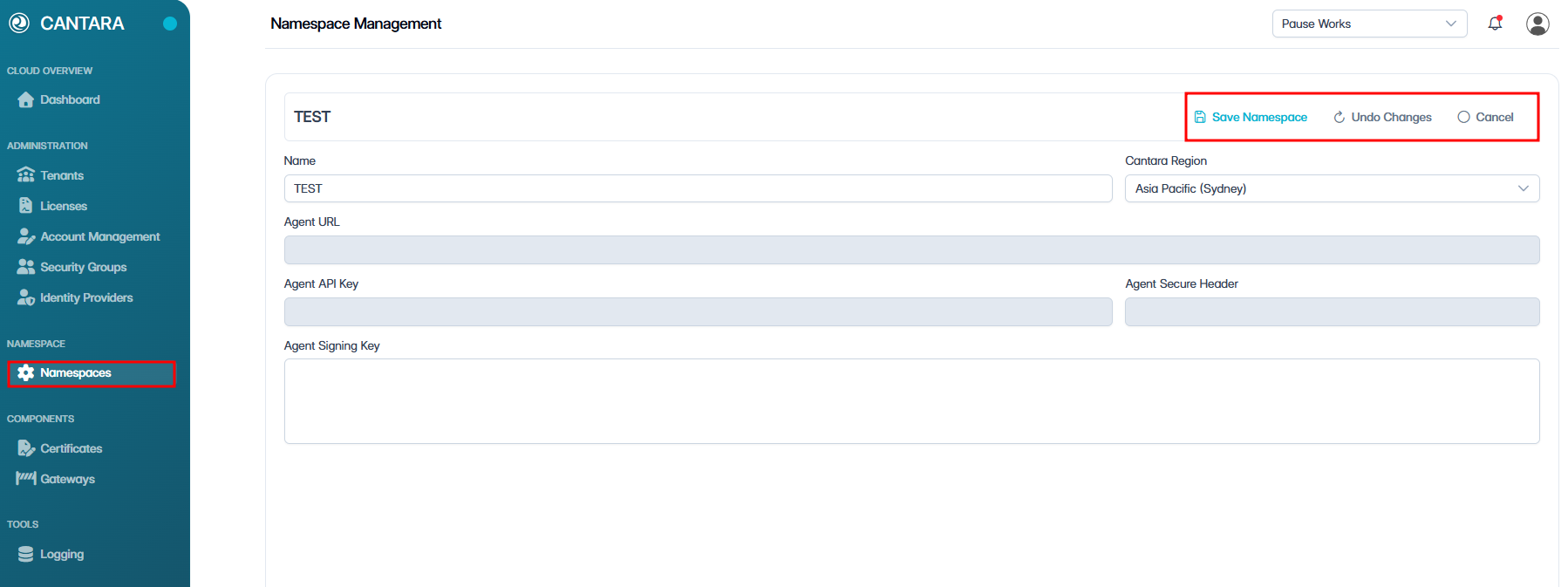
The selected namespace details are displayed.
|
Field |
Description |
|---|---|
|
Name |
The namespace name shown in the console. |
|
Region |
The hosting region assigned to the namespace. |
|
Agent URL |
The URL used by the agent to connect to this namespace. (Read only) |
|
ID |
Unique identifier assigned to the namespace. (Read only) |
-
Select one of the following actions:
-
Save Namespace — Apply and save any updates made.
-
Undo Changes — Revert any unsaved changes back to the last saved state.
-
Cancel — Exit without saving.
-