
Purpose
Permanently remove a certificate from the Cantara Administration Console.
Before you begin
-
You have access to the Cantara Administration Console.
-
You have permission to manage certificates.
-
At least one PKCS#12 certificate already exists in the system.
-
Ensure the certificate is not in use by any service before deletion to avoid connection issues.
-
Use unique Name or Alias values to clearly identify certificates and prevent accidental deletion.
-
Keep a backup of important certificates outside the system if needed for recovery.
Warning: This action cannot be undone. Deleting a certificate removes it from the keystore.
Procedure
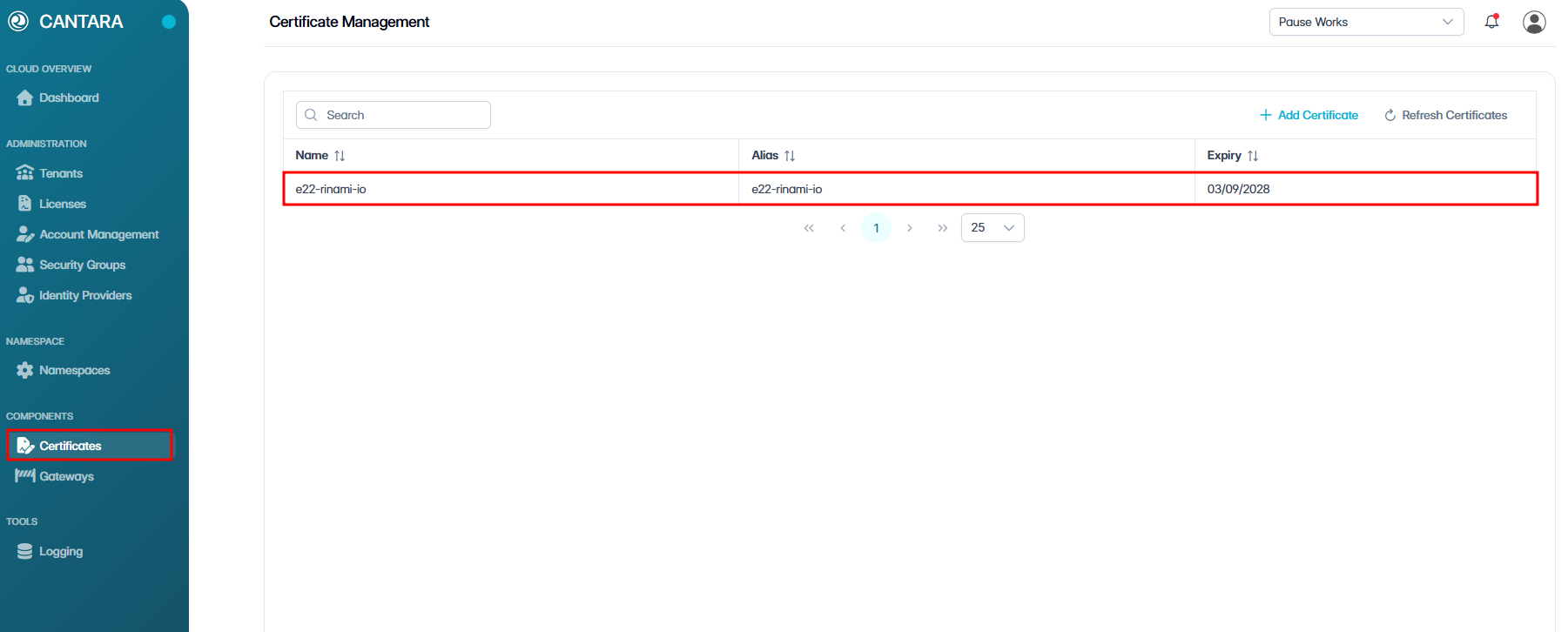
To delete a certificate:
-
Navigate to Certificates.
The Certificate Management screen opens and displays the certificates available to your account. Each row represents one certificate, with details such as Name, Alias, and Expiry.
-
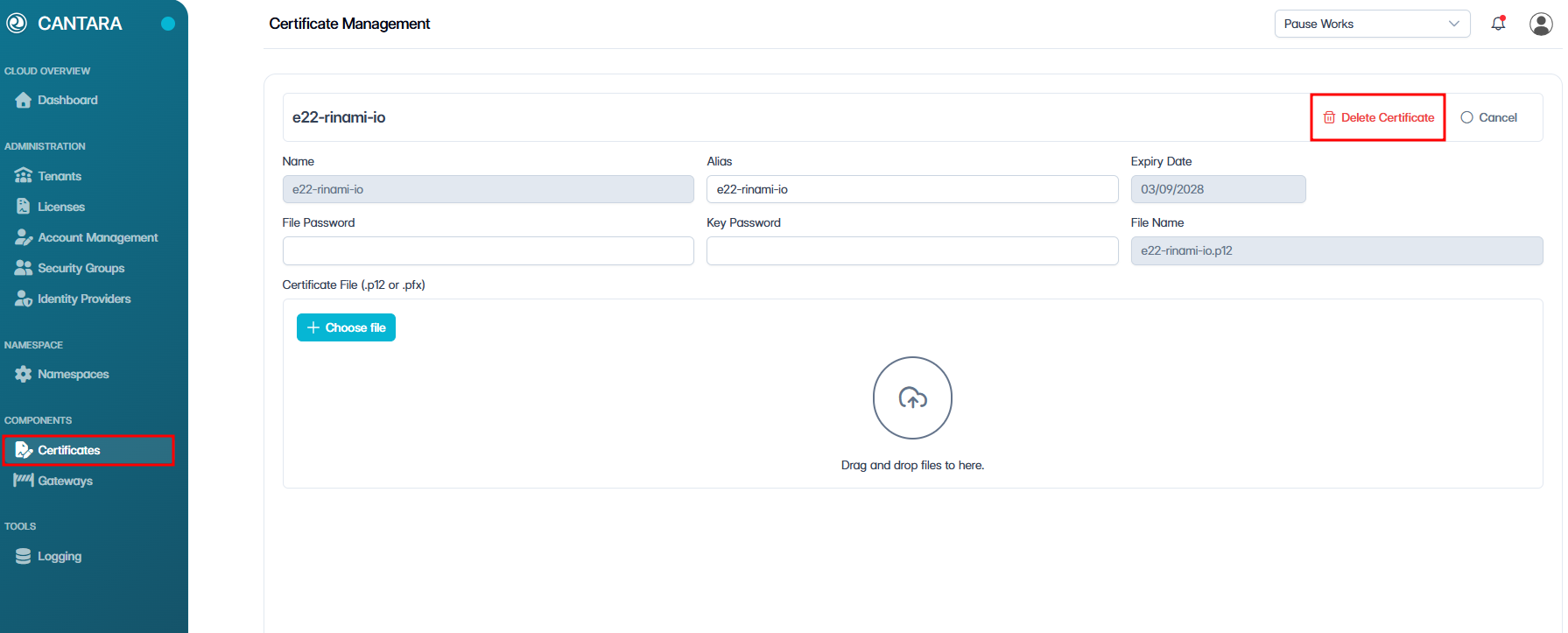
Select the certificate you want to delete. The selected certificate is displayed.
-
Click Delete Certificate.
-
Click Confirm to delete the certificate.
The certificate is deleted and removed from the list of existing certificates on the Certificate Management screen.