
Overview
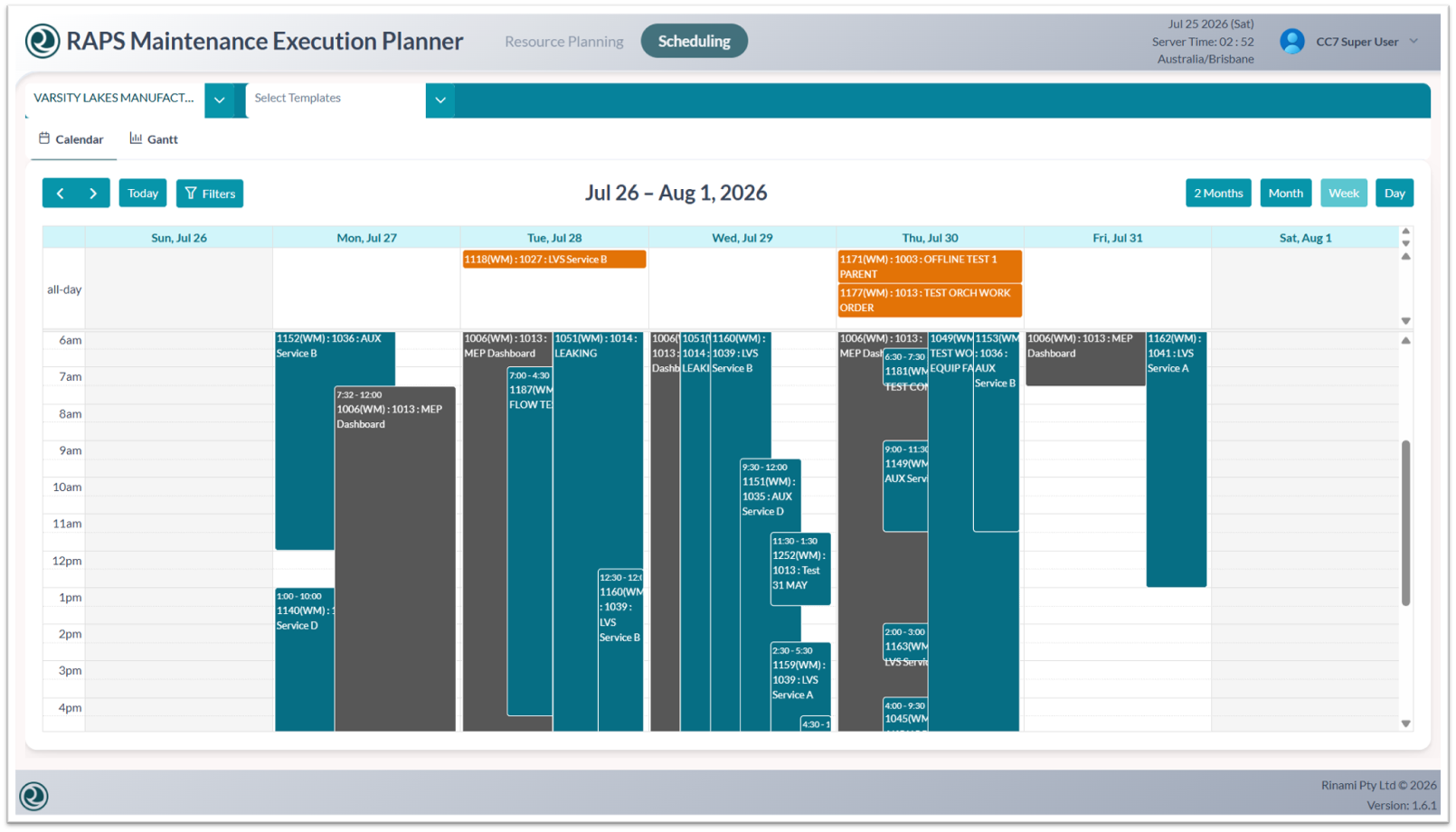
Use this section to interpret scheduling colors and quickly determine whether work orders are editable or represent all-day events.
Key Information
-
Orange: Indicates all-day events.
-
Gray: Indicates work orders with attached operations that cannot be edited.
-
Blue: Indicates work orders that are available for editing.