
Overview
You can delete any custom queries that are no longer needed.
Procedure
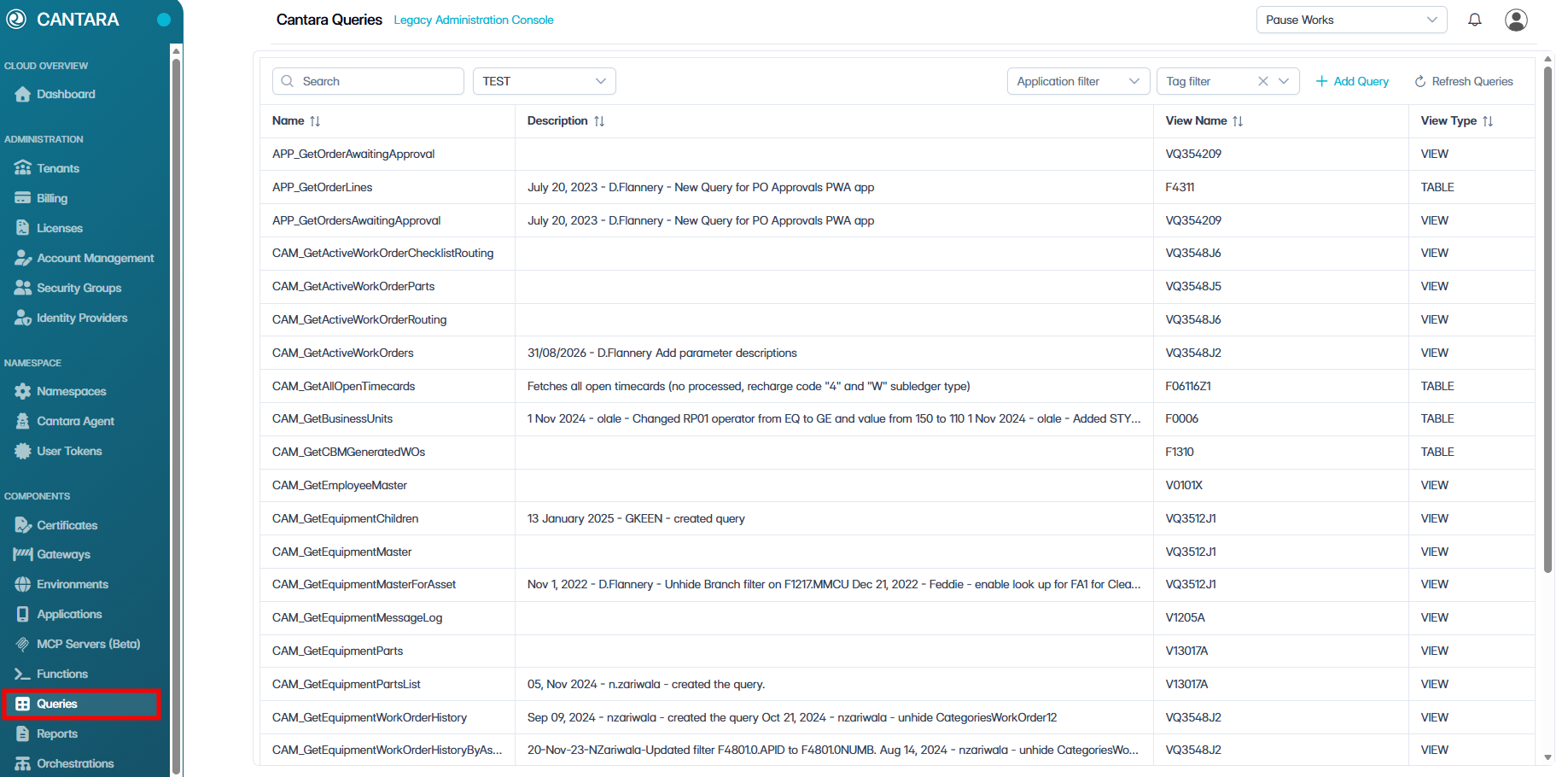
To delete a query:
-
Navigate to Queries.
A list of available Functions is displayed.
-
Select the query you wish to delete.
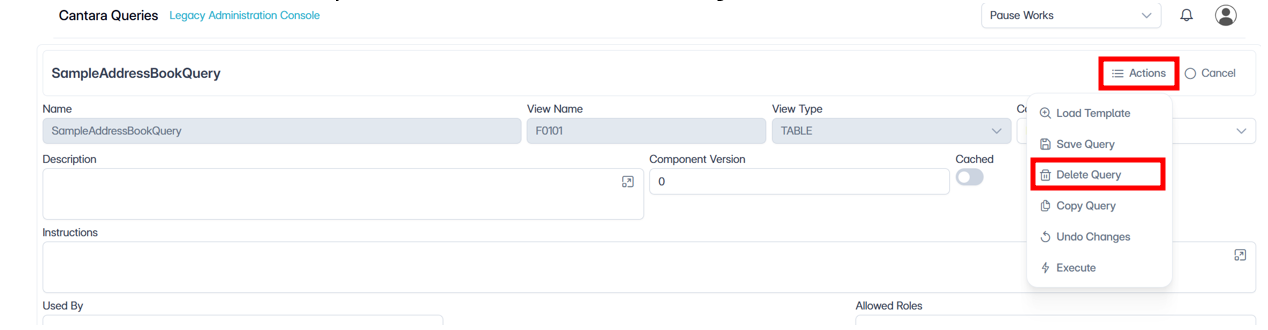
-
Click Actions, then select Delete Query.

-
In the confirmation dialog, click Yes.