
The scheduler can have one of the following statuses:
-
Running - The scheduler is activated and jobs are being submitted to the JD Edwards system.
-
Suspended - The scheduler is activated, but has been manually stopped. When you choose to suspend the scheduler any running jobs will continue to finish's and jobs that are part of that request group will continue to finish as well. Any new jobs that are to be submitted will be halted. From a suspended state you can resume processing which will submit the previous jobs that were halted.
-
Shutdown - The scheduler is shutdown. When you chose to shutdown the scheduler any new jobs will not be submitted. Jobs that where running at the time of the shutdown will be allowed to finish.
-
Error - The scheduler is activated, but there is a problem with the connection to the JDE server.
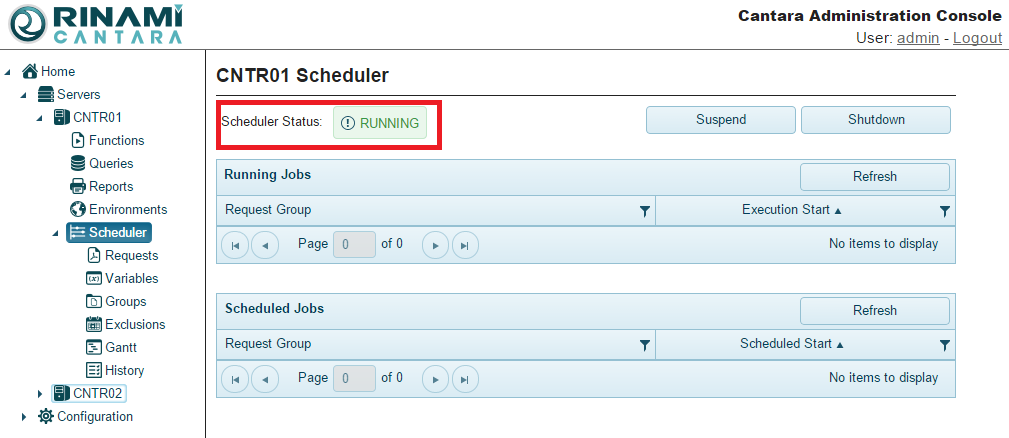
You can stop and start the scheduler as needed.
To start, suspend, or shutdown the scheduler
-
In the navigation panel, select the server to which the scheduler connects.
-
Expand the section and select Scheduler.
-
Click the appropriate button:
-
Start - Start the Scheduler
-
Suspend - Suspend the Scheduler
-
Resume - Resume processing of the scheduler, picking up from the state it was suspended at
-
Shutdown - Stop the Scheduler
-
The scheduler is started, suspended, or shutdown according to your selection.