
Variables allow you to use a single value as needed within multiple requests. When you use a variable, you only have to modify its value in one location.
To use a variable in a request, you must enclose the name in double brackets, as shown in the following example.
For this example, we have defined a variable named company. We can use the variable in any request.
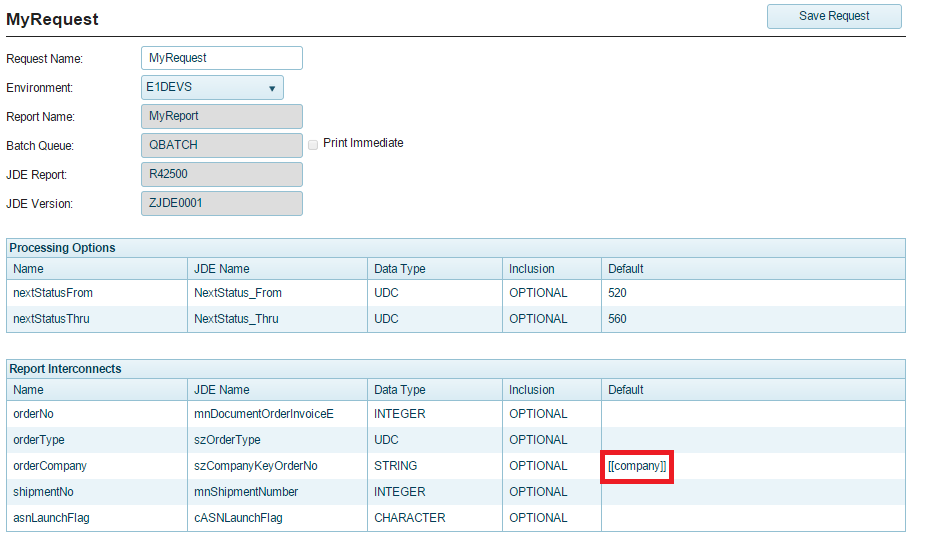
You can add, edit and delete variables that are associated with a request. Once defined, you can use a variable in a request.
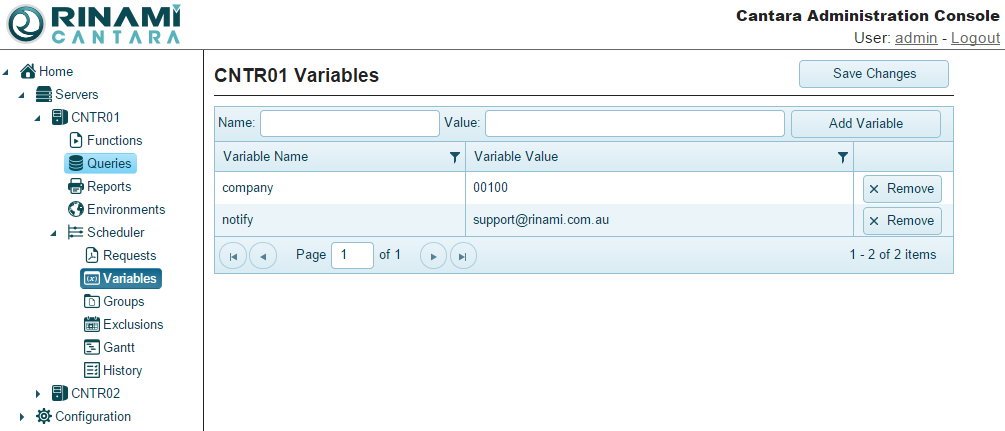
To add a variable
-
Click the Scheduler node in the navigation panel.
-
Click Variables.
-
Enter a Name and Value for the variable you want to add.
-
Click the Add Variable button.
To edit a variable
-
Click the Scheduler node in the navigation panel.
-
Click Variables.
-
In the Value field you can inline edit a variable value
-
Once done Tab out or select another field.
Note: You will notice there is now a red triangle in the top left corner of the text box. This means the value has been change but needs to be saved.
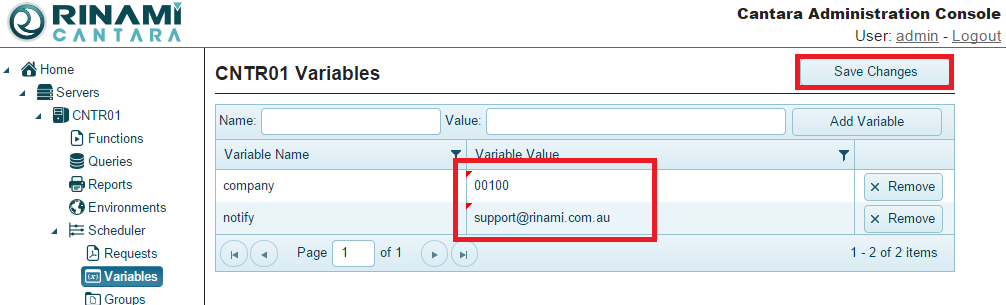
To save your changes click the Save Changes button.
To delete a variable
-
Click the Scheduler node in the navigation panel.
-
Click the Variables node.
-
Click the Remove button for the variable you want to remove.