
You can search for records across multiple pages by building a custom search filter that restricts the records that are returned to only those that meet your specific requirements. A search filter can include one or more criteria and a condition.
The filter search feature is available on any field with a pin icon (

).
Criteria
|
Criterion |
Records returned |
|---|---|
|
Is equal to |
An exact match of value. |
|
Is not equal to |
Not an exact match of value. |
|
Starts with |
The first few characters match the first few characters of the value. |
|
Contains |
Matches at least one part of the value. |
|
Does not contain |
Does NOT match any part of the value. |
|
Ends with |
The last few characters match the last few characters of the value.
|
Conditions
|
Condition |
Description |
|---|---|
|
And |
Use to specify multiple criteria. |
|
Or |
Use to specify an alternative criterion to match. |
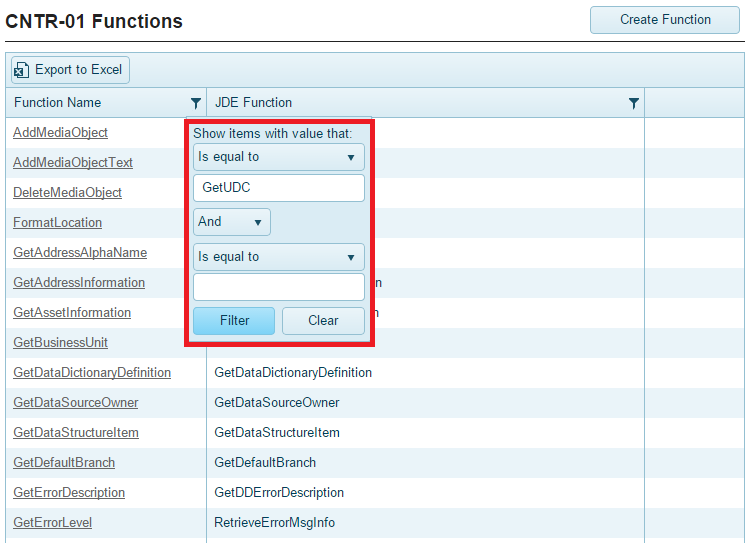
To perform a search
-
Click the pin icon (
-
Select a search criterion from the drop-down list.
-
Enter a value in the space provided.
-
If necessary, select a condition.
-
If necessary, select a second search criterion and enter a value in the space provided.
-
Click the Filter button. The system returns a list of all the records that meet your requirements.