
27711: Browser Locale–Based Date Formatting - Automatically formats dates based on the user’s browser settings.
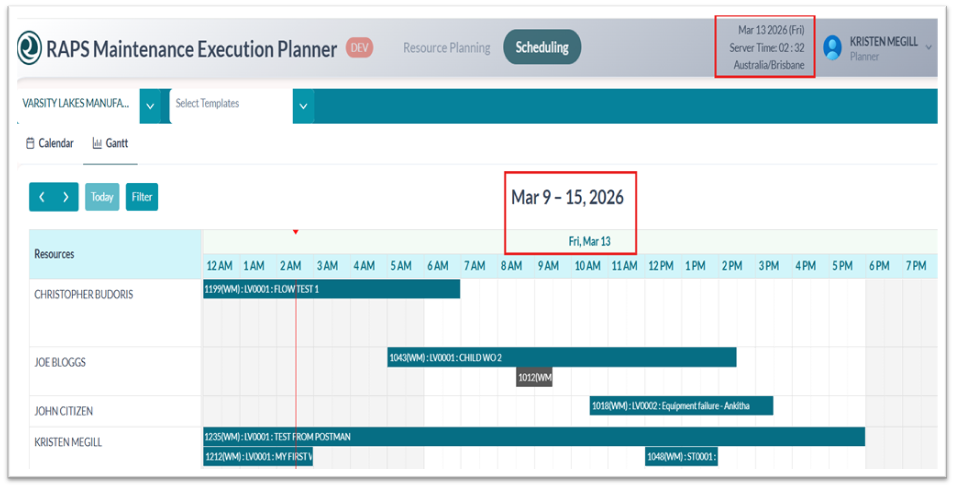
35103: Move Work to Another Month in Scheduling - Adds flexibility for planners to shift work across months.
.png?cb=7037e73aef646e7a81c4c656edc11758)
-
Right-click in Calendar to see WO Details or to Reschedule a WO:
.png?cb=b37c42804ce11eeb95de651c5ba74f3b)
.png?cb=e451b4168b0fa7bfe8cd4016b490baa8)
.png?cb=0bc08e1d80b4bba3fcb62e2eb60ac337)
-
Right-click in Gantt to see WO Details or to Reschedule a WO:
.png?cb=2eb30d23d81c34eaa011dedad9894c8f)
.png?cb=8df0bfb2fccf8b70352980421b3b883e)
.png?cb=7f62c7d1a46d68438704755b4827b869)
29554: Dynamic Retrieval Count for Unallocated Work Orders & Available Resources - Sum of Unallocated Work Orders & Available Resources for planning
.png?cb=9b9b6d9b7b38ab85dba9a14a69c2239a)
36542: Clear Indicators for Applied Filters - Enhances visibility of active filters in the Work Order Filtered View.
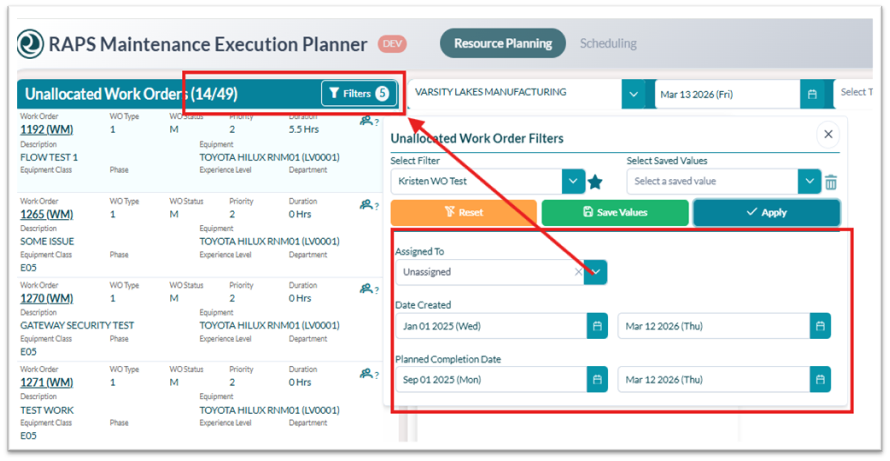
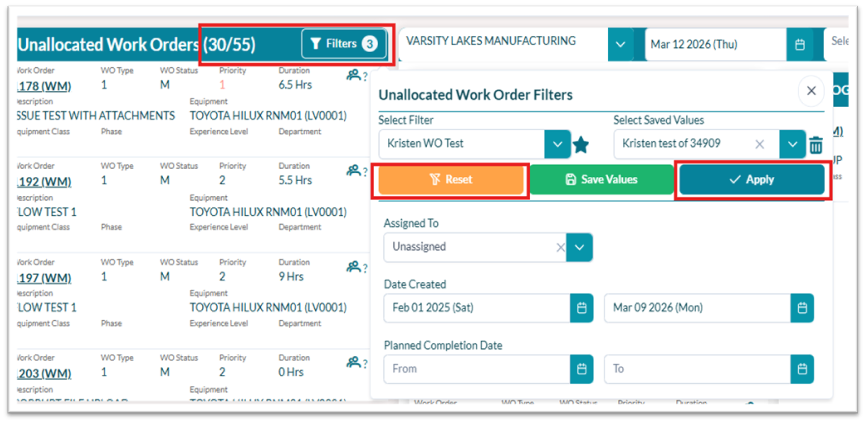
36529: Improved Work Order Filter Usability - Streamlines filtering interactions for faster navigation.
-
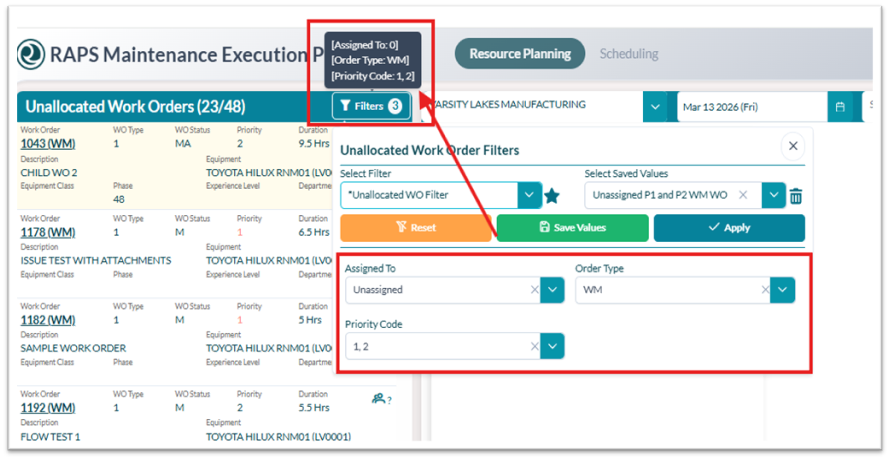
Hover over filters, and it will show you what filters you have applied.
34909: Persist & Restore Work Order Filter Values - Saves user filter selections and restores them on return.
-
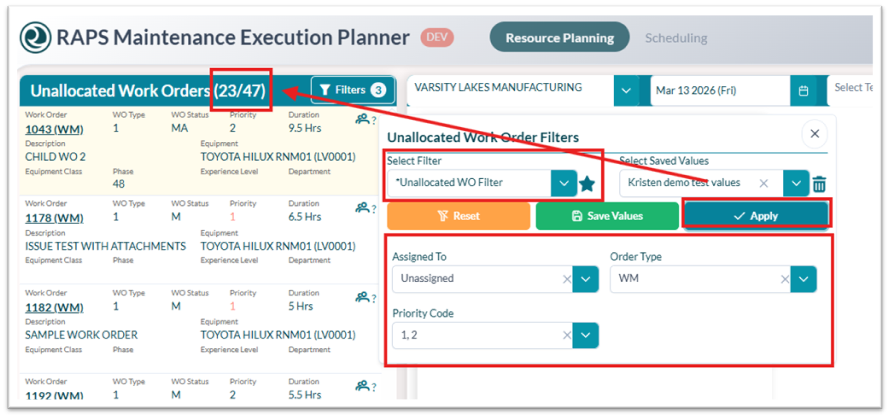
UNALLOCATED WORK ORDER FILTERS Users require EDIT permission in Security for the user role under “User can perform this action with their own preferences” to save custom filter values; otherwise, an error message will be displayed.
-
Navigate to Filter Management and create a new filter
.png?cb=127cc612ffd433f099e99ee6a811669c)
-
Once you have created your filter, navigate to the Unallocated Work Orders and select the Filter Icon. Select your new Filter: *Unallocated WO Filter and fill in your filter criteria
-
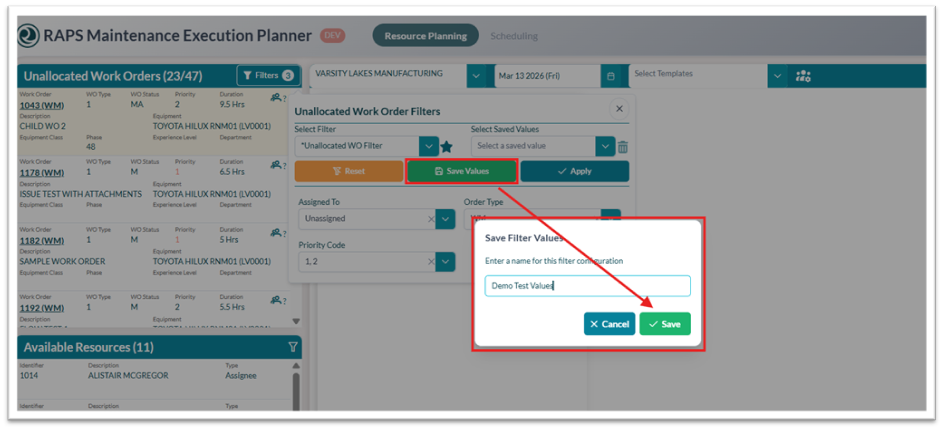
You can save your filter criteria by selecting the Save Values button, which will bring up the Save Filter Values screen where you can name your filter.
-
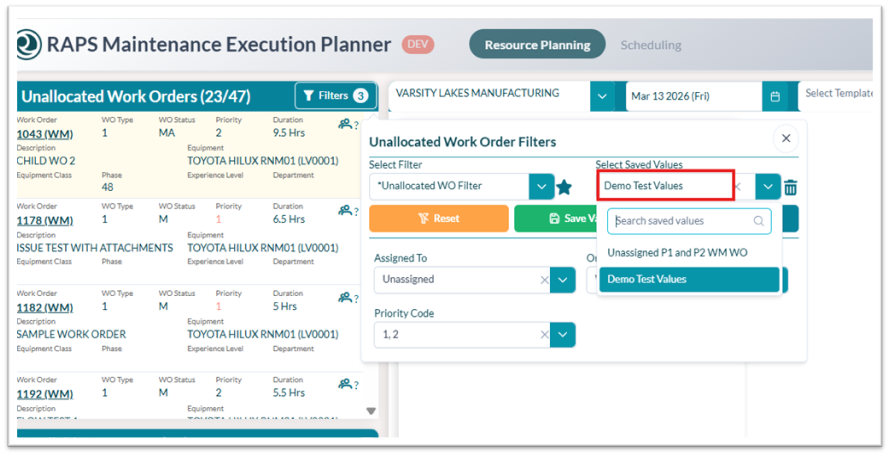
You can now see your Saved Values under the dropdown for Filter *Unallocated WO Filter.
32384: Editable Dashboard Work Order Headings - Allows customization of headings such as Active Orders, Pending Orders, and Completed Orders.
.png?cb=b33abdd224d79009a3cdd01e0690a350)
.png?cb=d86003eef0ace319fcf5b20282e42356)
34913: Editable Dashboard Header Name (RAPSXXXXXXXX) - Enables renaming of the header
.png?cb=4ebab195a623b55a037fdb656e88e128)
.png?cb=1fa4e7ace1e9f4fef0923a8296e1d349)