
Overview
You can use the Cantara Administration Console to run a function that exists in your JDE environment.
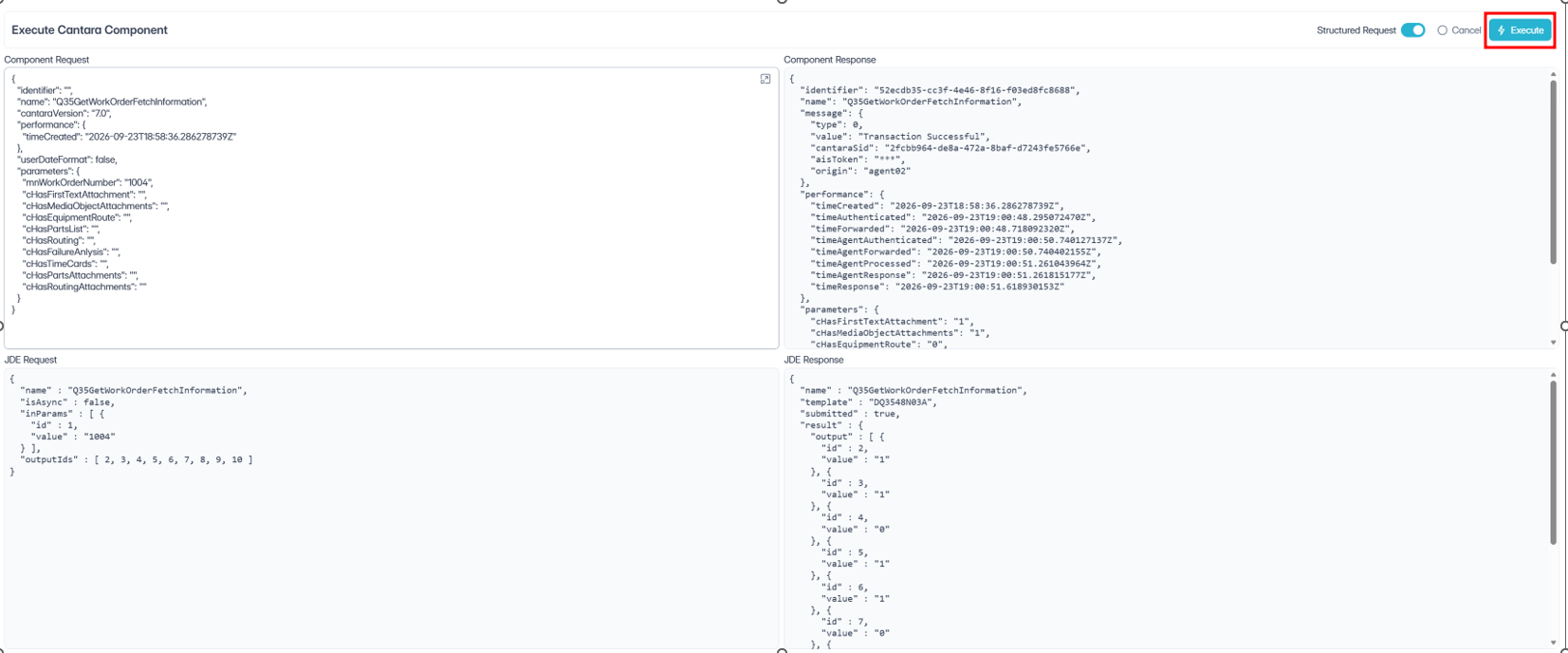
The following details are returned when you run a function:
-
Function Request: The payload that the Cantara RESTful service consumes. You can use the information produced here as a template for inclusion in your own service client.
-
Function Response: The data that the JDE server returns.
-
JDE Transaction: The data that is being transmitted between the Cantara Server and the JDE server.
Procedure
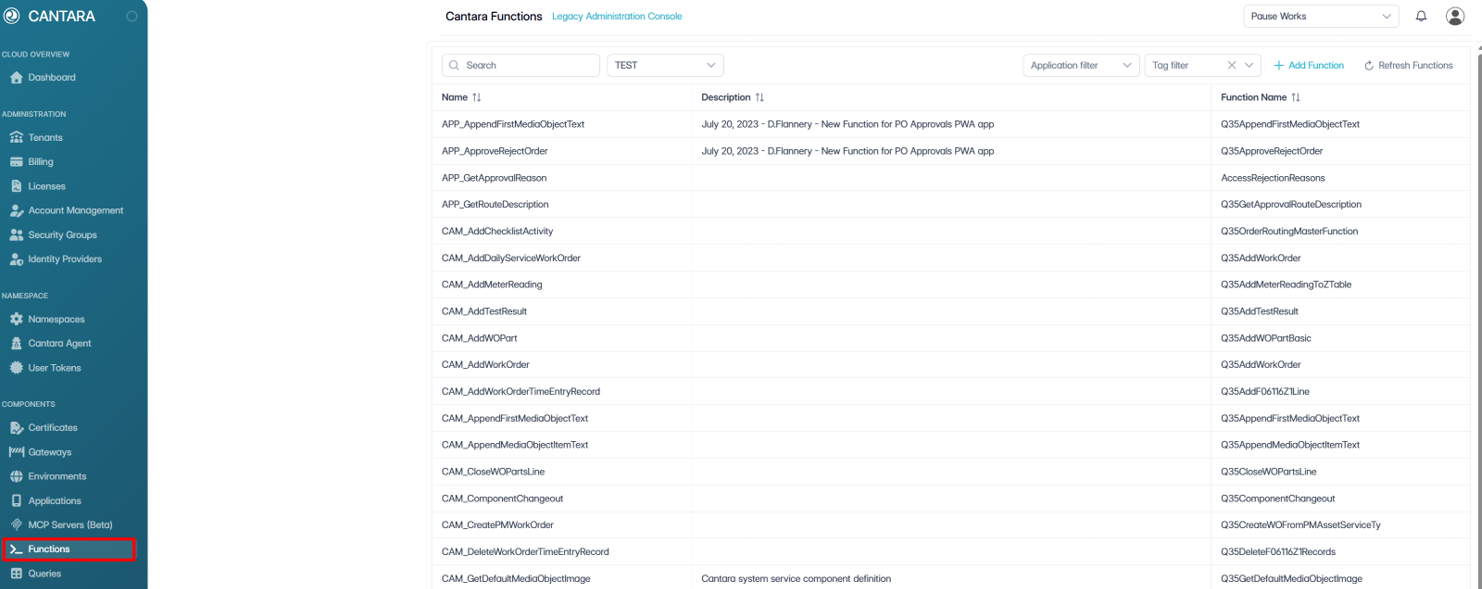
To run a function:
-
Navigate to Functions.
A list of functions is displayed.
-
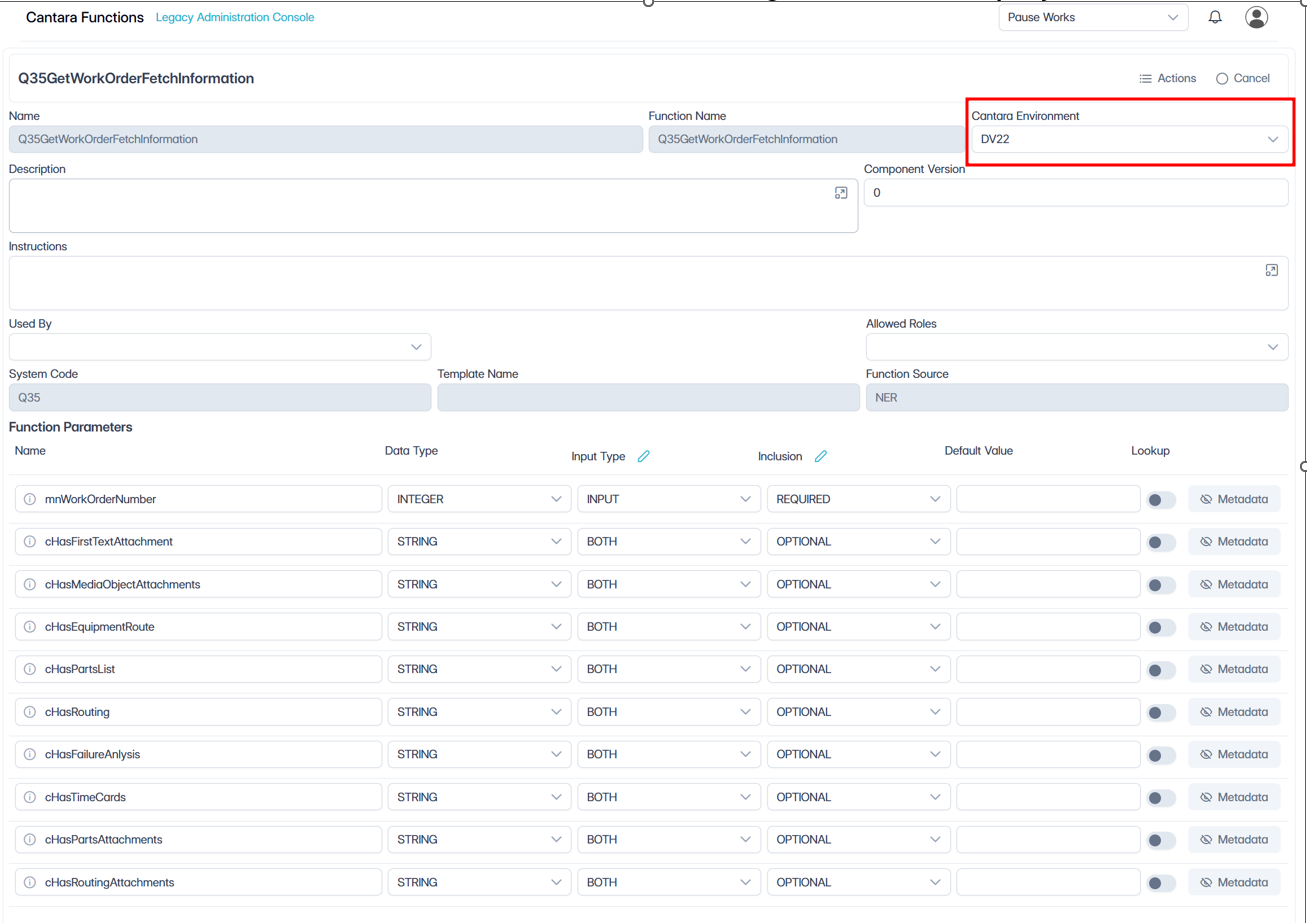
Select the function to be tested. The Function settings screen is displayed
-
Ensure that the proper environment is selected to run the function.
-
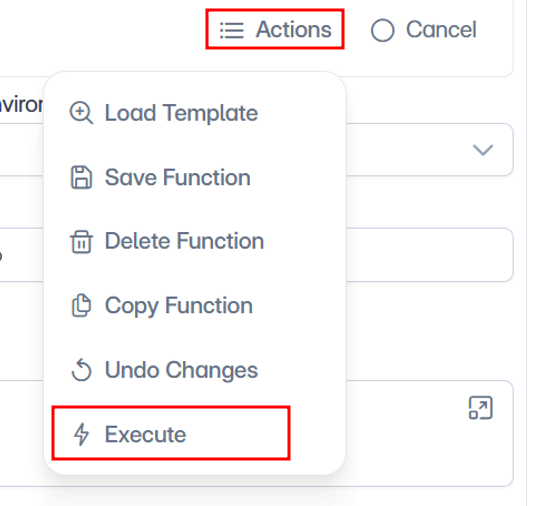
Click Actions, then select Execute.
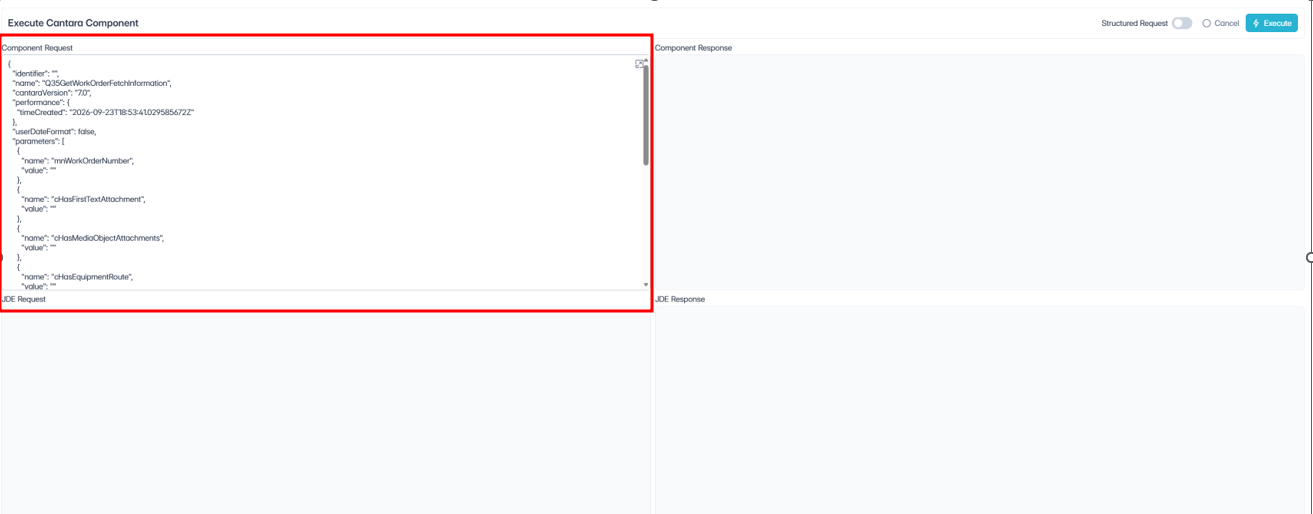
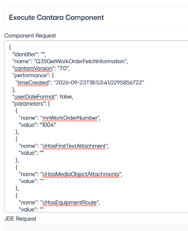
The Execute Cantara Component screen will be displayed. The Component Request window will be pre-loaded with the input parameters in JSON format:
-
You can click in the Component Request window to enter in parameter values. In the example above WO number 1004 in the mnWorkOrderNumber parameter has been entered.
-
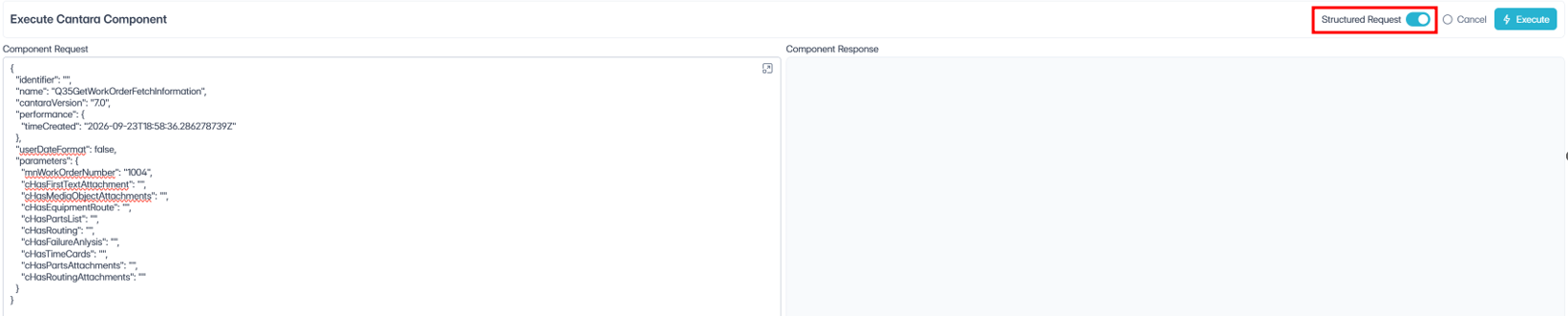
Enable Structured Request, to display the parameters in an “object/property” based JSON. This format makes it easier to copy/paste input data to run the function.
-
Click Execute to run the function.
The windows on the right will display the Component and JDE Response received from the AIS server.