
Cloud & Standalone Installation
Within the Tenant setup screen there are a number of Timeout settings that can be configured based on requirements of your environment.
If left blank, the Timeout periods will use system default values.
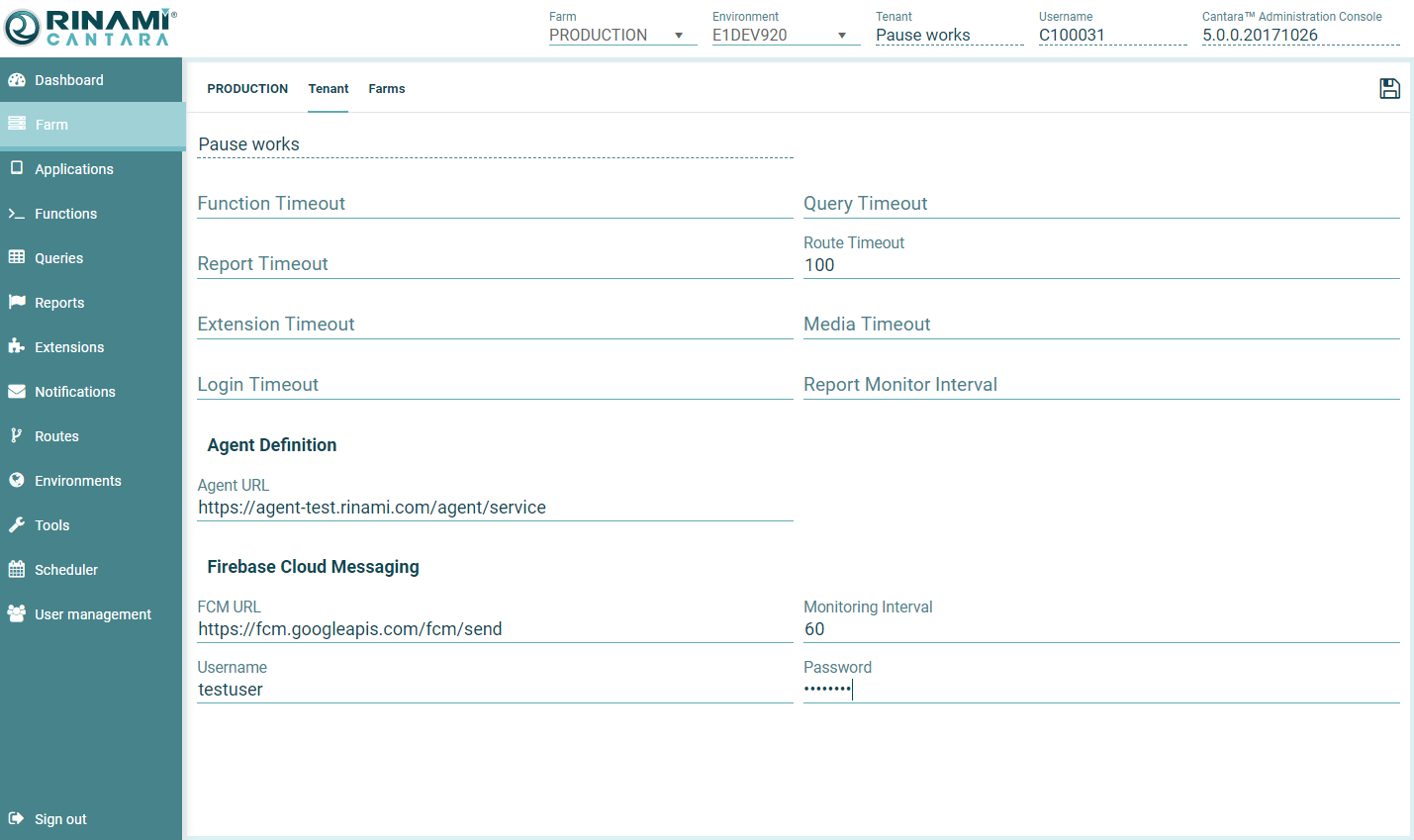
Timeout Settings: Allowed Min/Max (seconds) values are defined against the Worker (*for cloud the allowed ranges are be defined by Rinami)
-
Query Timeout: Min 600, Max 900
-
Report Timeout: Min 600, Max 900
-
Route Timeout: Min 600, Max 900
-
Extension Timeout: Min 600, Max 900
-
Media Timeout: Min 600, Max 900
-
Login Timeout: Min 600, Max 900
-
Report Monitor Timeout: Min 60, Max 600
Agent Definition: Where an Agent has been installed, you will need to specify the Agent / Agent Load Balancer URL here. Where no agent is being utilized, the Worker will perform the transactions, so this section can be left blank.
Firebase Cloud Messaging: If you wish to use push notifications the below items are required
-
FCM URL: Your Google Firebase Cloud Messaging URL
-
Monitor Interval: How often should Cantara poll JDE for new push notifications in seconds
-
JDE Username: Generic username for the user that will be used to login to JDE to check for unprocessed push notifications
-
JDE Password: Password for the generic user