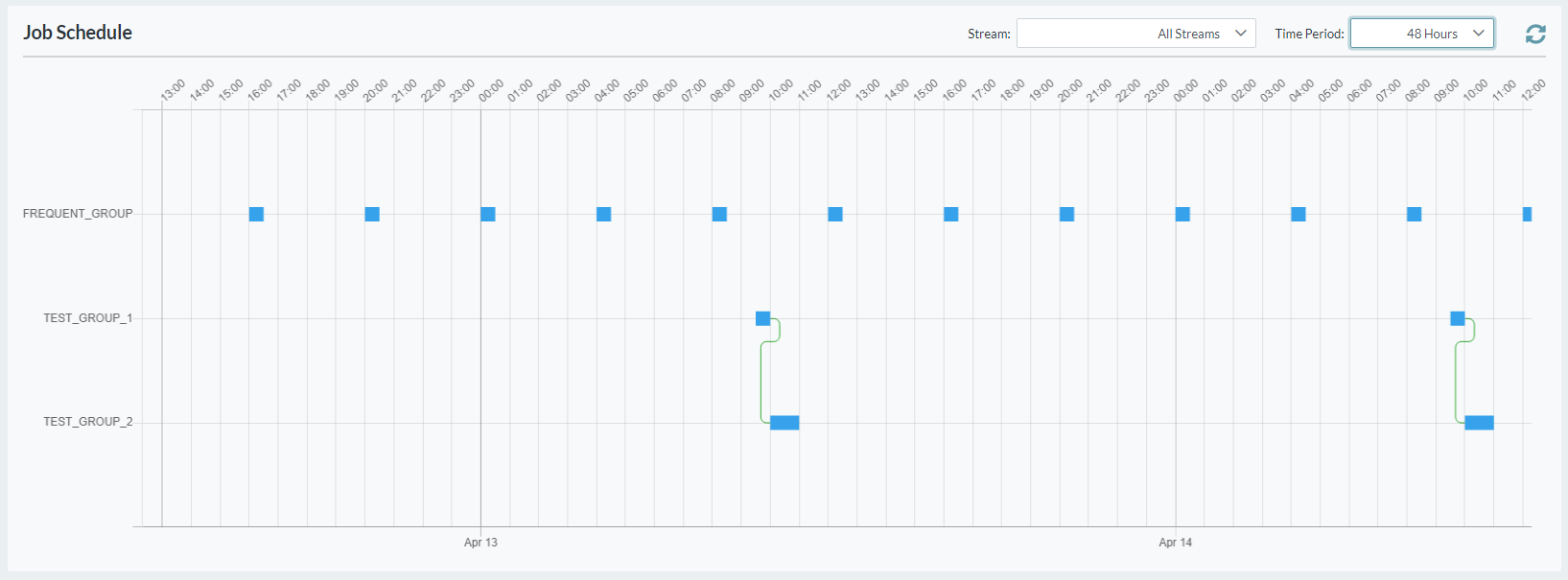
The Gantt Chart screen provides a visual representation of scheduled groups and dependencies.
It also highlights the currently running jobs, and the next jobs that are scheduled to be run.
To view the Gantt chart
-
Open the Scheduler menu group in the navigation panel.
-
Select the Gantt node.
The Job Schedule is displayed, showing group start times, dependencies and expected durations. -
Select a particular Stream to be displayed, or show all streams.
-
Select a Time Period to be displayed, ranging from 4 hours to 30 days.
-
Select a scheduled group to view its details.