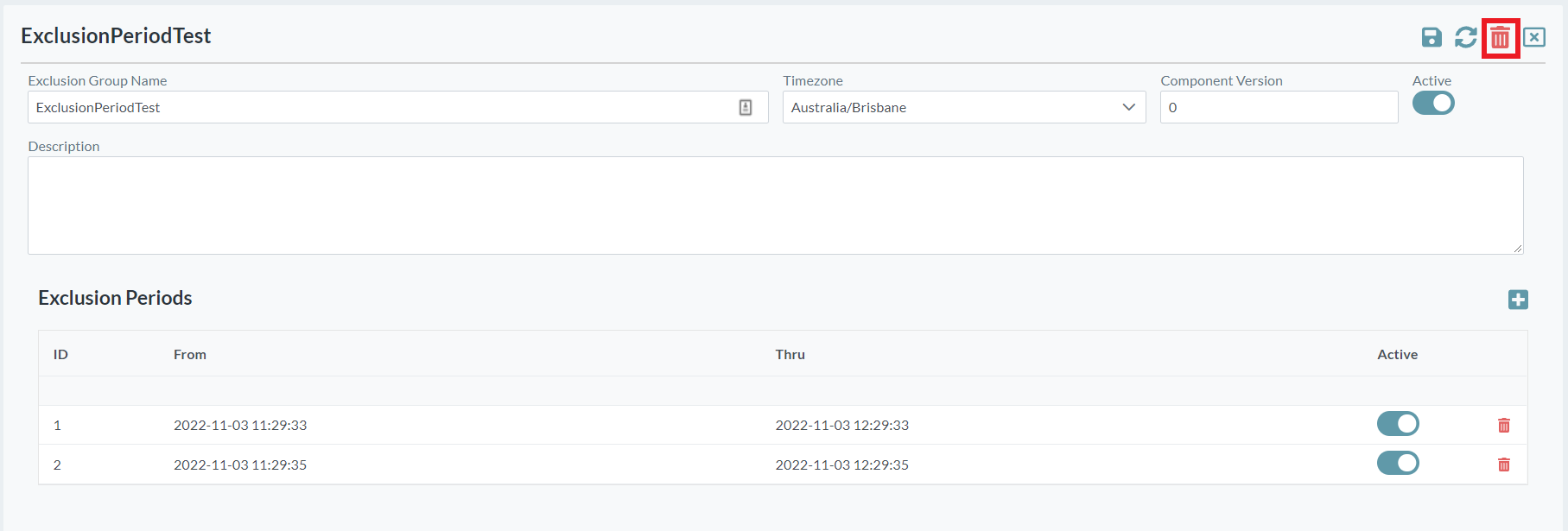
Exclusions are used to prevent the execution of scheduled groups during defined periods of time. For example, you may wish to prevent a particular group from running whilst month end processes are being completed.
To add an exclusion set
-
Open the Scheduler menu group in the navigation panel.
-
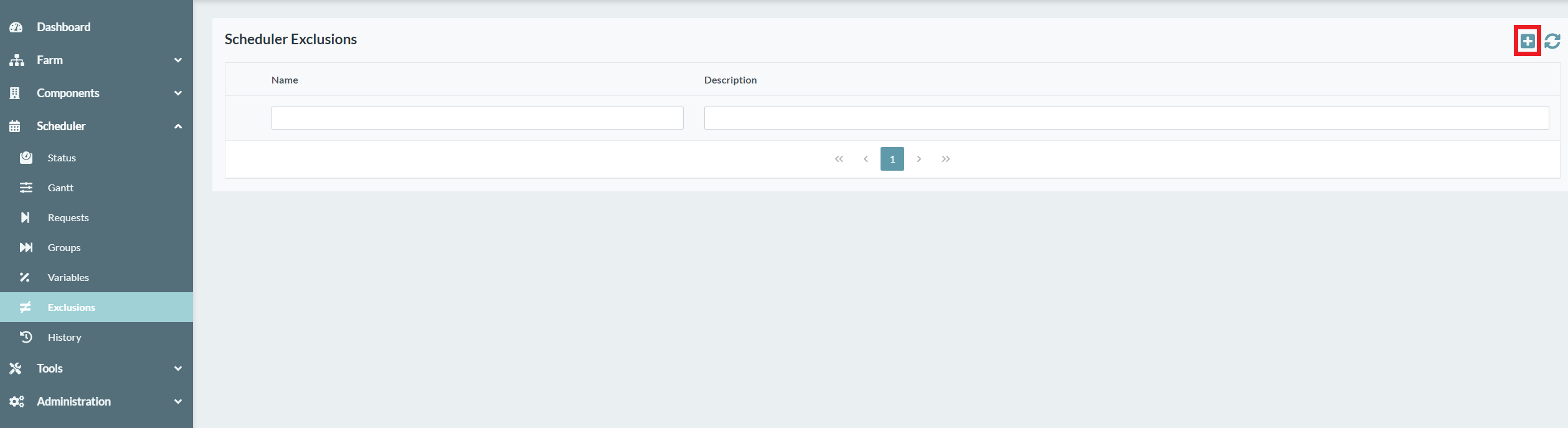
Select the Exclusions node. The exclusions screen is displayed.
-
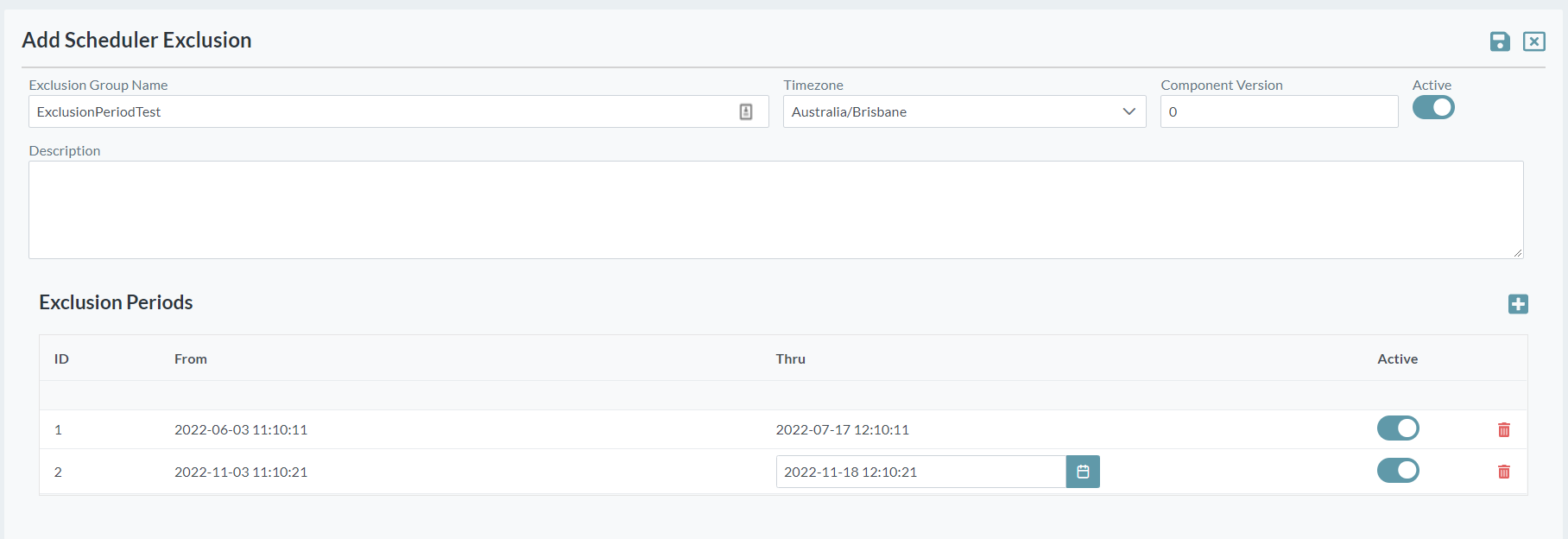
Click the Add button. The Add Exclusion screen is displayed.
-
Enter a Name for the set of exclusion periods. The value for this field can be a maximum of 40 characters (no spaces). Valid characters include numbers, letters, underscore (_) and dash (-).
-
Provide a Description of the exclusion set to provide further details.
-
Select the Active option so that the exclusion periods are applied. You can deactivate an exclusion set if required.
To add an exclusion period
-
Click the Add button on the right-hand side, above the exclusion periods list.
-
Enter the exclusion period From and Thru dates and times. These dates and times are inclusive, so any groups that are equal to or within the ranges will not execute.
-
Select the Active option on each line to ensure that the exclusion period is applied.
-
You can add as many exclusion periods as are required.
-
To save your changes click the Save button at the top.
To delete an individual exclusion period
-
Click the Delete button next to a period to be removed.

To delete an exclusion set
-
Click the Delete button at the top right corner of the exclusion set.