
Purpose
Guide administrators through creating a Security Group and assigning Security Topics in the Cantara Administration Console.
Note: This section applies when Security Groups are created and managed in Cantara. If SCIM provisioning is enabled, Security Groups are managed in the IdP, and Security Topics are managed in Cantara, see Assign Security Topics to Security Groups.
Before you begin
-
You have access to the Cantara Administration Console and permission to manage Security Groups and Security Topics.
-
A tenant is configured in the system
Procedure
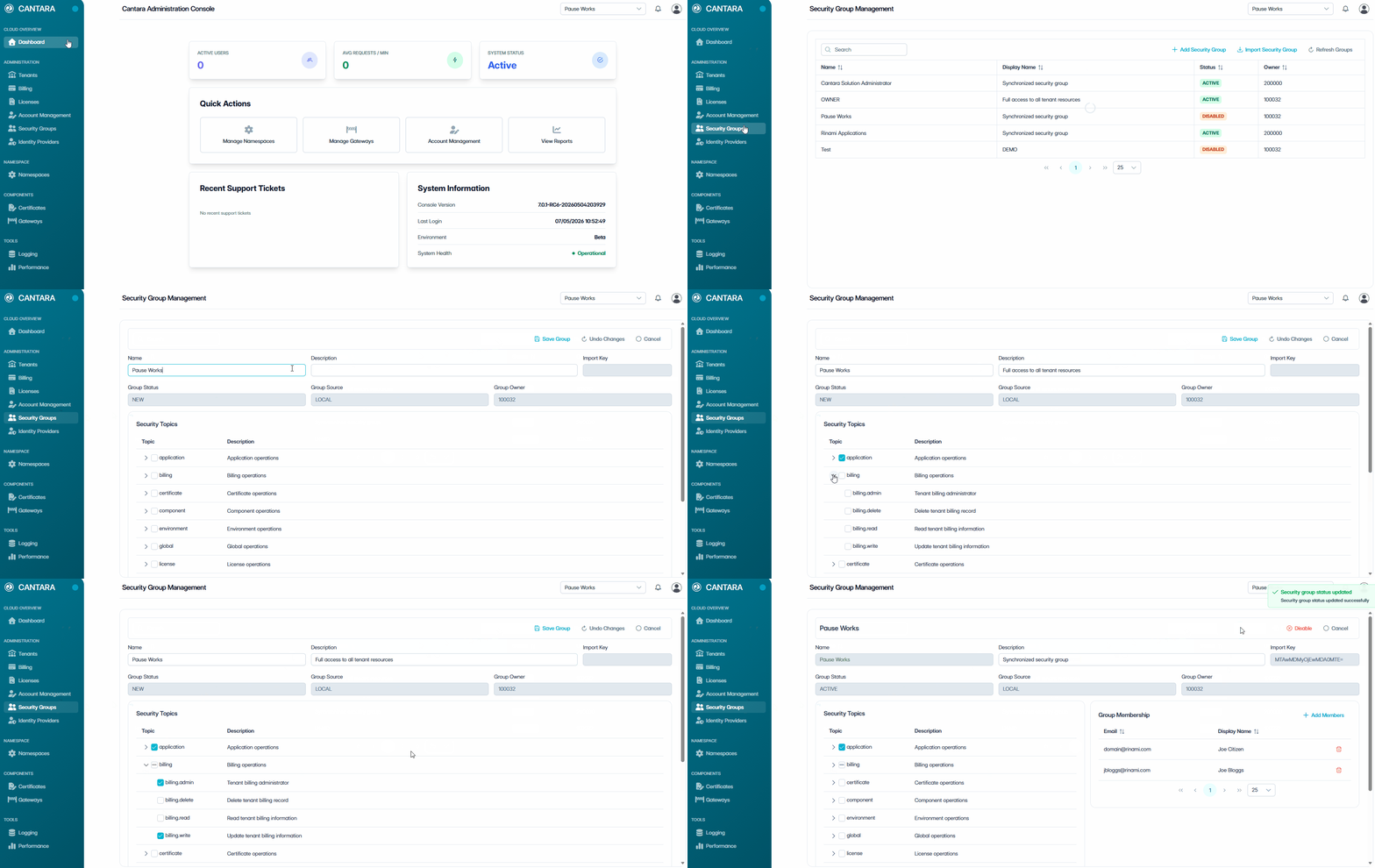
To configure a Security Group and assign Security Topics:
-
Navigate to Security Groups.
The Security Group Management screen displays all existing groups, along with details such as Name, Display Name, Status, and Owner. -
Click + Create Security Group.
Enter the following details:
|
Field |
Description |
|---|---|
|
Name |
The name of the Security Group |
|
Description |
A short description of the group’s purpose. |
-
Assign Security Topics.
Select Security Topics to define access for the group:
-
Select a Security Topic to grant full access to that functional area.
-
Alternatively, expand a Security Topic (›) to view Permissions.
-
Select individual Permissions to grant granular access.
-
Repeat for additional Topics as required.
Security Topics define functional areas in Cantara. Selecting a Security Topic grants access to all associated Permissions. Permissions can also be selected individually for finer control.
-
Click Save Group.
A confirmation dialogue box appears to confirm the group has been saved.
-
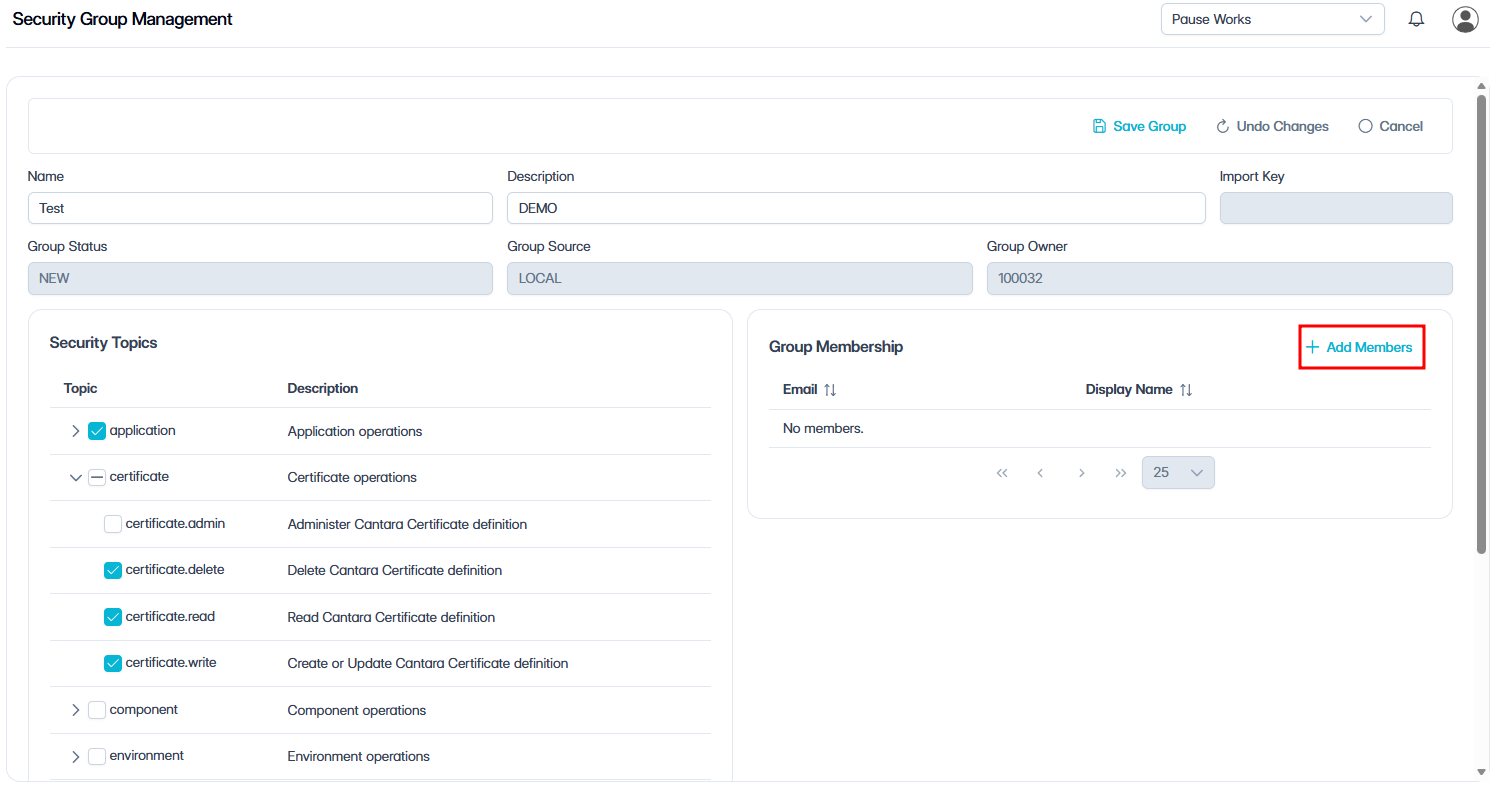
Add Members.
-
Click + Add Members and select the users to include in the group.
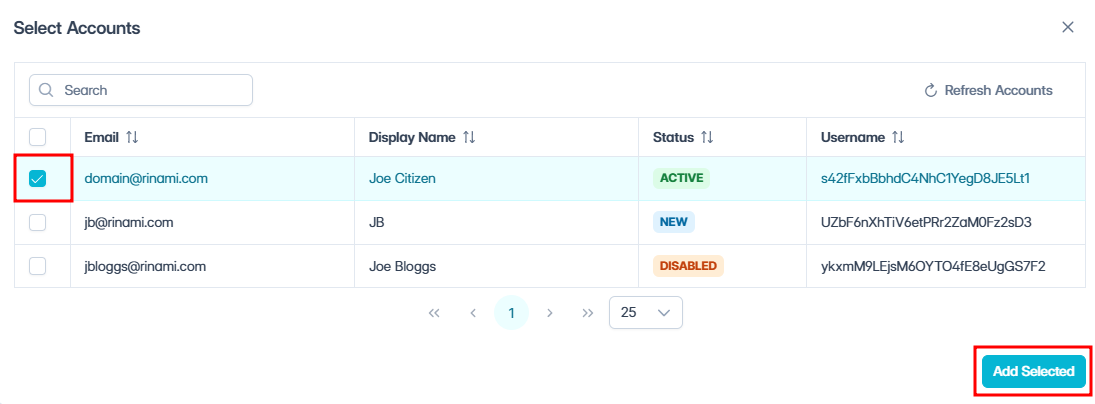
-
Select the members you wish to add.
-
Click Add Selected.
The selected members are now listed in the Group Membership section of the screen.
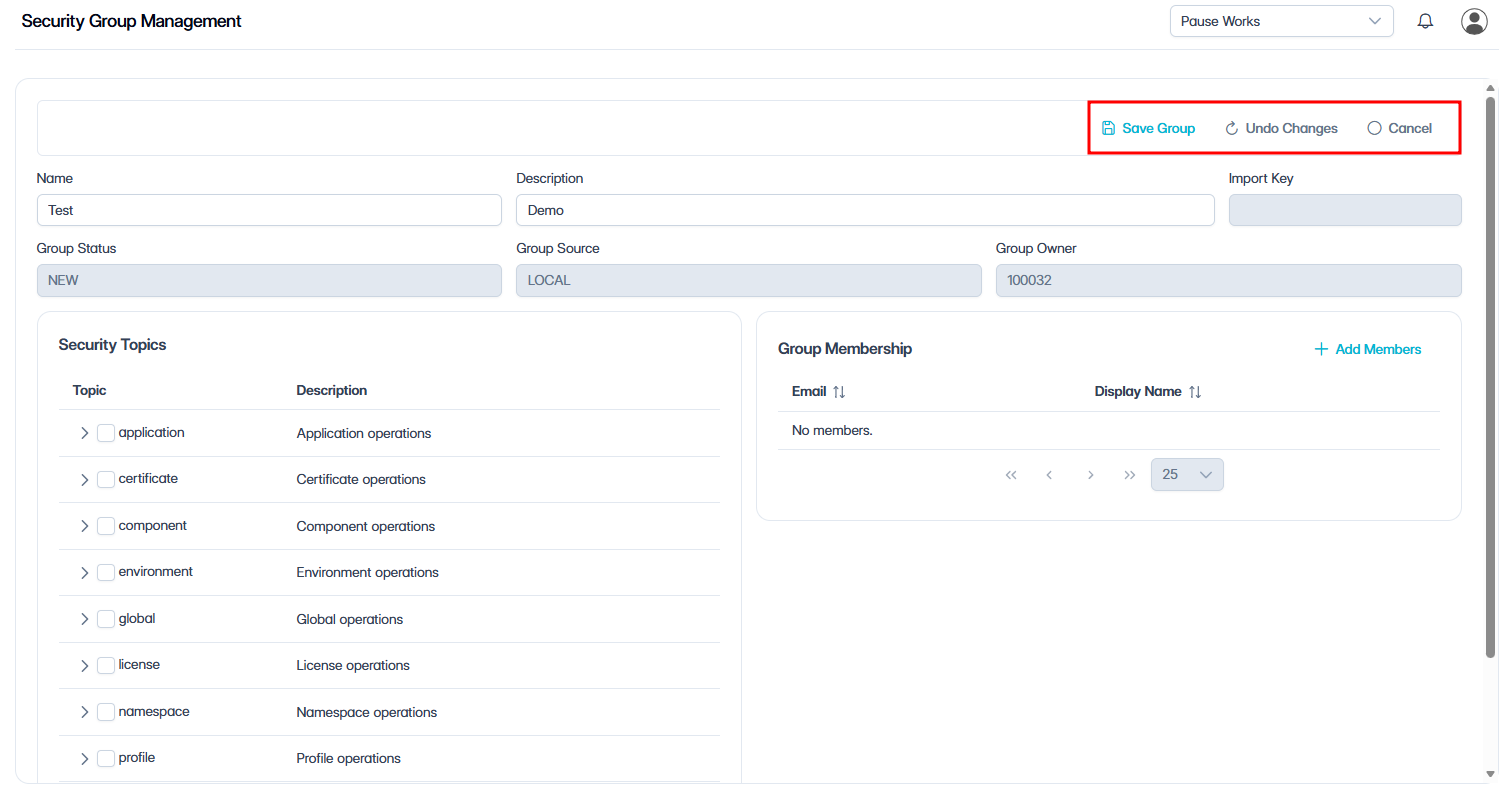
-
Click Enable.
A confirmation dialogue box appears to confirm the group has been enabled.
Outcome
The Security Group is created in Cantara and appears in the list of Security Groups on the Security Group Management Screen. Users in the group inherit permissions based on assigned Security Topics.
What’s next?
After you have configured Security Groups and assigned Security Topics, the next step is to create a namespace, see Namespace Setup.