
Cantara supports the transfer of component definitions between Environments.
The following Component types can be transferred:
-
Functions
-
Queries
-
Reports
-
Extensions
-
Routes
-
Maps
The transfer procedure for each component type is the same. An example is provided below.
To transfer a component
-
Open the Components menu group in the navigation panel.
-
Select the component type to be transferred, such as Functions.
-
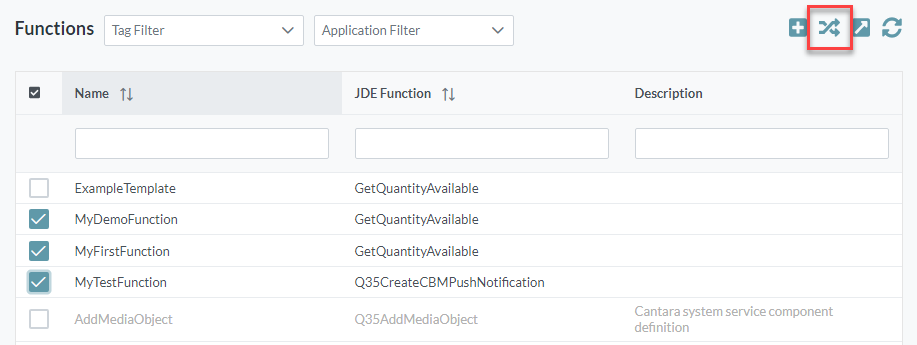
Choose one or more functions to be transferred, using the checkboxes at the left side of the pane.
-
Click the Transfer Components button. The component transfer settings screen is displayed.
-
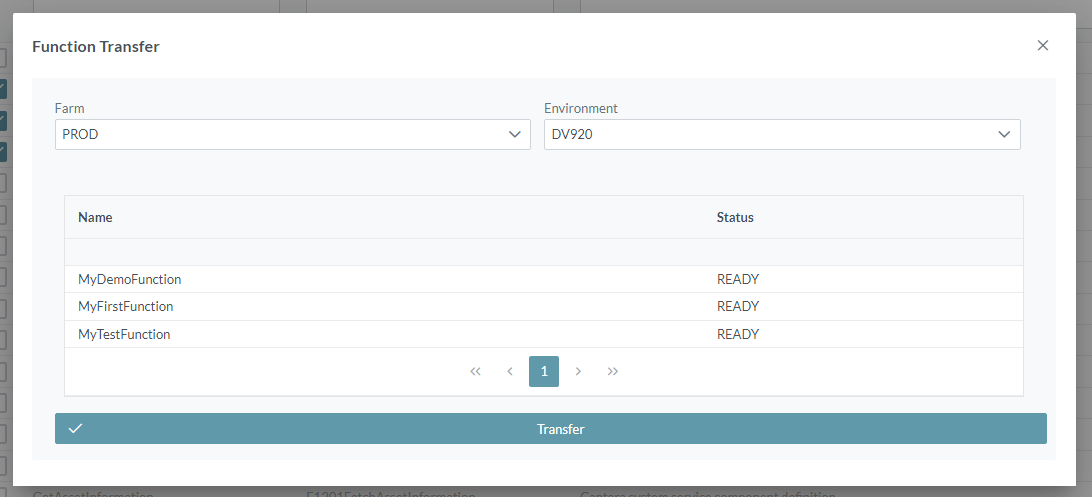
Choose the required Farm and Environment for the transfer destination.
-
Click the Transfer button at the bottom of the screen.