
You can use the Cantara Adminstration Console as a debug tool to test that a function is working as expected.
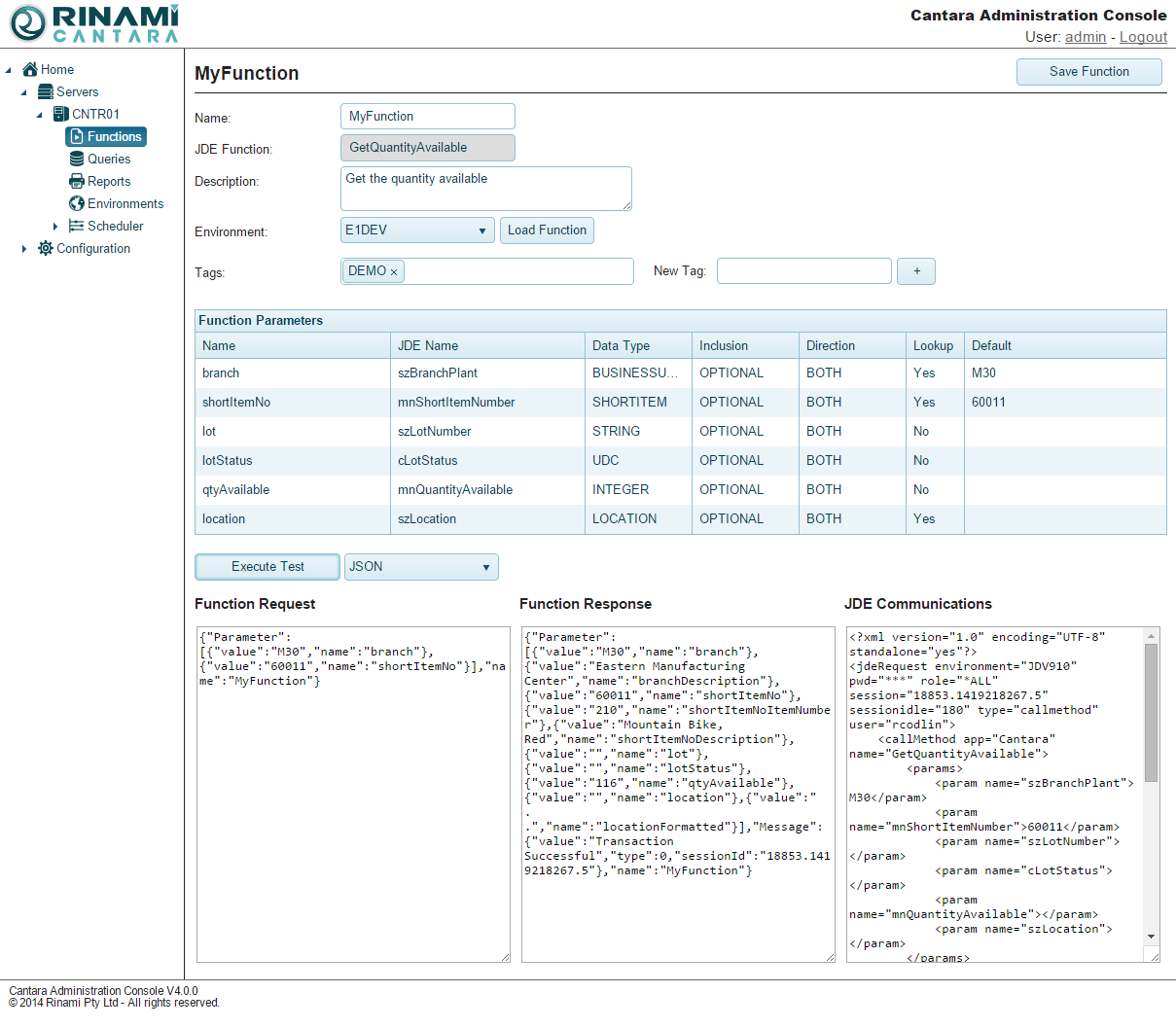
The following details are returned when you test a function:
-
Function Request: The payload that the Cantara Access Server RESTful service consumes. You can use the information produced here as a template for inclusion in your own service client.
-
Function Response: The data that the JD Edwards server returns.
-
JDE Communications: The data that is being transmitted from Cantara Access Server and the JD Edwards server.
You can choose to view the results in XML or JSON format.
To test a function
-
Select the Functions node in the navigation panel.
-
Select the function you want to test.
-
Select the environment you want to test the function against.
-
Populate the default value field with the parameters you want to pass through to the function.
-
At the bottom of the screen, select the format (XML or JSON) for the results from the drop-down list.
-
Click the Execute Test button. The details of the test are displayed in your selected format.