
Overview
Gateway Access Control adds an extra layer of security on top of JDE. While users must still have the required JDE permissions to execute services, the gateway enables more granular control over access, defining who can use specific services, in which gateway environment, and under what context. This strengthens security without introducing unnecessary complexity.
Key Capabilities
Granular Service and Function Access
Access can be controlled at both the service and function level. This allows specific services, or even individual functions within a service, to be enabled or restricted as needed.
Access via Roles or Groups
Access can be granted broadly to all users or restricted using either JDE roles or identity provider (IdP) groups. This approach enables centralised access management without requiring the creation of additional JDE roles.
Multiple Gateways and Context-Aware Access
Organisations can configure multiple gateways, allowing the same user or service account to have different permission profiles depending on the gateway used and the context of access. This enables context-based control, for example, allowing access to specific operations only when requests originate from an approved application or gateway, but not from other interfaces. It also supports middleware scenarios, where integrations can be routed through a dedicated gateway with tightly restricted access, ensuring that they only execute approved services, even if the underlying JDE account has broader permissions.
How Base Level and Specific Access Permissions Work
Base Level permissions determine whether a service is available and to whom. When enabled, you can allow all users or restrict access by JDE Role or IdP Group.
For services that support Specific Access Permissions, explicit item rules override the base service setting for those items. This allows precise allow/deny decisions on named items.
Examples
-
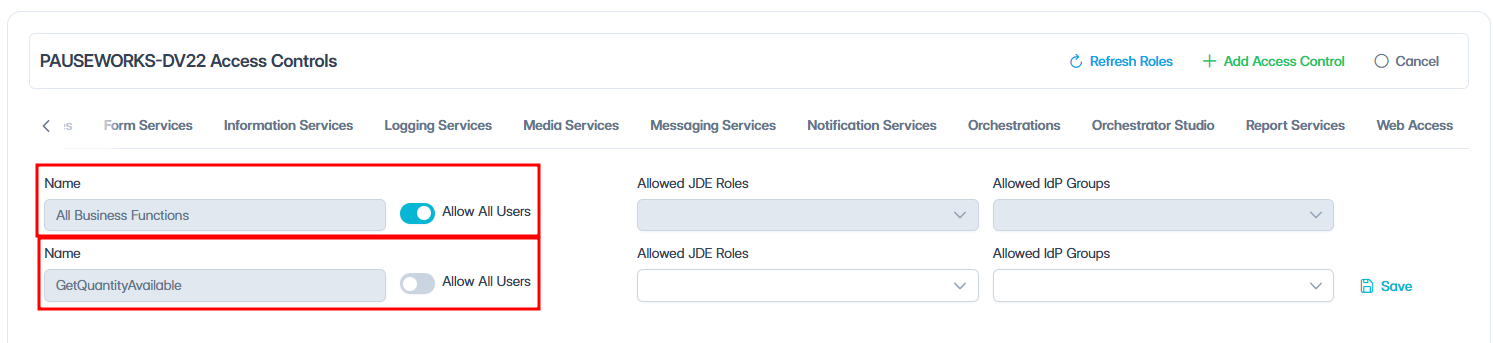
If the base level service is enabled (Allow All Users enabled), but a specific function is disabled, users can access all functions except that one.
-
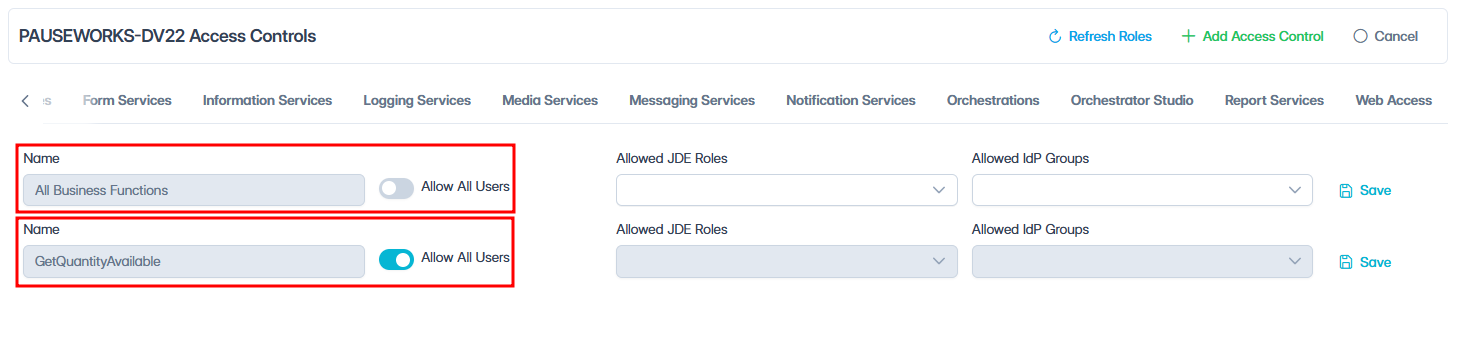
If the base level service is disabled (Allow All Users disabled), but a specific function is enabled for all users, users can only access that function.
-
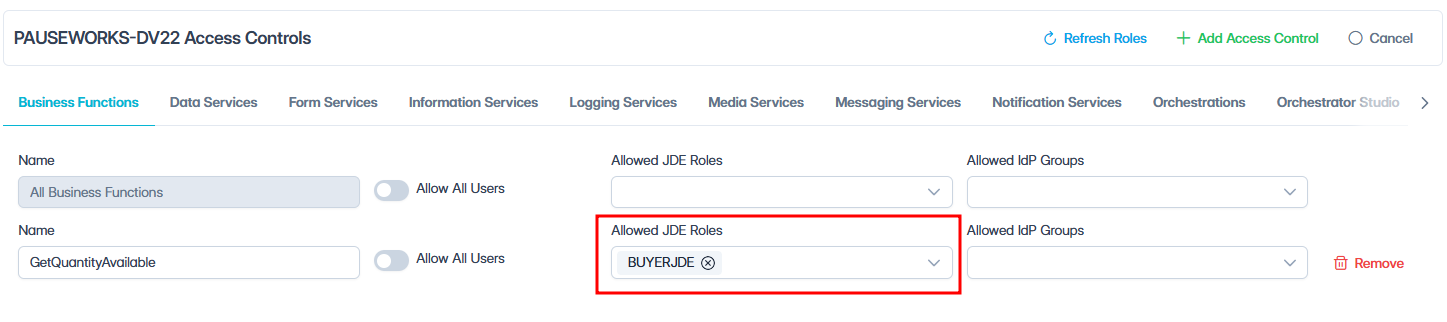
Permissions can be further refined by JDE Role or IdP Group.

Gateway Access Control never overrides JDE security. Users still require the necessary permissions in JDE to execute any service.
What’s next?
To configure gateway access control, see Configure Gateway Access Control.