
You can execute Functions, Queries or Reports on the Script Execution screen.
-
Use the Farm drop-down list in the status bar to select the Farm to review.
-
Open the Tools menu group in the navigation panel and select the Scripting node.
-
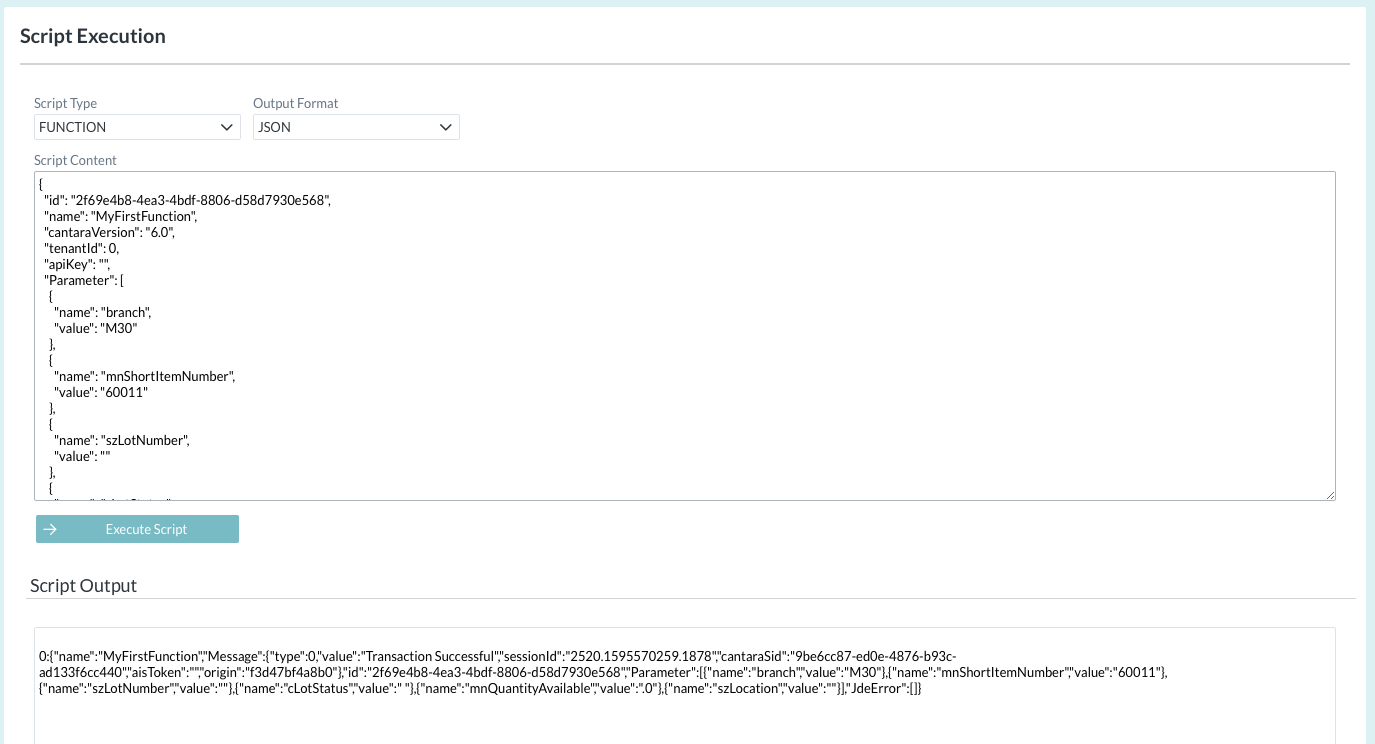
Select the required Script Type (FUNCTION, QUERY OR REPORT)
-
Select the required Output Format (JSON or CSV)
-
Enter the Script Content, using JSON format.
-
Click Execute Script. The results are displayed in the Script Output pane.