
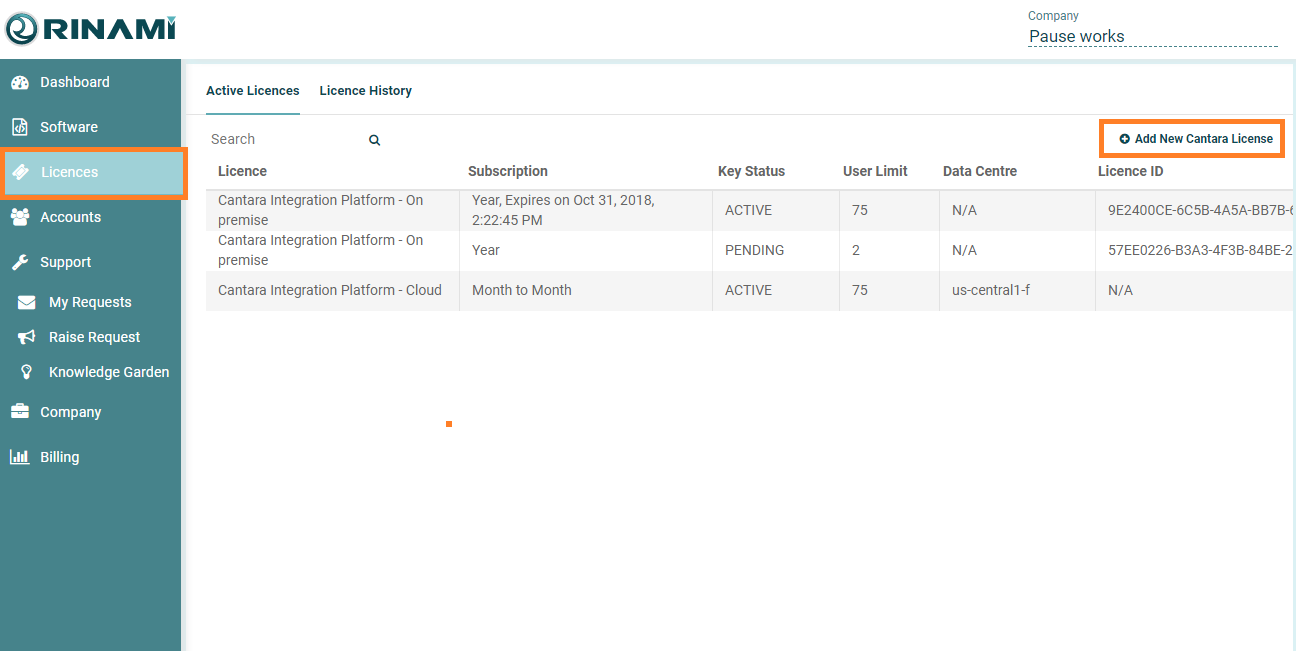
To add a new licence to your subscription, go to the Licences tab on the left hand pane.
Then in the top right, click Add New Cantara Licence
Select the type of licence required, Standalone or Cloud.
Select the user tier required.
If purchasing a cloud license you must also select the preferred Data Centre region.
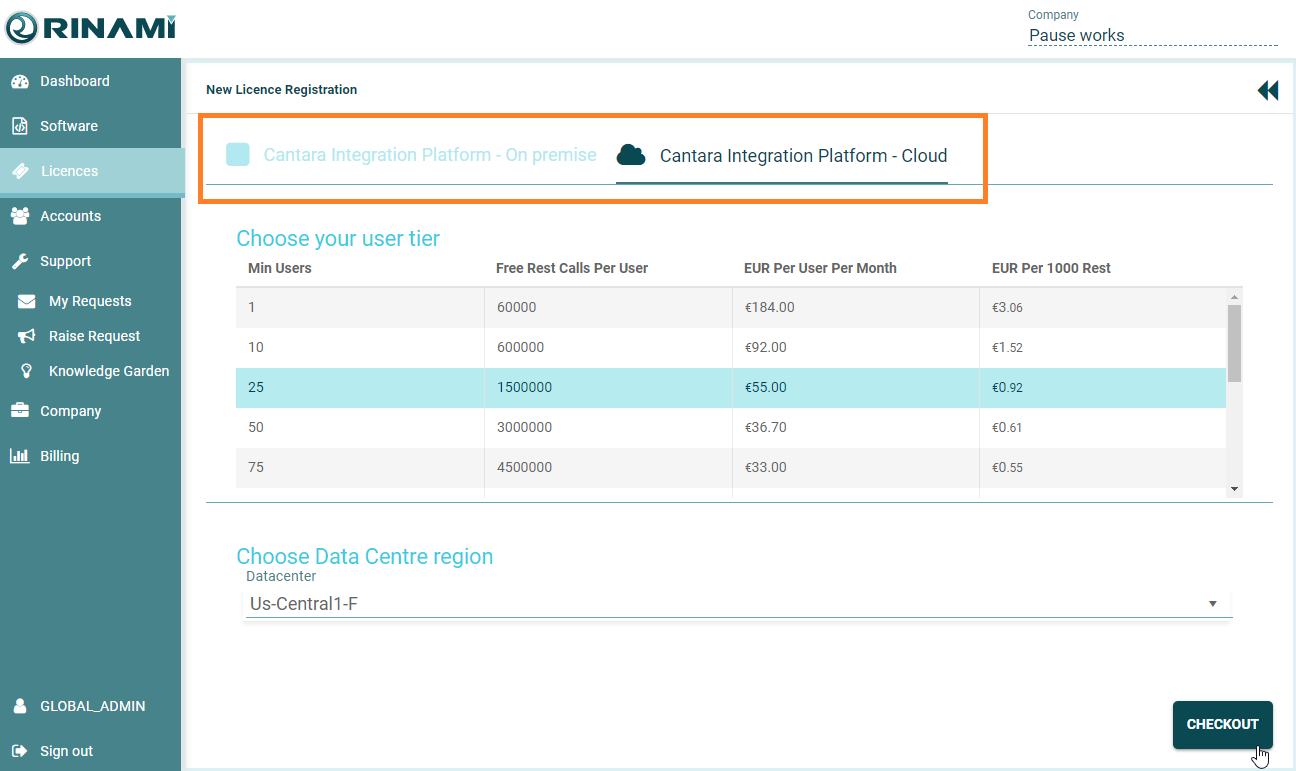
Click the Checkout button to continue.
Review the summary and press the Submit Licence Order button to complete the registration process.
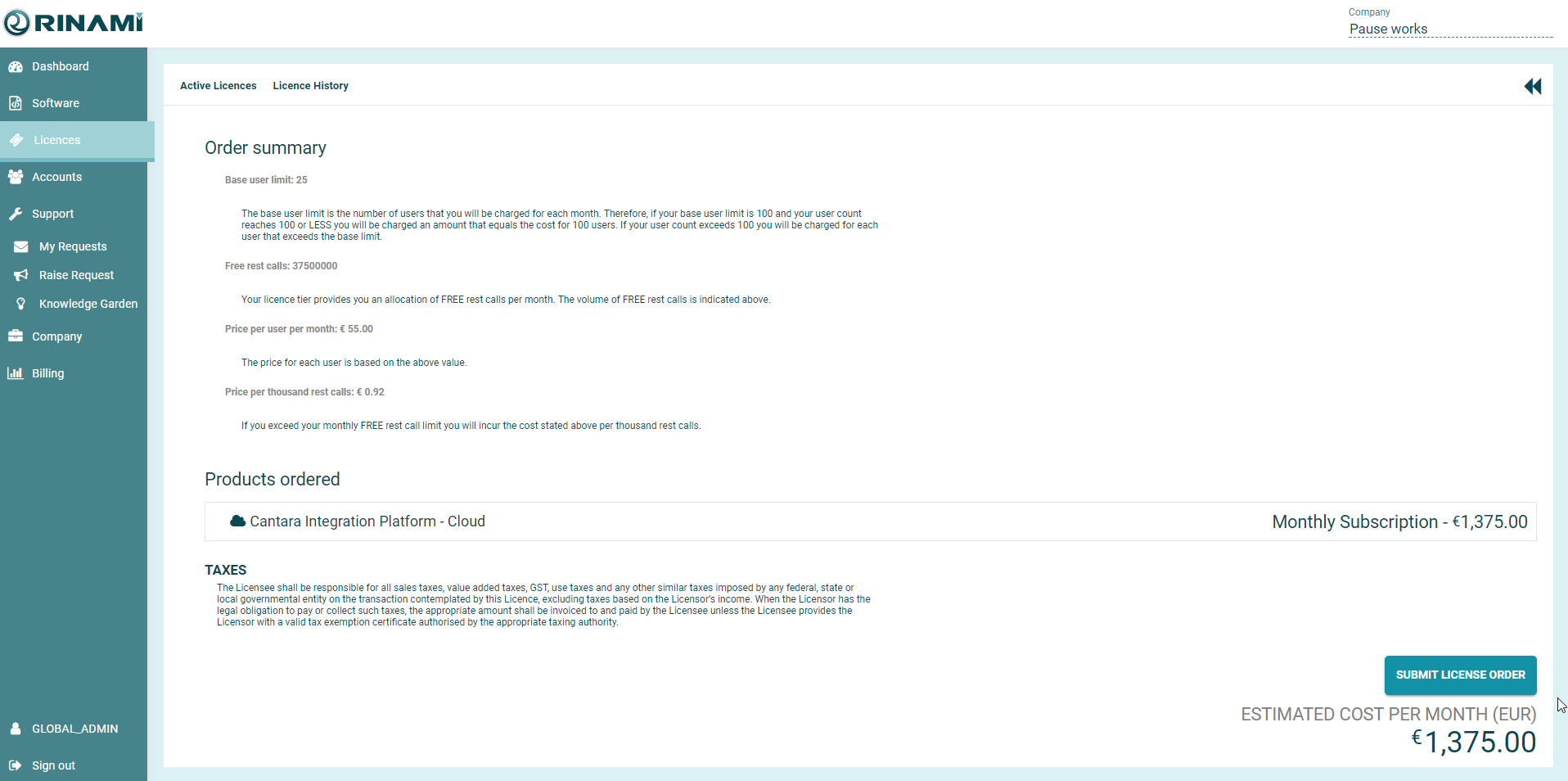
The licence order will be reviewed and you will be notified once it has been activated.
Once the Licence is activated, you will see the details under the Licences screen.
For standalone installation you can retrieve your licence details here.