
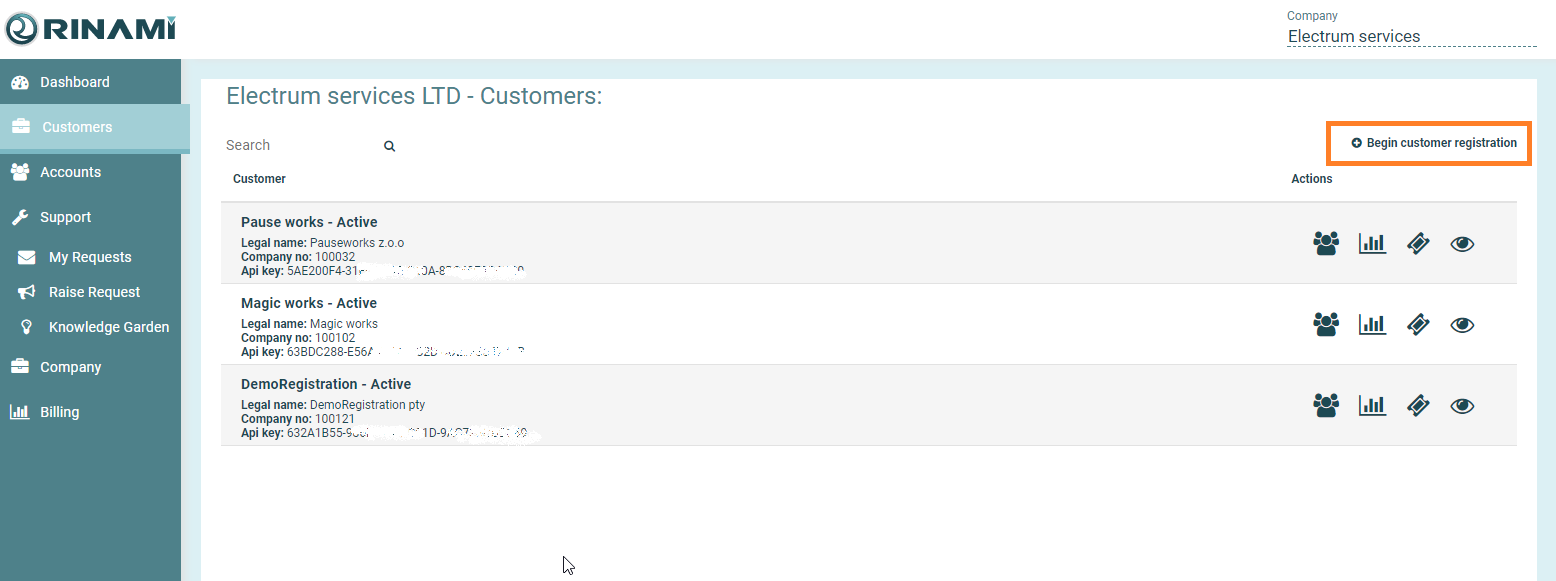
Go to the Customer tab in the Left Pane.
Click the Begin customer registration button on the right
Enter the Company Name, select a Billing Region and enter email address for the company.
-
The Email Address entered will receive the initial company registration notification only.
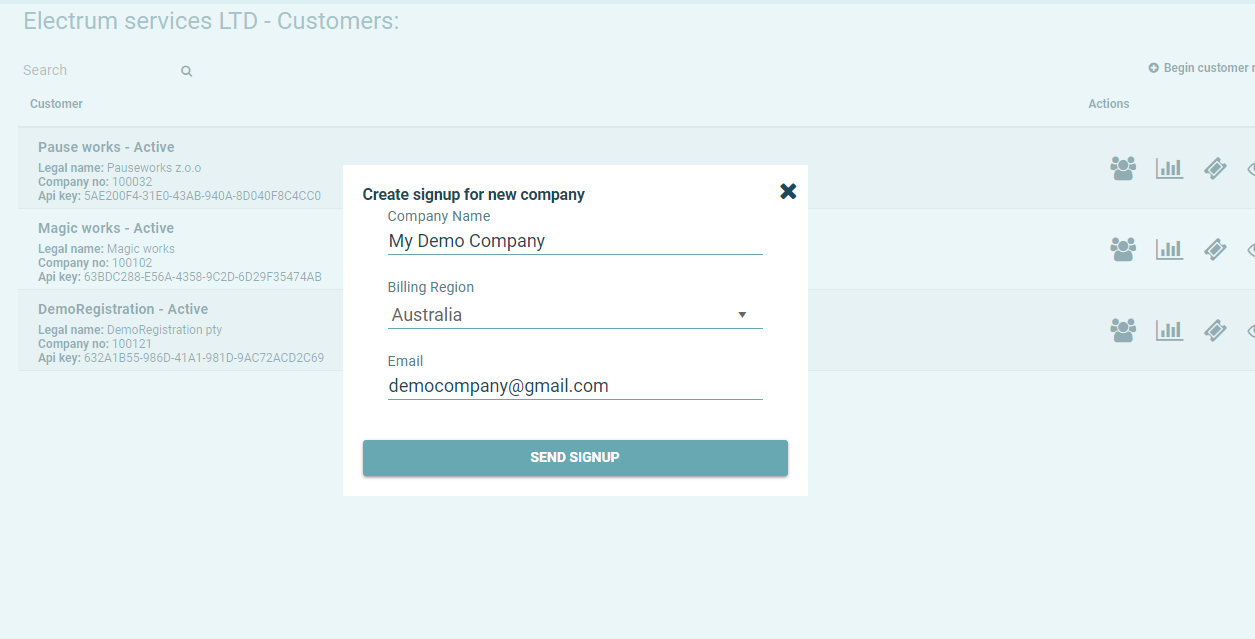
Click the SEND SIGNUP button and the registration email will be sent to the specified company email address.
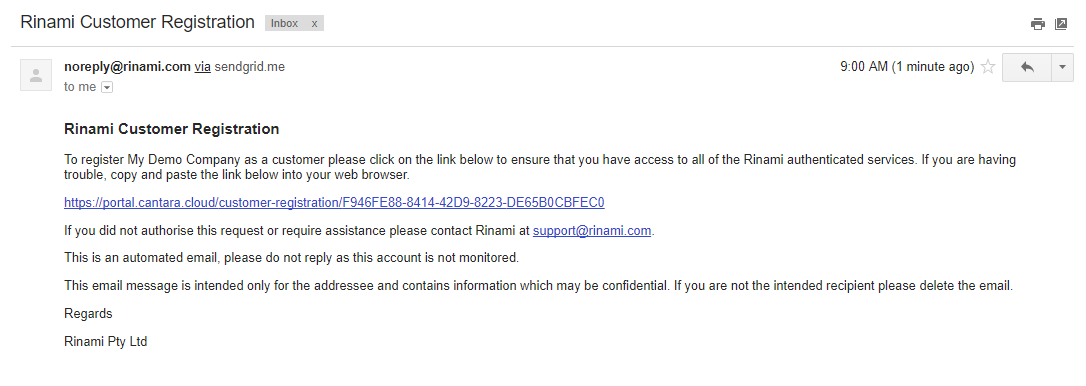
The Customer will then need to complete the registration process, providing their billing information and setting up a primary account.