To create entity generation Android packages
-
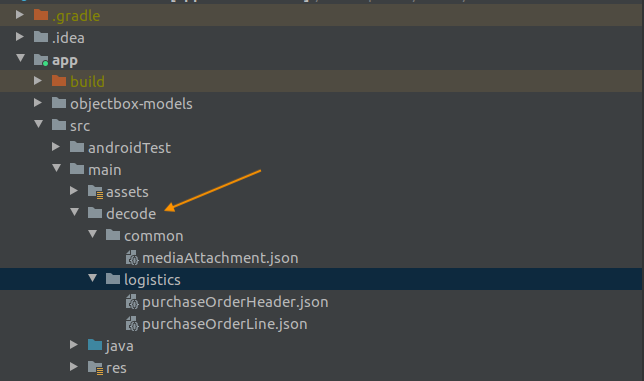
Create a folder named decode in the main source folder.
-
Within the decode folder, create subfolders for each of the objects required by your application.
The subfolders should be named according to the schema library structure, shown below:
.png?cb=f406f885b3aed278e16ff398c811a60c)
-
The JSON definition files representing your Android classes should be exported from Cantara Server. For information about the procedure to generate the export files, refer to Exporting a Function and Exporting a Query.
After export, the JSON definition files for entity generation can be modified by the developer.
For information about the file format, refer to JSON Definition Files for Entity Generation. -
Add the entity definition JSON files to the appropriate decode subfolder.
To generate entity classes based on the JSON definition files
-
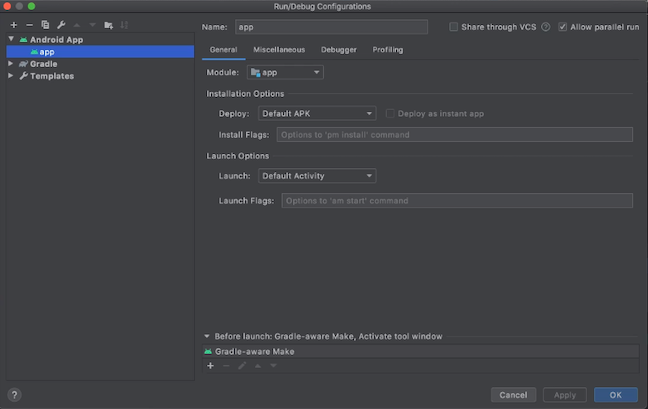
Open the Run/Debug Configurations window:
-
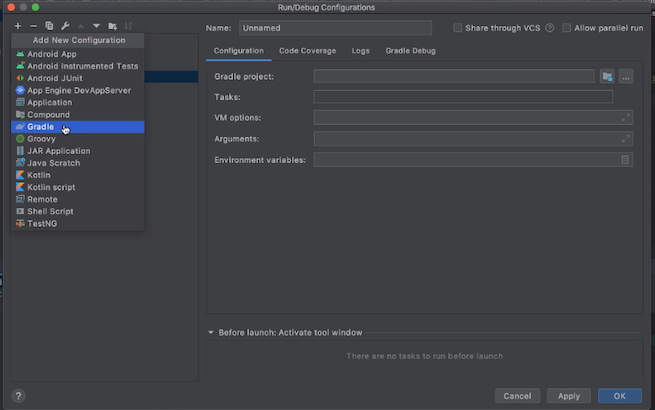
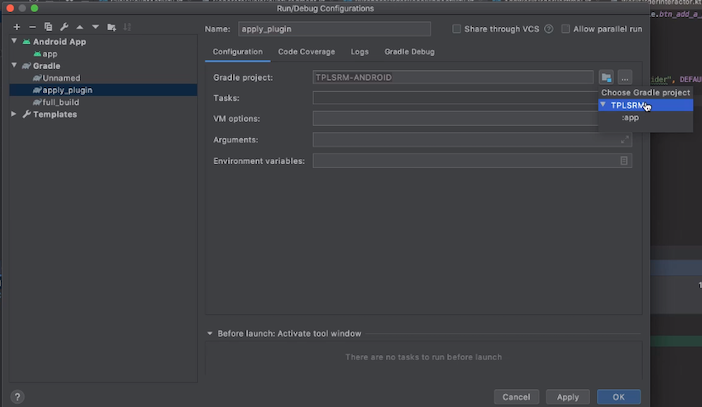
Click on the + button and select Gradle from the drop down list to create a new gradle configuration
-
Give the configuration an appropriate name eg: apply_decode
-
Select Gradle project:
-
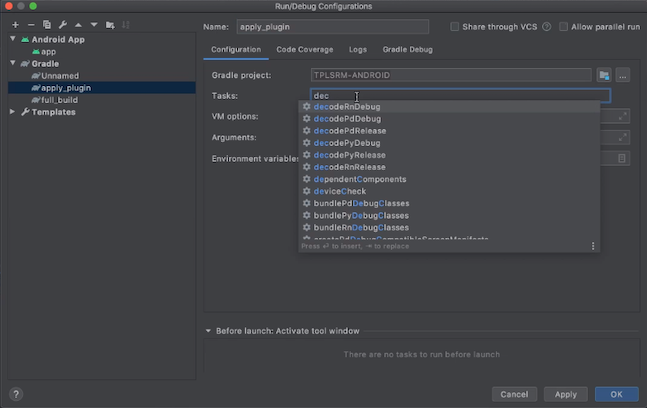
Add the appropriate decode task in the Tasks field. Usually decodeDebug or decode{flavor_name}Debug
-
Apply changes, and run the gradle configuration.
-
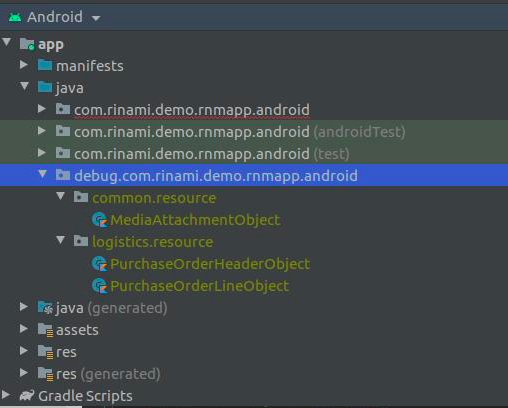
The generated classes will be created in your project: