
You can use the Cantara Administration Console as a debug tool to test that an orchestration is being invoked as expected.
The following details are returned when you test an orchestration:
-
Orchestration Request: The payload that the Cantara Access Server RESTful service consumes. You can use the information produced here as a template for inclusion in your own service client.
-
Orchestration Response: The response that the Cantara Access Server returns.
-
JDE Transaction: The data that is being transmitted from Cantara Access Server and the JDE server.
The result is displayed in JSON format.
To test an orchestration
-
Open the Components menu group in the navigation panel.
-
Select the Orchestrations node.
-
Select the orchestration you want to test.
-
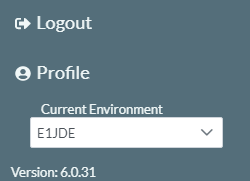
Click on the User icon in the status bar in the top right corner of the screen. The current environment will be displayed.
-
Use the environment drop-down list to select the environment that you wish to test the query against.
-
Click the
