
Once your extension is available to be executed, Insomnia ( a Chrome Extension) is a useful tool that help us to execute our services easily and quickly.
As we need a Session, we need to start with a login, then we are able to execute our Extension.
In example below, I have replaced my actual password by "*******" but you have to write your actual password.
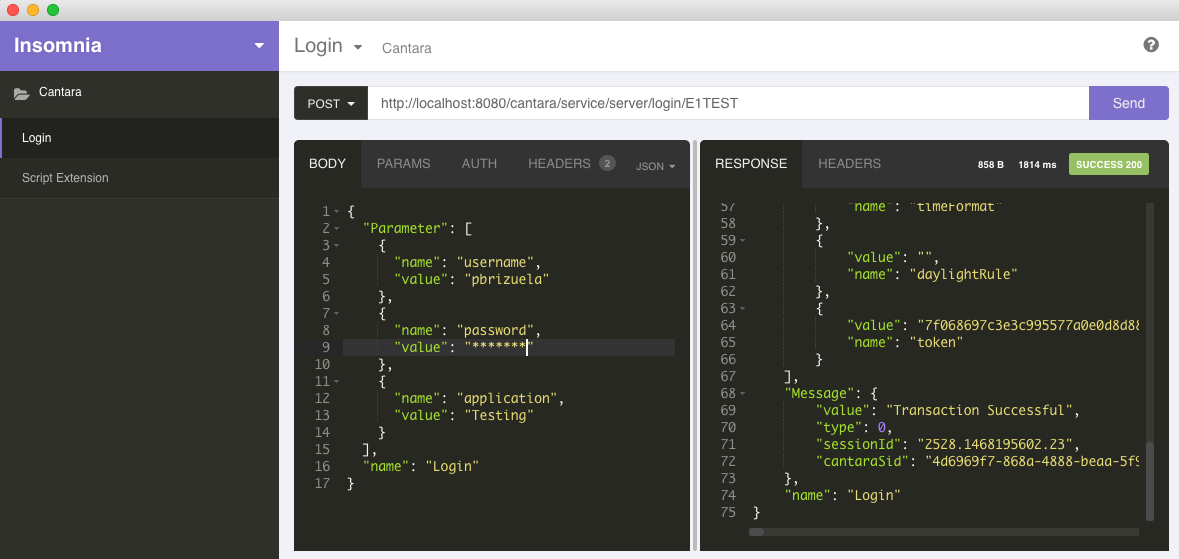
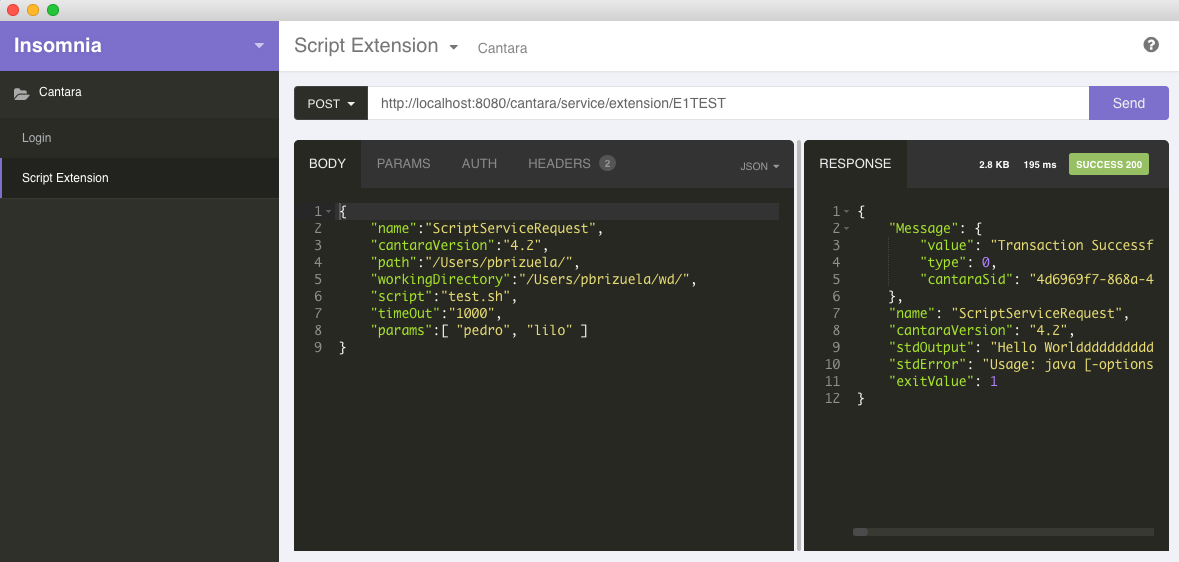
At the beginning, you can test your Extension with a simple main method until get a "good enough" version.
Java
public class ScriptExtension {

    public static void main(String[] args) throws IOException{
        ServiceProvider sp = new ServiceProvider();
        ObjectMapper mapper = new ObjectMapper();
        String jsonScript="{\n" +
"    \"name\":\"ScriptServiceRequest\",\n" +
"    \"cantaraVersion\":\"4.2\",\n" +
"    \"path\":\"/Users/pbrizuela/\",\n" +
"    \"workingDirectory\":\"/Users/pbrizuela/wd/\",\n" +
"    \"script\":\"test.sh\",\n" +
"    \"params\":[ \"pedro\", \"lilo\" ]\n" +
"}";
        ScriptRequest request = mapper.readValue(jsonScript, ScriptRequest.class);
        ScriptResponse scriptResponse = sp.executeScriptRequest(request, null);
    }
}